
Tool DiscoveryTool Discovery

What Does Reddit Think of Granola AI? The 2026 Community Verdict

Granola AI is one of the most discussed AI meeting note tools in productivity communities in 2026, and the discussion is largely positive with one persistent caveat: the free tier runs out fast. Unlike Otter.ai or Fireflies, Granola does not join your calls as a visible bot. It captures audio directly through your device system audio, which is the feature that productivity-focused communities on Reddit (r/productivity, r/remotework, r/MacApps) respond to most strongly. Users describe it as the tool that "changed how I interact in meetings" because you can actually pay attention instead of typing notes. This guide compiles what the productivity community says about Granola AI, how it compares to Fathom, Otter.ai, and Fireflies, and whether the pricing makes sense for different types of users.

Updated: 2026-02-218 min read

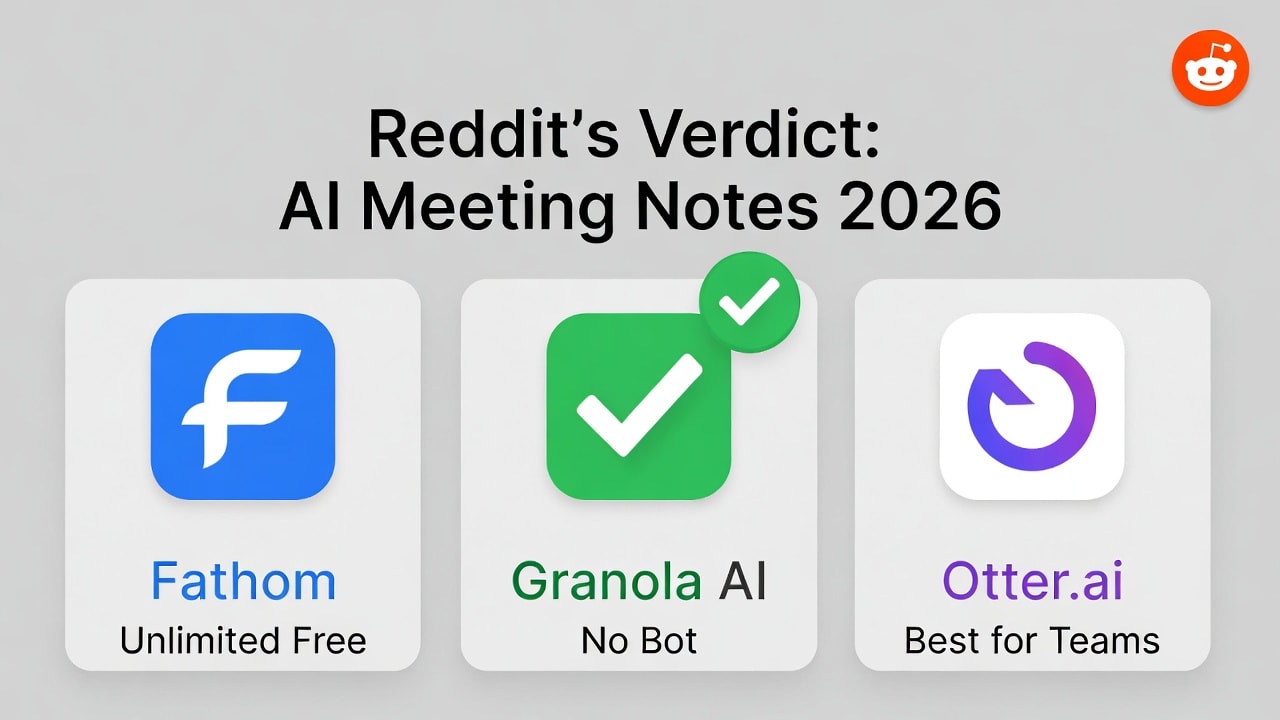
Granola AI community verdict: best for solo professionals who want private, bot-free meeting notes

Granola AI Reddit community review 2026 - no-bot meeting notes verdict from productivity communities

Detailed Tool Reviews

1

Granola AI

4.5

AI meeting notes app that captures audio via your device without joining calls as a bot. Works across Zoom, Google Meet, Teams, and in-person meetings. You add rough notes during the call; Granola enhances them with transcript, action items, and summaries after. Transcription accuracy tested at 90-92%. Available on Mac, Windows, and iOS.

Key Features:

  • No bot - captures system audio directly, invisible to other participants
  • 90-92% transcription accuracy across multiple languages
  • Hybrid notes: your rough notes + AI-enhanced summaries
  • Ask Granola: post-meeting AI queries on your transcript
  • Recipes: automated post-meeting actions (email drafts, follow-ups)
  • Private by default: no audio stored after processing

Pricing:

Free (25 meetings) / Individual $18/mo / Business $14/user/mo

Pros:

  • + No visible bot in meetings - preserves natural conversation flow
  • + Privacy-first: GDPR compliant, no audio recordings stored
  • + Works in-person via iOS app, not just video calls
  • + Clean Notion-style editable interface for notes
  • + Multilingual transcription support

Cons:

  • - Free tier limited to 25 lifetime meetings (not per month)
  • - No speaker identification in large multi-person meetings
  • - No audio or video playback - text only
  • - Limited CRM and Slack integrations
  • - No Android or web app (Mac, Windows, iOS only)

Best For:

Executives, consultants, and solo professionals in back-to-back meetings who want private, accurate notes without a visible bot joining their calls

Try Granola AI
2

Fathom

4.6

Granola's closest competitor in the no-bot meeting notes category. Fathom also records without a visible participant bot and offers a genuinely unlimited free tier. Community discussions consistently compare these two for solo users. Fathom is Zoom-focused; Granola works across more platforms.

Key Features:

  • Free tier is genuinely unlimited (no meeting cap)
  • Video recording and playback included
  • Highlights system for flagging key moments
  • CRM integrations on paid plans
  • Zoom-native deep integration

Pricing:

Free (unlimited) / Team $19/user/mo

Pros:

  • + Unlimited free tier - the most generous in this category
  • + Video playback lets you verify transcription accuracy
  • + More CRM integrations than Granola
  • + Strong Zoom integration with one-click setup

Cons:

  • - Primarily Zoom-focused - less versatile across platforms
  • - No hybrid note-taking during calls
  • - Team features require paid plan

Best For:

Zoom-heavy users who want unlimited free meeting notes without needing cross-platform support or in-person meeting capture

Try Fathom
3

Otter.ai

4.2

The most widely known AI meeting notes tool. Otter.ai joins calls as a visible bot ("Otter.ai has joined the meeting") which is its biggest criticism in productivity communities compared to Granola and Fathom. Better integrations and speaker identification than Granola, but the visible bot is a dealbreaker for many professionals.

Key Features:

  • Automatic bot joins and records calls
  • Speaker identification - knows who said what
  • Shared workspace for team collaboration
  • Integrations with Salesforce, HubSpot, Zoom, Teams
  • Live captions during meetings

Pricing:

Free (300 min/mo) / Pro $16.99/mo / Business $30/user/mo

Pros:

  • + Better speaker identification than Granola
  • + More robust team collaboration features
  • + Stronger CRM integrations
  • + Established tool with large user base

Cons:

  • - Visible bot in meetings can feel intrusive or unprofessional
  • - Free tier limited to 300 minutes per month
  • - Transcription accuracy slightly lower than Granola in head-to-head tests

Best For:

Teams who need collaboration features, speaker identification, and CRM integrations and do not mind a visible bot participant in their calls

Try Otter.ai

The Granola AI Community Verdict: Why "No Bot" Changes Everything

The most consistent reaction to Granola AI in productivity communities is relief. The tool does not join your calls as a participant. There is no "Granola AI has joined the meeting" notification, no visible recording indicator for other participants, and no external server receiving your audio in real time.

One user shared in a productivity community thread: "The auto transcript and summary are SO GOOD that it has completely changed how I interact in meetings." This captures the core Granola experience: the quality is high enough that you can stop half-listening while you type notes and actually participate in the conversation.

r/productivity and r/MacApps discussions about AI meeting notes consistently surface the "bot joining the call" issue as the top reason professionals avoid Otter.ai and Fireflies in client-facing meetings. When a bot joins a call with an external client or interview subject, it changes the dynamic. Granola and Fathom both solve this by capturing system audio directly on your device.

The privacy angle matters for more than just call dynamics. Granola processes audio on-device and does not store recordings after generating the transcript. For professionals in healthcare, legal, or consulting contexts where call content is sensitive, this is a real differentiator. The tool is GDPR compliant and explicitly does not retain audio files.

Where the community pushes back: the free tier is 25 lifetime meetings, not 25 per month. For anyone seriously evaluating the tool, 25 meetings is enough to form a judgment but not enough to make it a habit. Multiple users across productivity forums note this as the biggest barrier to recommending Granola without qualification.

Granola AI vs Fathom: The Most Discussed Comparison

In solo professional productivity discussions, the Granola vs Fathom debate comes up consistently. Both tools use the no-bot approach. The comparison usually comes down to three factors:

Free tier: Fathom wins significantly. Fathom offers unlimited free meeting notes with no meeting cap. Granola's 25 lifetime meetings is enough to evaluate the tool but requires a paid decision much earlier. For productivity community members who want to try before committing, Fathom has a lower adoption barrier.

Platform coverage: Granola wins for multi-platform users. Granola works across Zoom, Google Meet, Microsoft Teams, Webex, and captures in-person meetings via the iOS app. Fathom is primarily Zoom-focused. For professionals who switch between platforms or run a mix of video and in-person meetings, Granola covers more ground.

Note-taking approach: Granola's hybrid model is unique. You jot rough notes during the meeting, and Granola uses your notes plus the full transcript to generate a more contextual summary. Fathom captures the full transcript and lets you flag highlights, but there is no input from you during the call. The community is split on which approach they prefer.

Pricing at scale: Fathom Team is $19/user/month. Granola Business is $14/user/month. For teams, Granola is slightly cheaper, but Fathom's team collaboration features are more developed in its current state.

The honest community answer to "Granola or Fathom": if you are primarily on Zoom and want unlimited free notes, start with Fathom. If you need cross-platform coverage, in-person meeting support, or the hybrid note-taking workflow, Granola is worth the more limited free trial.

Granola AI vs Otter.ai and Fireflies: The Bot Question

Otter.ai has the largest user base of any AI meeting notes tool and appears in more discussions simply by volume. The community comparison with Granola usually ends at one point: the visible bot.

Otter.ai joins meetings as "Otter.ai" in the participant list. In internal team meetings this is generally accepted. In client calls, interviews, or sensitive conversations, it creates friction. Professionals in r/consulting, r/freelance, and r/remotework threads consistently mention this as the reason they switched from Otter.ai to Granola or Fathom.

Where Otter.ai genuinely wins: speaker identification. Otter knows who said what in multi-person calls. Granola's transcripts do not attribute sentences to specific speakers in the same way, which is a real limitation in team meeting contexts where you need to know who committed to what action item. For solo professionals taking notes on calls they are running, speaker ID matters less. For team meeting documentation where accountability matters, Otter.ai handles attribution better.

Fireflies.ai is similar to Otter in that it joins calls as a visible bot. Its strengths are CRM integrations (Salesforce, HubSpot) and team analytics. For sales teams who need call data flowing into their CRM automatically, Fireflies is the productivity community recommendation. For solo professionals who need clean private notes, Granola or Fathom are consistently recommended instead.

Transcription accuracy comparison from independent tests: Granola scores 90-92%, competitive with or better than Otter.ai and Fireflies in standard meeting conditions. The no-bot approach does not come at the cost of transcription quality.

Granola AI Pricing: Is It Worth Paying For?

Granola AI pricing in 2026:

Free tier: 25 lifetime meetings with full AI features. Not per month, not per year - 25 total. This is enough for a thorough evaluation but the community is clear that it is not enough to use as a long-term free tool.

Individual plan: approximately $18/month for unlimited meetings. This is the plan most solo professionals evaluate against. At $18/month, the comparison the community makes is: does Granola add $18/month of value over taking your own notes or using a free alternative like Fathom?

Business plan: $14/user/month at scale. Slightly cheaper per seat than Fathom Team ($19/user/month) but with less developed team features currently.

The productivity community's honest take on pricing: $18/month is defensible for professionals in 4+ meetings per day where the time saved on post-meeting write-ups is significant. A realistic estimate from users is 15-20 minutes saved per meeting on follow-up documentation. At 5 meetings a day, that is over an hour of time reclaimed daily. At that volume, $18/month is not questioned.

For professionals in 1-2 meetings per day, the ROI calculation is less clear. Free Fathom or even structured personal notes serve these users adequately. Granola's value scales with meeting volume.

The 25-meeting free tier criticism is valid but manageable: use those 25 meetings intentionally across different meeting types (internal team, client, in-person) to get a complete picture before the paid decision.

What the Community Says Granola Gets Wrong

Honest coverage requires the criticisms, and the productivity community has consistent ones for Granola AI:

No speaker identification: Granola transcripts do not reliably attribute speech to specific speakers in group meetings. In a 3+ person call, the transcript becomes a single block of text without "John said... Sarah responded..." attribution. This is a real limitation for team meeting documentation. The workaround Granola users describe: start your rough notes with participant names and use those to prompt the AI summary to attribute action items correctly.

No audio playback: After the meeting, you cannot go back and listen to a specific 30-second clip to verify what was said. Text transcript only. For most meeting notes use cases this is fine. For journalists, researchers, or anyone who needs to verify exact quotes, it is a dealbreaker.

25-meeting free tier: Already discussed above, but worth noting that this is the single most common complaint in Granola evaluations. The community understands it is a business decision, but it creates friction in recommending the tool to others.

No Android app: iOS and Mac only for mobile. Android users cannot use the in-person meeting capture feature. Given Android's global market share, this locks out a significant share of the international productivity community.

Limited team features: Granola is strongest for solo professionals. Shared workspaces, team dashboards, and manager review features are less developed than Fireflies or Otter.ai for team use. The Business plan exists but the community says Fireflies or Otter.ai serve teams better at this stage.

Who Granola AI Is Actually For (and Who Should Skip It)

Based on productivity community discussions, Granola AI has a clear ideal user profile:

Use Granola if: You are a solo professional (consultant, executive, freelancer) in 4+ meetings per day. The time savings from not writing notes scales directly with meeting volume. You regularly have client-facing or sensitive calls where a visible bot participant would be inappropriate. You use a mix of platforms (Zoom, Meet, Teams) or have in-person meetings that need to be captured. Privacy of call content matters to you and you want no audio stored after processing.

Skip Granola and use Fathom if: You want unlimited free notes permanently and your meetings are primarily on Zoom. You do not need in-person meeting capture. Free tier sustainability is more important than cross-platform coverage.

Skip Granola and use Otter.ai or Fireflies if: You manage a team and need speaker identification, shared workspaces, and manager review features. You need CRM integrations (Salesforce, HubSpot) with automatic call logging. Speaker attribution in group meetings is critical for your use case.

The productivity community is consistent: Granola AI is not the best tool for every meeting notes use case. It is the best tool for a specific profile of solo professional who prioritizes privacy, cross-platform coverage, and the hybrid note-taking approach over team features and free tier generosity.

Frequently Asked Questions

Productivity communities in r/productivity, r/remotework, and r/MacApps respond positively to Granola AI, primarily because it does not join calls as a visible bot. Users describe it as a tool that changed how they interact in meetings. The main criticism is the 25-meeting lifetime free tier, which is enough to evaluate but not for long-term free use.

Should you try Granola AI in 2026

Granola AI earns its strong community reputation for a narrow but real use case: solo professionals in frequent meetings who want private, accurate notes without a visible bot. The 25-meeting free tier is enough to evaluate it properly. At $18/month for Individual, the pricing is justified for high-volume meeting users. For lighter meeting loads, Fathom's unlimited free tier is the smarter starting point. The community verdict is not that Granola is universally better than the alternatives, but that for the right user profile it is clearly the best fit in 2026.

About the Author

Amara - AI Tools Expert

Amara

Amara is an AI tools expert who has tested over 1,800 AI tools since 2022. She specializes in helping businesses and individuals discover the right AI solutions for text generation, image creation, video production, and automation. Her reviews are based on hands-on testing and real-world use cases, ensuring honest and practical recommendations.

View full author bio

Related Guides