
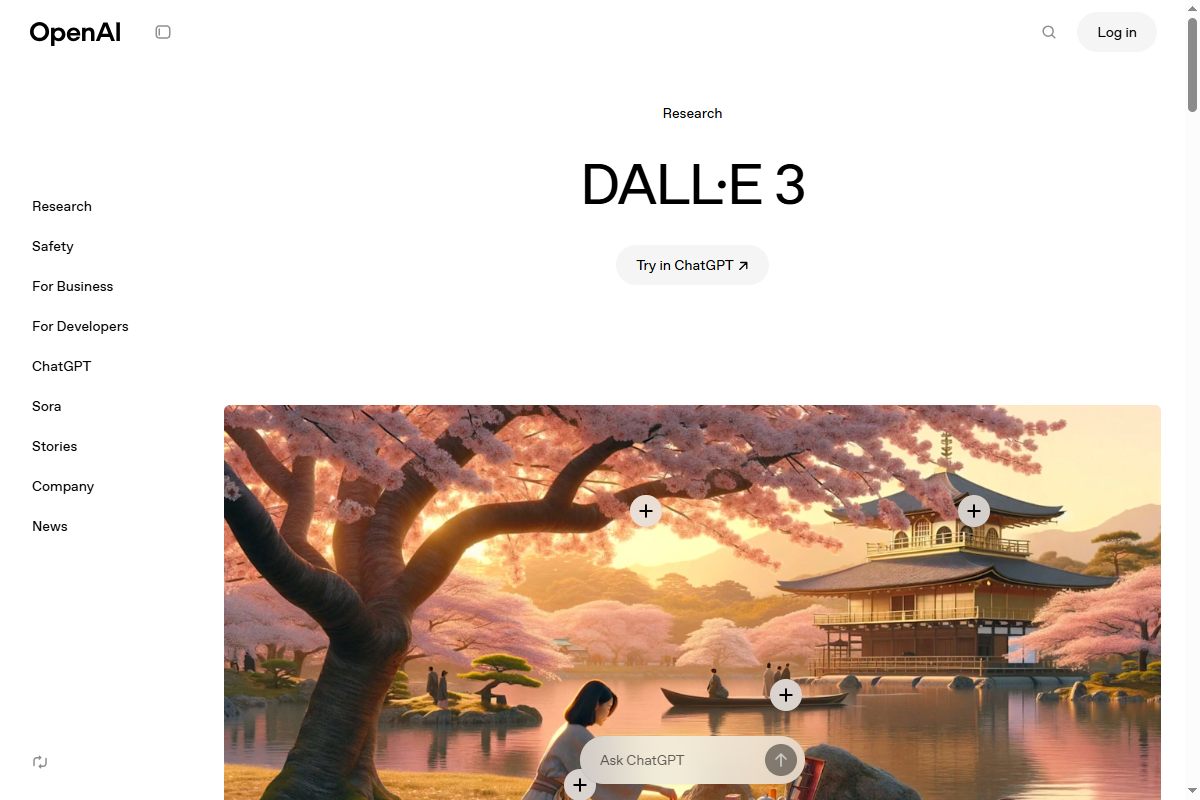
DALL-E 3 by OpenAI generates highly detailed images from text descriptions, creating photorealistic photos, digital art, illustrations, and creative concepts. Integrated with ChatGPT Plus, it produces accurate compositions understanding nuanced prompts, style variations, and contextual details, enabling creators to visualize ideas without graphic design skills through conversational image generation.

Best AI Tools for Artist 2026
11 professional AI tools designed for Artist. Find the perfect tools to support your workflow and increase productivity.
What are the best AI tools for Artist in 2026?
The best AI tools for Artist are Midjourney (Paid), DALL-E (Freemium), Adobe Photoshop (Paid). These 11 tools cover 4 workflow categories, including AI Design, Design, Image.
Top 6 verified tools for Artist:
- Midjourney (Paid): Midjourney is an AI art generator creating stunning images from text descriptions, producing photorealistic visuals, digital art, illustrations, and creative designs through Discord bot interface. → Learn More
- DALL-E (Freemium): DALL-E 3 by OpenAI generates highly detailed images from text descriptions, creating photorealistic photos, digital art, illustrations, and creative concepts. → Learn More
- Adobe Photoshop (Paid): Industry-leading image editing software with AI-powered features including Generative Fill, Neural Filters, and advanced photo manipulation capabilities. → Learn More
- Adobe Illustrator (Paid): Professional vector graphics software with AI-powered tools for creating logos, icons, illustrations, and scalable graphics for any medium. → Learn More
- Canva Magic Design (Freemium): Canva is a graphic design platform with AI-powered tools including Magic Design, Background Remover, and text-to-image generation, enabling anyone to create professional graphics, presentations, videos, and social media content. → Learn More
- Stable Diffusion (Paid): Stable Diffusion by Stability AI revolutionizes visual content creation with its advanced AI capabilities. → Learn More
How do Artist professionals use AI tools to save time?
Midjourney handles Image enhancement, while DALL-E automates repetitive workflow steps. Combined with 9 other tools in our directory, Artist professionals report saving 5-15 hours per week on routine tasks.
Midjourney(Paid)
- • Image enhancement
- • Resize automation
- • Batch processing
DALL-E(Freemium)
Adobe Photoshop(Paid)
- • AI Generative Fill
- • Neural Filters
- • Content-Aware tools
Adobe Illustrator(Paid)
- • AI vector generation
- • Precise pen tools
- • Typography tools
What categories of AI tools do Artist professionals need?
Artist professionals work with 4 different categories of AI tools:
AI Design
2 tools available
Design
4 tools available
Image
4 tools available
Productivity
1 tools available
How much do AI tools for Artist cost?
Free Options: 0 tools offer completely free plans with core features for individual Artist professionals.
Freemium Options: 4 tools provide free tiers with optional paid upgrades for teams.
Professional Plans: Most tools cost $10-$50 per month for individual professionals and $50-$200 per month for team plans with collaboration features.
AI Design Tools for Artist (2)
Canva is a graphic design platform with AI-powered tools including Magic Design, Background Remover, and text-to-image generation, enabling anyone to create professional graphics, presentations, videos, and social media content. With 170+ million users and 250,000+ templates, Canva democratizes design through drag-and-drop simplicity and collaborative features.
AI-generated presentations from text promptsCustom design templates from uploaded imagesInstant social media graphics generation
Design Tools for Artist (4)

Adobe Illustrator
Design

Adobe Photoshop
Design

Figma
Design
Figma is a powerful collaborative design platform that enables teams to create, test, and launch designs efficiently. With its real-time collaboration features and extensive plugin ecosystem, Figma is essential for UI/UX design, fostering seamless teamwork across various disciplines.
Real-time collaboration for synchronous design work.Design systems management for consistency across projects.Prototyping and animation tools to visualize design interactions.
Runway
Design
Runway is an innovative platform for creators looking to harness advanced technology for captivating multimedia content. With its seamless integration of powerful tools, users can quickly generate, edit, and enhance their creative projects, making it the perfect solution for filmmakers, social media influencers, and personal projects alike.
Text-to-Image Generation: Create images directly from text promptsVideo Editing and Enhancements: Tools for video production and refinementCustom Animation Capabilities: Create custom animations to enhance visual storytelling
Image Tools for Artist (4)

Leonardo Ai
Image
Midjourney
Image
Midjourney is an AI art generator creating stunning images from text descriptions, producing photorealistic visuals, digital art, illustrations, and creative designs through Discord bot interface. Using advanced diffusion models, it enables artists, designers, marketers, and creators to generate high-quality artwork without design skills, offering customizable styles, aspect ratios, and iterative refinement for professional visual content.
Image enhancementResize automationBatch processing
Remove.bg
Image
Remove.bg is an innovative online tool that leverages advanced AI technology for seamless background removal from images. Ideal for photographers, designers, and marketers, it enhances visual content creation by providing accurate and instant background elimination.
One-click Background RemovalAI-powered PrecisionHigh-quality Output
Stable Diffusion
Image
Stable Diffusion by Stability AI revolutionizes visual content creation with its advanced AI capabilities. Tailored for storytellers, photographers, and marketers, it streamlines the creative process through powerful automation and customization features.
Custom Models for specific project needsAPI Access for integration into applicationsScalable Cloud Service for collaboration
Productivity Tools for Artist (1)

Notion
Productivity
Notion is an all-in-one workspace combining notes, databases, wikis, projects, and collaboration tools with AI-powered features for content generation, summarization, and organization. Serving 35+ million users, it enables teams to centralize knowledge, manage projects, track tasks, and automate workflows through customizable pages, databases, and AI assistance.
AI-Powered Writing & SummarizationTask & Project ManagementDatabase Management
All 11 AI Tools for Artist
DALL-E 3 by OpenAI generates highly detailed images from text descriptions, creating photorealistic photos, digital art, illustrations, and creative concepts. Integrated with ChatGPT Plus, it produces accurate compositions understanding nuanced prompts, style variations, and contextual details, enabling creators to visualize ideas without graphic design skills through conversational image generation.
Canva is a graphic design platform with AI-powered tools including Magic Design, Background Remover, and text-to-image generation, enabling anyone to create professional graphics, presentations, videos, and social media content. With 170+ million users and 250,000+ templates, Canva democratizes design through drag-and-drop simplicity and collaborative features.
AI-generated presentations from text promptsCustom design templates from uploaded imagesInstant social media graphics generation
Adobe Illustrator
Design
Adobe Photoshop
Design
Figma
Design
Figma is a powerful collaborative design platform that enables teams to create, test, and launch designs efficiently. With its real-time collaboration features and extensive plugin ecosystem, Figma is essential for UI/UX design, fostering seamless teamwork across various disciplines.
Real-time collaboration for synchronous design work.Design systems management for consistency across projects.Prototyping and animation tools to visualize design interactions.
Leonardo Ai
Image
Showing 6 of 11 tools
Quick Questions
Click any question to jump to the answer
Frequently Asked Questions About AI Tools for Artist
Expert answers to common questions from Artist professionals about AI tools
Explore Tools by Use Case
View all use cases →Design67 tools
Best AI Tools for Graphic design
Find the best AI tools for graphic design. Compare features, pricing, and reviews.
Explore tools
Design65 tools
Best AI Tools for Ui/ux design
Find the best AI tools for ui/ux design. Compare features, pricing, and reviews.
Explore tools
Design65 tools
Best AI Tools for Logo creation
Find the best AI tools for logo creation. Compare features, pricing, and reviews.
Explore tools
Design129 tools
Best AI Tools for Image editing
Find the best AI tools for image editing. Compare features, pricing, and reviews.
Explore tools
Design65 tools
Best AI Tools for Prototyping
Find the best AI tools for prototyping. Compare features, pricing, and reviews.
Explore tools
Productivity172 tools
Best AI Tools for Task management
Find the best AI tools for task management. Compare features, pricing, and reviews.
Explore tools
Popular Tool Comparisons
View all comparisons →AI Design
DALL-E vs Canva Magic Design
Compare DALL-E and Canva Magic Design for ai design work. See features, pricing, and which tool fits your workflow.
Compare now
AI Design
Canva Magic Design vs Flux AI
Compare Canva Magic Design and Flux AI for ai design work. See features, pricing, and which tool fits your workflow.
Compare now
AI Design
Flux AI vs Pikzels
Compare Flux AI and Pikzels for ai design work. See features, pricing, and which tool fits your workflow.
Compare now