
AI for Coding & Programming Help
Complete Guide for Engineering (B.Tech/B.E.) Students 2026
Get AI assistance for coding, debugging, code review, and learning programming concepts
Quick Answer
GitHub Copilot provides free AI-powered coding assistance to engineering students through the GitHub Student Developer Pack. It autocompletes code, explains complex algorithms, debugs errors, and generates boilerplate code across C, C++, Java, Python, and JavaScript, helping B.Tech students save 30-40% time on assignments while preparing for placement coding rounds.
Why Engineering (B.Tech/B.E.) Students Need AI for Coding & Programming Help
Engineering (B.Tech/B.E.) students face unique challenges when it comes to coding & programming help. From managing complex technical projects to meeting tight deadlines, AI tools can significantly streamline your workflow and improve the quality of your work.
Common Challenges
Getting stuck on coding problems
Debugging complex errors
Learning new programming languages
Writing boilerplate code
Understanding code logic
How AI Tools Help
Real-time code suggestions as you type
Instant debugging assistance
Code explanation in plain language
Reduces coding time by 30-40%
Supports 30+ programming languages
Featured Tool Recommendation
GitHub Copilot
Our top recommendation for coding & programming help among Engineering (B.Tech/B.E.) students.
Why Students Love It:
- ✓ Specifically designed for academic use
- ✓ Student discounts available
- ✓ Easy to learn and use
- ✓ Excellent customer support
Recommended AI Tools
VisuAlgo
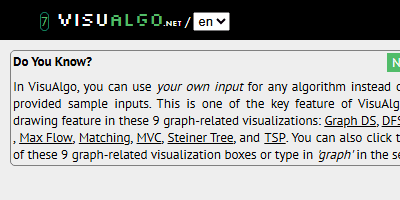
Free algorithm visualization platform from National University of Singapore (NUS) covering 26+ data structures and algorithms. Provides step-by-step animated visualizations for sorting algorithms (Quick Sort, Merge Sort, Heap Sort), graph algorithms (Dijkstra, BFS, DFS, Kruskal, Prim), tree structures (BST, AVL, Red-Black, Segment Tree), and dynamic programming problems. Used by 2M+ computer science students globally for exam preparation (CS1020, CS2040, CS3230), coding interview prep (FAANG companies), and algorithm complexity analysis (Big-O notation). Each visualization includes pseudocode, time complexity breakdown, and interactive mode for custom input. Created by Dr. Steven Halim and maintained by NUS School of Computing. Alternative to Algorithm Visualizer, USFCA Visualization Tool, and Sorting.at.
For Engineering (B.Tech/B.E.) Students:
Perfect for coding & programming help
Key Features:

ChatGPT
ChatGPT is OpenAI's conversational AI assistant powered by GPT-5.2, providing human-like responses for writing, coding, research, problem-solving, and creative tasks. With 180+ million users, it understands context, generates code, analyzes data, and assists with content creation across unlimited conversations, making advanced AI accessible for professionals, students, and businesses worldwide.
For Engineering (B.Tech/B.E.) Students:
Perfect for coding & programming help
Key Features:
Related Use Cases for Engineering (B.Tech/B.E.)
Engineering students across IITs, NITs, and private colleges face immense pressure during coding assignments, lab practicals, and placement preparation. Whether you're debugging a segmentation fault at 2 AM before your Data Structures viva or trying to understand recursion for your semester exam, programming challenges can feel overwhelming. GitHub Copilot acts as an AI pair programmer that suggests code completions, explains complex algorithms, and helps you write cleaner code faster. With companies like TCS, Infosys, Wipro, and product startups conducting multiple coding rounds, having a tool that accelerates your learning while maintaining code quality becomes critical. For B.Tech students juggling multiple subjects, lab reports, and placement prep simultaneously, GitHub Copilot reduces the time spent on boilerplate code and syntax errors, allowing you to focus on understanding core concepts. The tool works directly in your IDE, providing real-time suggestions as you type, making it particularly useful during hackathons, competitive programming practice, and project submissions.
Top 5 Challenges & AI Solutions
Debugging Runtime Errors Before Lab Submission
You've written 200 lines of C++ code for your Operating Systems lab, but it keeps throwing segmentation faults. With submission deadlines in 3 hours and your lab instructor known for strict evaluation, you're stuck tracing through pointers and memory allocation. Traditional debugging takes forever, and you can't afford to lose marks when your CGPA matters for placement eligibility in companies requiring 7.5+ cutoffs.
✨ AI Solution:
GitHub Copilot Chat can analyze your code, identify the exact line causing the segmentation fault, and suggest fixes with explanations. It helps you understand why the error occurred, preparing you for viva questions.
Learning New Frameworks for Placement Projects
Placement season requires a strong GitHub portfolio, but you need to learn React.js or Django in 2 weeks while managing your semester exams. Reading documentation feels slow, and YouTube tutorials don't address your specific project needs. You're building a hostel management system for your resume, but getting stuck on authentication, routing, and database connections eats up precious study time.
✨ AI Solution:
Copilot generates framework-specific code as you type comments describing functionality. It suggests best practices for React hooks or Django views, cutting your learning curve from weeks to days while building production-ready features.
Writing Boilerplate Code for Multiple Assignments
Your semester has 5 coding subjects with weekly assignments. Each requires similar setup code, file handling, input validation, and error checking. Manually writing this repetitive code for Data Structures, DBMS, Computer Networks, and Web Development labs consumes 4-5 hours weekly. During mid-semester exam preparation, this time could be better spent understanding concepts rather than typing standard templates and import statements repeatedly.
✨ AI Solution:
Copilot autocompletes entire functions, class structures, and import statements based on your initial few characters. It recognizes patterns from your previous files, generating consistent boilerplate code across assignments in seconds instead of hours.
Understanding Legacy Code in Group Projects
Your final year project involves working with code written by seniors or teammates using unfamiliar design patterns. You're responsible for adding features to a 3000-line codebase, but deciphering poorly documented functions and complex logic takes days. With project reviews scheduled and other team members depending on your module, you need to understand and modify existing code quickly without breaking functionality.
✨ AI Solution:
Copilot Chat explains code sections in natural language when you select them and ask for explanations. It breaks down complex functions, identifies dependencies, and suggests how to safely add new features without disrupting existing logic.
Preparing for Coding Rounds in Campus Placements
Companies visiting your campus conduct 3-4 coding rounds testing DSA, problem-solving, and system design. You're practicing on LeetCode and HackerRank but get stuck on optimal solutions for dynamic programming and graph problems. With 50+ students competing for 5 positions and companies like Amazon requiring strong coding performance, you need to solve problems faster and learn multiple approaches to crack interviews.
✨ AI Solution:
Copilot suggests multiple solution approaches as you start coding, including time and space complexity optimizations. It helps you understand different algorithms for the same problem, preparing you to discuss trade-offs during technical interviews.
Best Practices for Using AI Tools
Use Copilot Chat's /explain command to understand suggested code before accepting it, ensuring you can defend your logic during vivas and technical interviews.
Write clear comments describing what you want to achieve before letting Copilot generate code, as this improves suggestion accuracy and helps document your thought process for lab evaluations.
Review and test all Copilot-generated code thoroughly before submission, especially for assignments where professors use plagiarism detection tools that flag identical AI-generated patterns.
Use Copilot's inline suggestions for syntax and boilerplate, but solve core algorithmic logic yourself to build problem-solving skills needed for placement coding rounds.
Maintain academic integrity by using Copilot as a learning aid rather than copying entire solutions, as understanding concepts matters more for semester exams and technical interviews.
Activate GitHub Student Developer Pack for free Copilot access, saving the monthly subscription cost while getting full features throughout your B.Tech duration.
Frequently Asked Questions
Is GitHub Copilot free for engineering students in India?
Yes, engineering students get free access to GitHub Copilot through the GitHub Student Developer Pack. You need to verify your student status using your college email ID or upload your ID card. The free access remains valid throughout your B.Tech duration and includes all Copilot features available in the paid version.
Can using GitHub Copilot be detected as cheating in assignments?
GitHub Copilot is a legitimate coding assistant, but how you use it matters. Directly submitting AI-generated code without understanding it violates academic integrity policies at most engineering colleges. Use it to learn syntax, debug errors, and understand concepts, then write your own implementation to ensure you can explain your code during vivas and lab evaluations.
Which programming languages does GitHub Copilot support for B.Tech subjects?
Copilot supports all major languages taught in engineering curricula including C, C++, Java, Python, JavaScript, SQL, and MATLAB. It works particularly well with Python for Machine Learning projects, Java for Android development, C++ for Data Structures, and JavaScript for Web Development. The quality of suggestions is highest for popular languages with extensive training data.
Will GitHub Copilot help me crack coding rounds in placements?
Copilot improves your coding speed and exposes you to different solution approaches, which helps in placement preparation. However, companies test problem-solving ability and algorithmic thinking, not just code writing speed. Use Copilot during practice to learn patterns, but solve problems independently to build the skills interviewers actually evaluate during technical rounds.
How much time can GitHub Copilot save during semester assignments?
Students report saving 30-40% of coding time on assignments by using Copilot for boilerplate code, syntax corrections, and debugging. A typical 4-hour assignment might reduce to 2.5 hours. However, time saved depends on how well you understand the problem and can guide Copilot with clear comments and prompts.
Does GitHub Copilot work offline during lab exams?
No, GitHub Copilot requires an active internet connection to function as it processes requests on cloud servers. Most college lab exams restrict internet access, so you cannot use Copilot during offline practicals. Use it during practice and preparation to learn concepts, then apply that knowledge independently during actual exams.
Can GitHub Copilot generate complete project code for final year submissions?
While Copilot can generate substantial code sections, it cannot create entire projects with proper architecture, database design, and business logic without human guidance. Final year projects require understanding requirements, making design decisions, and integrating multiple components. Use Copilot to accelerate development of individual modules, but you must architect and integrate the complete system yourself.
Which IDE should I use with GitHub Copilot for engineering coursework?
Copilot works best with Visual Studio Code, which is free and supports all languages taught in B.Tech. It also integrates with JetBrains IDEs like PyCharm and IntelliJ IDEA, which many students use for Python and Java projects. VS Code is recommended for beginners due to its simplicity and extensive extension marketplace.
How to Use AI for Coding & Programming Help: Engineering (B.Tech/B.E.) Step-by-Step Guide
Total time: 2-3 hours
Set Up GitHub Copilot with Student Account
15 minVisit education.github.com and sign up for the GitHub Student Developer Pack using your college email ID or by uploading your student ID card. Once verified, install Visual Studio Code and add the GitHub Copilot extension from the marketplace. Sign in with your GitHub account to activate free Copilot access. Configure your preferred programming language settings and enable inline suggestions to start receiving real-time code completions as you type.
Tool: GitHub Student Developer PackWrite Clear Comments Describing Your Assignment Requirements
20 minOpen your assignment file and write detailed comments explaining what you need to accomplish. For example, write 'Create a function to implement binary search on a sorted array and return the index' rather than vague comments. Copilot uses these comments to understand context and generate accurate code. Include input/output specifications, edge cases, and any constraints mentioned in your assignment. The clearer your comments, the better Copilot's suggestions will match your requirements.
Tool: GitHub Copilot Inline SuggestionsReview and Customize Generated Code Suggestions
45 minAs you type, Copilot displays grey text suggestions. Press Tab to accept or keep typing to ignore. Don't blindly accept every suggestion. Read the generated code, verify it matches your logic, and modify variable names to match your coding style. Check if the solution handles edge cases required in your assignment. Use Alt+] to cycle through alternative suggestions if the first one doesn't fit your needs perfectly.
Tool: GitHub CopilotUse Copilot Chat to Debug Errors and Understand Code
30 minWhen you encounter errors or don't understand a code section, open Copilot Chat in VS Code's sidebar. Select the problematic code and type /explain to get a natural language explanation. For debugging, paste your error message and ask 'Why am I getting this error?' Copilot Chat analyzes your code context and suggests fixes with explanations. This helps you learn the underlying concept, preparing you for viva questions and technical interviews.
Tool: GitHub Copilot ChatTest Thoroughly and Document Your Understanding
40 minRun your code with multiple test cases including edge cases mentioned in your assignment. Use Copilot to generate unit tests by writing a comment like 'Write test cases for this function.' Verify outputs match expected results before submission. Add your own comments explaining complex sections in your own words. This documentation helps during vivas when professors ask you to explain your code, and ensures you genuinely understand the solution rather than just copying AI output.
Tool: GitHub CopilotBest AI Tools for Coding & Programming Help: Engineering (B.Tech/B.E.) Students
| Tool | Best For | Pricing | Rating | Verdict |
|---|---|---|---|---|
| GitHub CopilotTop PickFree tier | Real-time code completion during assignments and debugging complex errors in C++, Java, and Python projects | Free with GitHub Student Developer Pack, otherwise $10/month | 4.6/5 | Best choice for engineering students needing IDE-integrated assistance across multiple programming languages with free student access. |
| ChatGPTFree tier | Explaining algorithms, solving theoretical coding problems, and generating code snippets when not actively coding in an IDE | Free tier available, ChatGPT Plus at $20/month | 4.4/5 | Use for understanding concepts and getting detailed explanations, but lacks IDE integration making it slower for active coding sessions. |
| TabnineFree tier | Privacy-focused code completion that works offline during lab exams and doesn't send code to external servers | Free basic version, Pro at $12/month | 4.2/5 | Good free alternative with offline capability, but suggestions are less accurate than Copilot for complex engineering assignments. |
Engineering (B.Tech/B.E.) Context: What You Need to Know
When You Need This Most
Engineering students need coding help most during 3rd-5th semesters when Data Structures, Algorithms, DBMS, and Operating Systems courses have intensive programming assignments. Final year project development and pre-placement preparation in 7th-8th semesters also see peak usage.
Career Relevance
Proficiency with AI coding tools is increasingly expected in software engineering roles at companies like Microsoft, Google, and Indian startups. Placement interviews now include questions about using AI assistants effectively, and internships at product companies expect familiarity with tools like Copilot for faster development cycles.
Common Mistakes to Avoid
- ✗Submitting Copilot-generated code without testing it thoroughly, leading to runtime errors during lab demonstrations and loss of marks
- ✗Over-relying on AI for basic syntax instead of learning fundamentals, which hurts performance in closed-book semester exams and coding interviews
- ✗Using Copilot during group projects without informing teammates, creating inconsistent code styles and integration issues during final submissions
India-Specific Context
With over 15 lakh engineering students graduating annually and top companies hiring only from the top 10% based on coding skills, tools like GitHub Copilot help level the playing field. Students from tier-2 and tier-3 colleges use it to match the coding speed of IIT/NIT students during placement preparation and competitive programming contests.
Related Pages
More Tools for Engineering (B.Tech/B.E.)
Research Paper Writing for Engineering (B.Tech/B.E.)
AI tools for research paper writing specifically designed for Engineering (B.Tech/B.E.) students
Resume & CV Building for Engineering (B.Tech/B.E.)
AI tools for resume & cv building specifically designed for Engineering (B.Tech/B.E.) students
Smart Note-Taking for Engineering (B.Tech/B.E.)
AI tools for smart note-taking specifically designed for Engineering (B.Tech/B.E.) students
Coding & Programming Help for Other Courses
Ready to Transform Your Coding & Programming Help Workflow?
Join thousands of Engineering (B.Tech/B.E.) students using AI tools to work smarter and achieve better results with coding & programming help.