

Tool DiscoveryTool Discovery

Best AI Tools for Graphic Designers in 2026: What Reddit's r/graphic_design Actually Uses

Updated: 2026-07-2210 min read

r/graphic_design keeps coming back to the same split. Adobe Firefly shows up in nearly every AI thread on the sub, mostly for generative fill and product mockups, while Canva Magic Studio gets recommended for fast social content and then immediately criticized as too generic for client branding. A designer summed up the trade-off directly: "Adobe's generative fill saves me hours on product mockups, but the subscription is killing me."

That subscription math is the real pain point running through these threads. Designers describe stacking Adobe Creative Cloud, Midjourney, and Canva Pro just to cover concept art, mockups, and social layouts, before touching a tool that handles text-in-image or vector output. ImagineArt is one answer Reddit doesn't discuss by name yet for this profession specifically, but the pain point it solves, 12+ models in one subscription instead of five, is exactly what these threads complain about.

This guide breaks down what r/graphic_design actually recommends by task, what each tool costs on top of what a designer probably already pays for Adobe or Canva, and the specific limits Reddit keeps flagging before a client sees the result.

Best AI Tools for Graphic Designers in 2026, According to Reddit

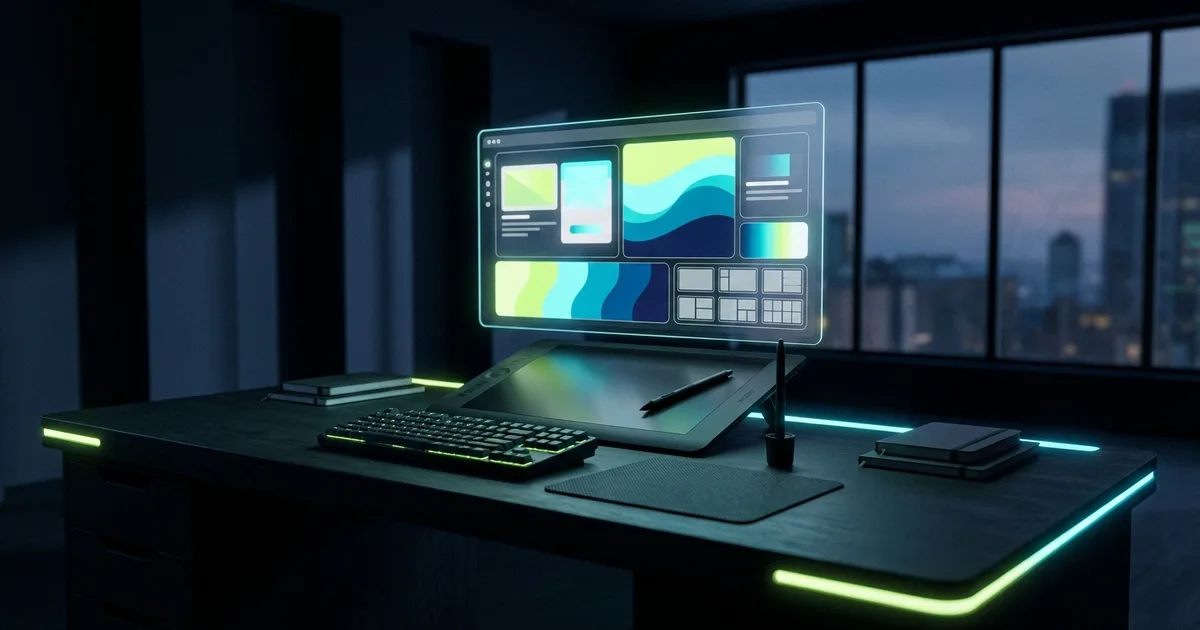
A graphic designer's desk with a glowing AI dashboard surrounded by mockups, color palettes, and layout tools

Quick Pick: The Right AI Tool for Each Design Task

Concept Art & Mood Boards

Bad
Google Image SearchTry Google Image Search
Decent
Adobe Firefly logoAdobe FireflyTry Adobe Firefly
Great
Midjourney logoMidjourneyTry Midjourney

Marketing Layouts & Social Graphics

Bad
Photoshop (manual template)Try Photoshop (manual template)
Decent
Microsoft DesignerTry Microsoft Designer
Great
Canva Magic Studio logoCanva Magic StudioTry Canva Magic Studio

Commercial-Safe Mockups & Generative Fill

Bad
Stock photo sites (manual hunting)Try Stock photo sites (manual hunting)
Decent
Great
Adobe Firefly logoAdobe FireflyTry Adobe Firefly

Multi-Model Generation & Text-in-Image

Bad
Juggling separate subscriptionsTry Juggling separate subscriptions
Decent
IdeogramTry Ideogram
Great
ImagineArt logoImagineArtTry ImagineArt

Detailed Tool Reviews

1

Adobe Firefly

4.5

Adobe Firefly is the tool that shows up in nearly every AI design thread on r/graphic_design, mostly for generative fill and product mockups inside an existing Photoshop workflow. Trained on licensed content, designers cite it specifically as the option that survives a legal review for client work.

Key Features:

  • Generative fill and object removal built directly into Photoshop
  • Trained on licensed Adobe Stock content, cited by designers as commercially safer than open web-scraped models
  • Text-to-image and text effects generation inside Creative Cloud
  • Free tier available for testing before committing to a paid plan

Pricing:

Free tier available. Firefly Standard from $9.99/month, also bundled into Adobe Creative Cloud plans.

Pros:

  • + Named most consistently across r/graphic_design threads for generative fill and mockups
  • + Commercial licensing designers can point to when a client or legal team asks
  • + Fits directly into an existing Photoshop workflow instead of a separate app

Cons:

  • - Designers specifically flag the subscription cost stacking on top of an already-paid Adobe plan
  • - Weaker for pure concept art and style exploration than Midjourney, per the same threads

Best For:

Designers already inside Adobe Creative Cloud who need commercially safe generative fill and mockups without leaving Photoshop.

Try Adobe Firefly
2

Canva Magic Studio

4.2

Canva Magic Studio is recommended on r/graphic_design for fast social content and marketing layouts, with designers just as quick to add a caveat: it works for quick posts, not client branding. That honest split is exactly how Reddit treats it.

Key Features:

  • Magic Design auto-generates layouts from a prompt or existing brand kit
  • Massive template library for social posts, presentations, and marketing assets
  • Brand kit tools for keeping colors, fonts, and logos consistent across a team
  • Free tier covers most individual and small-team social content needs

Pricing:

Free tier available. Canva Pro from $12.99/month or $119.99/year.

Pros:

  • + Fastest option Reddit names for turning around social posts and marketing layouts same-day
  • + Free tier is genuinely usable, not just a trial
  • + Brand kit features keep non-designers on a team from going off-brand

Cons:

  • - Designers on r/graphic_design specifically call it too generic for client branding work
  • - Template-based output can look interchangeable with what competitors are also publishing

Best For:

Fast-turnaround social content and marketing layouts, not client branding or print production.

Try Canva Magic Studio
3

ImagineArt

4.3

ImagineArt doesn't come up by name in graphic-designer-specific Reddit threads yet, but the problem it solves is the exact one these threads complain about: paying for Midjourney, Adobe Firefly, and a separate text-in-image tool just to cover concept art, mockups, and readable typography on one project.

Key Features:

  • 12+ generation and editing models in one subscription, including FLUX.2, Ideogram v3, and Runway Gen-4
  • Browser-based, no GPU or local install required
  • Covers concept art, product mockups, and text-in-image generation without switching tools
  • Free tier for testing before committing to a paid plan

Pricing:

Free tier available. Paid plans from $9.99/month for more generations and faster speeds.

Pros:

  • + Directly addresses the subscription-stacking complaint designers raise in nearly every design AI thread
  • + One place for the model variety usually spread across Midjourney, Firefly, and Ideogram
  • + Free tier is enough to test whether one platform actually replaces three subscriptions

Cons:

  • - No graphic-designer-specific Reddit track record yet, unlike Firefly or Canva
  • - A generalist tool won't match a specialist model's best output in every single category

Best For:

Designers tired of paying for three or four separate generation tools who want to test whether one subscription covers most of the same ground.

Try ImagineArt

The AI Tools Reddit's r/graphic_design Actually Recommends

Adobe Firefly is the name that comes up most consistently across r/graphic_design AI threads, almost always tied to generative fill and product mockups rather than pure image generation. Midjourney and Canva Magic Studio follow close behind, each recommended for a specific job rather than as a do-everything replacement.

ToolReddit rolePrimary usePricing
Adobe FireflyGenerative fill & mockupsProduct mockups, background edits, commercial-safe generationFree tier, Standard from $9.99/mo
MidjourneyConcept art & moodboardsStyle exploration, campaign conceptingSubscriptions from $10/mo
Canva Magic StudioFast layoutsSocial posts, marketing graphicsFree tier, Pro from $12.99/mo
Stable DiffusionLocal/private generationClient work designers don't want on a random serverFree, local compute cost only
Figma AIUI/UX & product designWireframes, layout suggestionsBundled into Figma plans
IdeogramText-in-imagePosters and ads that need readable typographyFree tier, paid from $7/mo

Counts here reflect how often each tool is named across the threads reviewed for this guide, not a full site-wide tally. r/graphic_design runs into the millions of members, making it the largest and most consistent source of profession-specific AI tool discussion, with r/photoshop, r/Midjourney, and r/StableDiffusion filling in tool-specific detail.

SubredditApprox. focusRelevance to AI tools
r/graphic_designGeneral graphic design, millions of membersMost consistent source of AI tool recommendations and workflow debate
r/photoshopAdobe-specific workflowsDetailed threads on Firefly and Generative Fill inside Photoshop
r/MidjourneyMidjourney usersPrompting technique, concept art and logo use cases
r/StableDiffusionOpen-source generationLocal setups, privacy-focused workflows for client work

A designer summed up why Adobe still wins despite the cost:

"Adobe's generative fill saves me hours on product mockups, but the subscription is killing me." — r/graphic_design, a verified user (2026)

That tension, real time saved against a subscription that keeps climbing, is the throughline across nearly every tool mentioned in these threads.

How Designers Are Actually Using These Tools Week to Week

Concept work and mockups are the two use cases that come up most in the threads mentioned above, ahead of anything related to final production files. The pattern: AI generates options fast, a human finishes the file that actually ships.

  • Generating dozens of concept variations before committing to one creative direction
  • Placing a finished design onto realistic product, packaging, or billboard mockups
  • Removing backgrounds and cleaning up client-supplied assets that arrive low-quality
  • Turning rough layout ideas into a first-draft social post or ad in minutes
  • Prototyping UI wireframes from a sketch before moving into a full Figma file

A designer described exactly where Midjourney fits and where it stops:

"Midjourney is great for concept art but I still have to redo everything in Illustrator if it's going to print." — r/graphic_design, a verified user (2026)

That's the pattern Reddit describes for concept work specifically: strong for exploring directions fast, not a replacement for the vector file a print job actually needs. If you're deciding whether a Midjourney subscription is worth it for that kind of concepting work, our Midjourney pricing guide breaks down every plan and what each tier actually gets you.

For a quick concept-generation prompt designers describe using before opening Illustrator:

Generate 6 distinct visual directions for a [product/brand] poster, each in a different style: minimalist, bold typography, retro, photographic, illustrated, and abstract. Keep the same core message across all six.

Where AI Still Falls Short: Style Control, Print, and Client Trust

The complaints on r/graphic_design cluster around three specific gaps, not a general "AI isn't good enough" sentiment. Each one maps to a different stage of a real project.

GapRisk levelExampleWhat happens
Brand consistencyMediumGeneric Canva output doesn't match existing brand guidelinesClient rejects the first draft, designer redoes it manually
Print productionHighMidjourney or Firefly output isn't vector, has no CMYK setupDesigner manually rebuilds the file in Illustrator before print
Client-supplied imagesMediumSensitive product photos uploaded to a random web toolDesigners switch to local Stable Diffusion instead

A designer drew a clear line specifically around branding work:

"Canva's AI is fine for quick social posts, but I wouldn't use it for client branding. It's too generic." — r/graphic_design, a verified user (2026)

If Canva's generic output is exactly the problem on a branding project, our Canva alternatives guide covers the tools designers reach for once a brand needs something more distinct than a template.

The client-trust gap shows up specifically around image privacy:

"I use Stable Diffusion locally because I don't trust random web tools with client images." — r/graphic_design, a verified user (2026)

The practical rule that comes out of these threads: use a fast web-based generator for internal concepting and social content, and switch to a local or commercially licensed tool the moment client-confidential assets or a brand-defining deliverable is involved.

One Subscription vs Five: The Real Cost of a Designer's AI Stack

Subscription overload is the single most repeated financial complaint in this research. Designers describe paying for Adobe Creative Cloud, a Midjourney plan, and Canva Pro simultaneously, then adding a fourth tool the moment a project needs text-in-image or vector output that none of the first three handle well.

  • Adobe Creative Cloud (Firefly bundled in) for commercially safe generative fill and mockups
  • Midjourney or Stable Diffusion for concept art and moodboards
  • Canva Pro for fast social and marketing layouts
  • A dedicated text-in-image tool like Ideogram when typography has to render correctly inside the image itself

That stacking is exactly the gap a multi-model platform like ImagineArt is built to close, even though Reddit hasn't started naming it in graphic-designer-specific threads yet. Twelve models, including FLUX.2, Ideogram v3, and Runway Gen-4, in one subscription is a direct answer to designers who are currently paying for three or four separate tools to cover the same ground.

Credit-based pricing is the other recurring frustration:

A YouTube comparison cited in the same research thread found GPT Image 2 costs 136 credits per generation against 10 credits for Grok Imagine, roughly 13 times more expensive per image. — cross-referenced pricing discussion, 2026

The workaround designers describe is simple: use the cheaper, faster model for the dozens of throwaway concept variations, and reserve the expensive, highest-quality model for the one final image that actually ships to a client.

Does AI Actually Replace a Graphic Designer? Reddit's Verdict

The honest answer from these threads is no for anything client-facing or print-ready, and increasingly yes for the exploratory and repetitive parts of the job. The debate that keeps resurfacing isn't whether AI helps, it's whether it's being used to speed up a designer's own process or to replace hiring one entirely.

Signs an AI workflow is working well, based on this research:

  • AI handles concept variations and mockup placement, a designer finishes the file that actually ships
  • Client-confidential images go through a local or commercially licensed tool, not a random web app
  • Print-bound work gets rebuilt as a proper vector file before it goes anywhere near a press
  • Subscription costs get consolidated rather than silently stacking across four separate tools

Signs it is not working:

  • Generic AI-generated layouts go straight to a client without a design pass
  • A brand identity gets built entirely from template output with no distinct visual system
  • Nobody checks whether an AI-generated image is actually print-ready before a deadline arrives

One designer's blunt framing captures where Reddit actually lands on this:

"Adobe's generative fill saves me hours on product mockups, but the subscription is killing me." — r/graphic_design, a verified user (2026)

That's the real test these threads apply. Not whether AI can generate something that looks like a finished design, but whether it removes a specific, named chunk of grunt work while a human still owns the brand decisions, the print file, and anything that reaches a client's inbox.

Frequently Asked Questions

Adobe Firefly comes up most consistently across r/graphic_design, almost always tied to generative fill and product mockups. Midjourney is the top pick for concept art and moodboards, and Canva Magic Studio gets recommended for fast social content, with designers adding that it's too generic for client branding.

Match the Tool to the Deliverable, Not a Single AI Assistant

Reddit's actual answer to what is the best AI tool for a graphic designer is not one name. Adobe Firefly covers commercially safe mockups and generative fill inside an existing Photoshop workflow. Midjourney wins for concept art that still needs a human rebuild before print. Canva handles fast social content and stops there, by its own users' admission, the moment client branding is involved. The one rule every thread agrees on: anything that reaches a client, a brand guideline, or a print run gets a designer's finishing pass first. Start with whichever subscription is costing the most for the value it delivers, and consider whether one multi-model platform could replace it.

See more Reddit-tested AI workflows and pricing comparisons in our full guides library, or test a 12-model alternative to a stacked subscription with ImagineArt's free tier.

About the Author

Amara - AI Tools Expert

Amara

Amara is an AI tools expert who has tested over 1,800 AI tools since 2022. She specializes in helping businesses and individuals discover the right AI solutions for text generation, image creation, video production, and automation. Her reviews are based on hands-on testing and real-world use cases, ensuring honest and practical recommendations.

View full author bio

Related Guides