
Tool DiscoveryTool Discovery

OpenClaw vs Cursor: Are They Even Competing for the Same Developers?

OpenClaw and Cursor solve fundamentally different problems. OpenClaw is a self-hosted autonomous AI agent that automates your operating system, browser, messaging apps, and scheduled tasks through natural language commands in WhatsApp, Telegram, or Slack. Cursor is an AI-powered IDE that keeps you inside your codebase with multi-file edits, tab completions, and repo-aware context. The reason this comparison keeps appearing on Reddit and Hacker News is that both tools position themselves as AI tools for developers, but the workflows they target rarely overlap. This guide maps where each tool actually wins, what the realistic cost looks like, and the one workflow pattern where they genuinely complement each other.

Updated: 2026-02-1310 min read

Quick Comparison

Select Tools to Compare (Max 5):

OpenClaw

Pricing:Free OSS + VPS $5-24/mo + API $1-200+/mo
Primary Function:OS/browser/messaging automation
Workflow Location:Outside the IDE (VPS, WhatsApp, cron)
Code Editing:None (not an IDE tool)
Autonomy Model:Fully autonomous with scheduling
Setup Time:30-60 minutes (VPS + Node.js 22+)
Privacy Model:Self-hosted: your VPS, your data
Multi-file Editing:No
Tab Completions:No
Messaging Interface:Yes (WhatsApp, Telegram, Slack, Discord)
Task Scheduling:Yes (cron + heartbeats)
Pricing:Free OSS + VPS $5-24/mo + API $1-200+/mo
No website available

Cursor

Pricing:Free trial, Pro $20/mo, Business $40/mo
Primary Function:Multi-file code editing in IDE
Workflow Location:Inside the IDE (VS Code fork)
Code Editing:Best-in-class multi-file with diff preview
Autonomy Model:Agent mode (supervised by default)
Setup Time:5 minutes (download + install)
Privacy Model:Code sent to Cursor servers for processing
Multi-file Editing:Yes (repo-aware context)
Tab Completions:Yes (next-edit prediction)
Messaging Interface:No
Task Scheduling:No
Pricing:Free trial, Pro $20/mo, Business $40/mo
No website available

Emergent

Pricing:Free tier, Standard $20/mo, Pro $200/mo
Primary Function:Managed OpenClaw deployment
Workflow Location:Outside the IDE (cloud-hosted agent)
Code Editing:None
Autonomy Model:Fully autonomous (sandboxed)
Setup Time:2 minutes (web UI)
Privacy Model:Encrypted credentials, sandboxed execution
Multi-file Editing:No
Tab Completions:No
Messaging Interface:Yes (WhatsApp, Slack, Discord)
Task Scheduling:Yes (via skill triggers)
Pricing:Free tier, Standard $20/mo, Pro $200/mo
No website available

Detailed Tool Reviews

1
OpenClaw logo

OpenClaw

4.5

OpenClaw is a self-hosted autonomous AI agent with MIT license and 60,000+ GitHub stars. It automates operating system tasks, browser actions, cron-scheduled workflows, and multi-channel messaging across WhatsApp, Telegram, Slack, and Discord through natural language commands.

Key Features:

  • OS and browser automation via 700+ ClawdHub skills
  • Cron and heartbeat scheduling for recurring workflows
  • Multi-channel: WhatsApp, Telegram, Slack, Discord
  • Supports Claude, GPT-4o, Gemini, DeepSeek, local Ollama
  • Self-hosted with full privacy (no data sent to SaaS)
  • Soul.md persistent memory for preference learning

Pricing:

Free open source + VPS $5-24/mo + AI API $1-200+/mo

Pros:

  • + Complete privacy: runs entirely on your own VPS
  • + Automates outside the IDE (OS, browser, calendar, messaging)
  • + Cron scheduling handles recurring automation without prompts
  • + MIT license: no vendor lock-in, fork freely
  • + 700+ skills via ClawdHub marketplace

Cons:

  • - Install requires Node.js 22+ and 30-60 minute VPS setup
  • - Not built for multi-file code refactoring or IDE workflows
  • - No tab completions or inline code suggestions
  • - ClawdHub skill quality varies (vet before running third-party skills)
  • - Monthly VPS + API cost stacks to $20-50/mo for regular use

Best For:

Developers who want to automate workflows outside the IDE: OS scripting, scheduled reports, browser scraping, messaging-triggered task pipelines, and privacy-first automation without SaaS subscriptions

Try OpenClaw
2
Cursor logo

Cursor

4.8

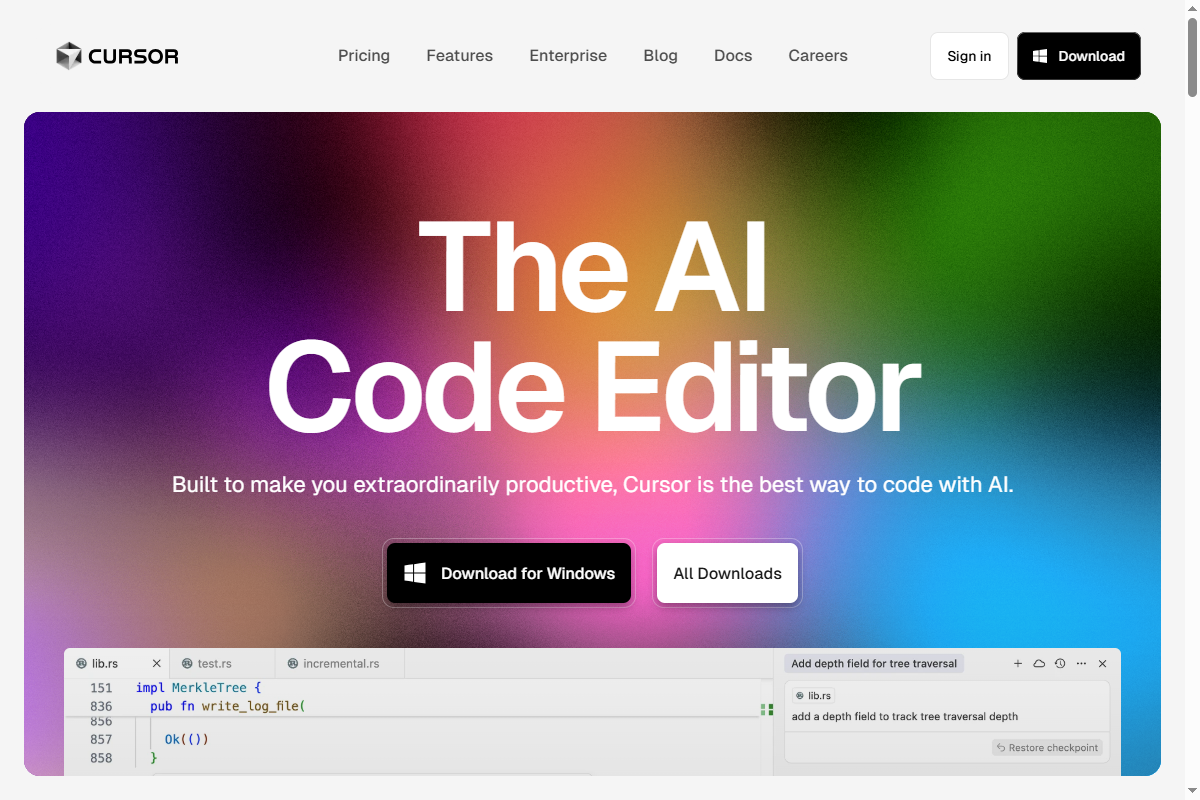
Cursor is an AI-powered IDE built on VS Code that provides multi-file code editing, repo-aware context, tab completions, and natural language code generation. It keeps the developer inside their codebase with fast, precise AI edits across entire projects.

Key Features:

  • Multi-file editing with full repo context
  • Tab completions that predict next edit across files
  • Cmd+K for natural language inline edits
  • Agent mode for autonomous multi-step coding tasks
  • Codebase indexing for semantic search
  • Built on VS Code: all existing extensions work

Pricing:

Free (2-week Pro trial), Pro $20/mo, Business $40/mo

Pros:

  • + Best-in-class multi-file refactoring with diff preview
  • + Repo-aware context: understands your entire codebase
  • + Fast tab completions reduce boilerplate time significantly
  • + VS Code compatibility: zero extension migration cost
  • + Agent mode handles complex multi-step coding autonomously

Cons:

  • - Pro $20/mo adds to existing API subscriptions
  • - Cursor rules require setup for consistent behavior
  • - Does not automate outside the IDE (no OS, browser, or scheduler)
  • - Privacy: code sent to Cursor servers for context processing
  • - No built-in support for messaging-based command interfaces

Best For:

Professional developers who spend most of their day inside a codebase and want the fastest possible multi-file editing with AI assistance and full repo context

Try Cursor
3
Emergent logo

Emergent

4.8

Emergent is a Y Combinator-backed platform that provides managed OpenClaw deployment with encrypted credentials, sandboxed skill execution, and pre-vetted skills. Setup takes under 2 minutes instead of 60 minutes on a self-hosted VPS, with the same autonomous capabilities.

Key Features:

  • 2-minute OpenClaw setup (no VPS or terminal required)
  • AES-256 encrypted API key storage
  • Sandboxed skill execution environment
  • Pre-vetted skills library (blocks malicious third-party skills)
  • Messaging integrations (WhatsApp, Slack, Discord)
  • Free tier: 5 credits/month to test before committing

Pricing:

Free tier (5 credits/month), Standard $20/mo, Pro $200/mo

Pros:

  • + Eliminates VPS setup complexity entirely
  • + No terminal commands or server management required
  • + Use code AITOOLDISCOVERY5 for 5% discount
  • + Free tier available for testing

Cons:

  • - Less customization than self-hosted OpenClaw
  • - Dependent on Emergent platform availability
  • - Cost stacks with existing tool subscriptions

Best For:

Developers who want OpenClaw automation capabilities without managing a VPS, setting up Node.js 22+, or vetting ClawdHub skills manually

Try Emergent

What OpenClaw and Cursor Actually Do: Clearing Up the Confusion

The openclaw-vs-cursor question keeps appearing in developer forums because both tools are marketed with AI-for-developers positioning. The confusion dissolves once you map where each tool operates.

Cursor lives inside your IDE. It is a fork of VS Code with AI capabilities layered on top: multi-file editing, tab completions that predict your next keystroke, a Cmd+K inline edit interface, and an agent mode that can autonomously execute multi-step coding tasks across your repository. When you use Cursor, you are looking at your code the entire time. Cursor understands your repo context, indexes your codebase for semantic search, and works with every VS Code extension you already have installed. The core workflow: you describe what you want, Cursor edits the code, you review the diff, you accept or reject.

OpenClaw lives outside your IDE. It runs as a process on a VPS or local machine, exposing a natural language interface through messaging apps. You send a message to your OpenClaw instance via WhatsApp or Telegram and it executes system-level tasks: runs scheduled scripts, scrapes web pages, sends automated reports, manages files, triggers API calls, and chains multi-step pipelines together. OpenClaw has no code completion interface. It does not open your files in an editor. It is an automation layer for the parts of developer work that happen outside the codebase.

The direct comparison that actually makes sense: OpenClaw vs n8n (workflow automation platforms), not OpenClaw vs Cursor. The openclaw-vs-cursor framing appears because developers are choosing their AI tool stack and want to understand if they need both, or if one can substitute for the other. The honest answer: they cannot substitute for each other. A developer who uses Cursor for coding and OpenClaw for system automation is using each tool at 100% of its intended purpose. A developer who tries to use OpenClaw for code editing will find it does not have that capability. A developer who tries to use Cursor for scheduled system automation will find it does not have that capability either.

Where OpenClaw Wins: Automation That Cursor Cannot Do

OpenClaw covers four categories of developer workflow that Cursor cannot address at all.

Privacy-first local execution

Cursor processes your code on Cursor servers to provide repo-aware context. This is a deliberate architectural choice that enables fast, accurate multi-file understanding but means your code leaves your machine. OpenClaw self-hosted runs entirely on your own VPS. No code, no task data, no conversation history is sent to a third-party SaaS. Developers working on client code under NDA, financial systems with regulatory constraints, or proprietary algorithms who cannot accept third-party code processing have a clear reason to prefer self-hosted automation tooling. OpenClaw's MIT license reinforces this: no license server, no call-home, fork and modify without restriction.

Scheduled and event-driven automation

Cursor requires you to be present and actively working in the IDE. OpenClaw's cron and heartbeat scheduling runs tasks whether you are at your desk or not. Common developer use cases that appear in OpenClaw documentation and GitHub issues:

  • Daily 07:00 digest: pull GitHub notifications, summarize open PRs, send via Telegram
  • Hourly monitoring: check API endpoint health, alert on degradation via WhatsApp
  • Weekly report: aggregate deployment logs, format and email to stakeholders
  • On-push webhook: trigger OpenClaw skill when new code lands in main, run test suite, post results to Slack

None of these require you to open an IDE. They execute on schedule without human prompting.

Multi-channel messaging interface

OpenClaw's messaging interface means automation tasks are accessible from anywhere. You can message your OpenClaw instance from a phone, a tablet, or a secondary machine and it executes on the VPS. Cursor is tied to the machine where the IDE is installed. For developers who work across multiple machines or want to trigger automation from mobile, OpenClaw's architecture provides flexibility that an IDE tool structurally cannot.

700+ skills via ClawdHub

ClawdHub is OpenClaw's skill marketplace with 700+ pre-built automation modules: browser automation, API integrations, data transformation, notification routing, and system management. Installing a skill takes a single command. Custom skills can be written in JavaScript and published. The ecosystem grows independently of any IDE vendor's roadmap. Cursor's extension ecosystem is the VS Code marketplace, which is broader but not automation-focused in the same way.

Where Cursor Wins: Code Editing That OpenClaw Cannot Do

Cursor dominates in everything that happens inside your codebase, which for most developers is where the majority of time-intensive work occurs.

Multi-file refactoring with repo context

Cursor's repo indexing means it understands relationships between files: which functions call which, where types are defined, how modules import each other. When you ask Cursor to refactor an authentication system, it does not just rewrite one file. It identifies every file that imports from that module, updates the call signatures, adjusts the test files, and presents you with a unified diff across the entire change set. OpenClaw has no equivalent capability. It can read and write individual files via filesystem skills but has no codebase awareness.

Tab completions with next-edit prediction

Cursor's tab completions are the feature that consistently gets mentioned as the most productivity-boosting in developer comparisons. Cursor predicts not just what comes next in the current line but where the cursor will move next in the file, offering to complete the next logical edit location. This is only possible inside an IDE with full file context. OpenClaw operates at the system level and has no typing interface to complete.

Fast iterative coding loops

The core Cursor workflow is fast: describe change, see diff, accept, repeat. The feedback loop runs in seconds within the IDE. OpenClaw's workflow is designed for longer-running automated tasks rather than rapid iteration loops. For the high-frequency editing that characterizes active development sessions, Cursor's IDE-native interface is categorically faster.

VS Code compatibility

Cursor inherits the entire VS Code extension ecosystem. Every language server, linter, formatter, debugger, and theme that works in VS Code works in Cursor. Setup for a new project is identical to VS Code setup plus the Cursor AI layer on top. OpenClaw requires custom skill development or ClawdHub installation for each new integration, which is the right tradeoff for automation breadth but slower to configure for specific development workflows.

Onboarding speed

Cursor installs in 5 minutes from cursor.sh. OpenClaw requires Node.js 22+, VPS provisioning if you want persistent scheduling, and 30-60 minutes of configuration. For developers evaluating tools quickly, Cursor's setup friction is significantly lower.

Cost Comparison: What You Actually Pay

OpenClaw and Cursor have different cost structures that reflect their different deployment models.

Cursor pricing

Cursor Pro at $20/mo includes: 500 fast requests/mo (GPT-4o, Claude Sonnet), unlimited slow requests (GPT-4o-mini), unlimited tab completions, and access to agent mode. Business tier at $40/mo adds SSO and centralized billing for teams. There is a 2-week free Pro trial. The $20/mo cost is all-in for most use cases.

OpenClaw pricing

OpenClaw the software is free and MIT licensed. The real cost is three components:

1. VPS hosting: $5-24/mo depending on provider (DigitalOcean Droplet, Hetzner, Linode). A $5/mo Hetzner VPS handles OpenClaw for a single developer. Teams or high-frequency automation may need $12-24/mo. 2. AI API cost: $1-200+/mo depending on model and usage volume. A developer sending 50-100 automation requests per day using Claude Sonnet 3.5 typically lands at $15-40/mo in API costs. Using local Ollama models eliminates this cost entirely at the expense of capability. 3. ClawdHub skills: most are free. Premium skills may carry one-time or subscription costs.

Total realistic OpenClaw cost for a developer: $20-65/mo.

Emergent alternative for OpenClaw

Emergent (app.emergent.sh) provides managed OpenClaw deployment. The Standard plan at $20/mo eliminates VPS setup and management entirely. Use code AITOOLDISCOVERY5 for 5% off. For developers who want OpenClaw capabilities without server administration, Emergent's $20/mo vs self-hosted $20-65/mo is a meaningful comparison point.

Stack cost if using both

A developer using both Cursor Pro and self-hosted OpenClaw pays approximately $35-85/mo depending on API usage. This is the realistic cost for a developer who edits code in Cursor during active development and uses OpenClaw for scheduled automation pipelines running overnight and over weekends.

The One Workflow Where They Genuinely Work Together

Most developer setups use Cursor and OpenClaw for separate, non-overlapping tasks. But there is one specific workflow pattern where they genuinely complement each other: automated code quality pipelines.

The pattern:

1. You write and review code in Cursor during your development session 2. You push commits to your repository via Git 3. OpenClaw has a scheduled skill (or webhook-triggered skill) that monitors your repository 4. On new commits, OpenClaw pulls the diff, sends it to an AI model with a code review prompt, and posts the analysis to your Slack or Telegram 5. OpenClaw can also run test suite results and aggregate coverage metrics into a daily report you receive before your morning session in Cursor

This pipeline costs approximately $0.02-0.10 per automated review depending on model and diff size. It runs without you present. You receive AI-generated code notes asynchronously, review them in the messaging app you already use, and bring that context to your next Cursor session.

A second complementary pattern: OpenClaw for documentation automation. Cursor writes the code. OpenClaw runs a scheduled skill that extracts function signatures from your codebase nightly, sends them to an AI model with a documentation prompt, and generates or updates your API documentation markdown files automatically. The Cursor-written code and the OpenClaw-automated documentation workflow stay independent but output into the same repository.

These complementary workflows are the best answer to "can OpenClaw replace Cursor" (no, different layers) and "can Cursor replace OpenClaw" (no, different infrastructure). The right question is whether your workflow has automation needs that justify the OpenClaw setup time, and whether your coding workflow benefits from Cursor's IDE-native approach versus alternatives like Claude Code.

OpenClaw vs Cursor: Which Developers Actually Choose Each

Based on GitHub issue discussions, Reddit threads, and Hacker News comments since OpenClaw's January 2026 launch, the developer profiles for each tool are distinct.

Developers who use OpenClaw:

  • Backend and DevOps engineers who automate deployment pipelines, monitoring alerts, and scheduled reports outside business hours
  • Solo founders and indie developers who want a personal AI agent handling administrative tasks (email digests, client update reports, invoice tracking) while they code
  • Privacy-focused developers who work with regulated data and cannot send code to third-party servers
  • Automation engineers building workflow pipelines that span multiple services (GitHub + Slack + Notion + internal APIs)
  • Developers who already use WhatsApp or Telegram professionally and want to trigger automation from mobile

Developers who use Cursor:

  • Full-stack and frontend developers with large TypeScript/React codebases where multi-file refactoring is frequent
  • Developers migrating from VS Code who want minimal setup disruption and full extension compatibility
  • Engineers working on large legacy codebases where repo-aware context is critical for navigating unfamiliar code
  • Teams who want AI-assisted code review within the IDE workflow
  • Developers who tried GitHub Copilot and wanted better multi-file reasoning and diff quality

Developers who use both:

  • Senior engineers who spend mornings in active development sessions (Cursor) and want overnight automation pipelines (OpenClaw) without manual intervention
  • CTOs and tech leads who want Cursor for their own coding and OpenClaw for automated team reporting and monitoring

Developers who use neither:

  • Those already using Claude Code as their terminal-based coding agent may not need Cursor (similar capability, different interface)
  • Those using n8n or Make.com for automation may not need OpenClaw (similar capability, more visual workflow builder)

Quick Setup: Getting Started With Each Tool

Cursor: 5-minute setup

1. Download Cursor from cursor.sh 2. Install and open — it imports your VS Code settings and extensions automatically 3. Sign in with GitHub or email 4. The 2-week Pro trial starts immediately 5. Open any project folder and start with Cmd+K (Mac) or Ctrl+K (Windows) for inline edits

No configuration required to start. Cursor rules (similar to CLAUDE.md) can be added later to give Cursor persistent instructions about your codebase conventions.

OpenClaw self-hosted: 30-60 minute setup

Requirements: Node.js 22+ and a VPS (or local machine if you do not need scheduled tasks)

```bash # Install OpenClaw curl -fsSL https://openclaw.ai/install.sh | bash

# Configure your AI model API key openclaw config set --model claude-3-5-sonnet --api-key YOUR_KEY

# Connect messaging channel (WhatsApp recommended for mobile access) openclaw connect whatsapp

# Test with a simple task openclaw run "What time is it in Tokyo?" ```

After installation, configure Soul.md with your preferences and install ClawdHub skills for the automation tasks you need.

Emergent: 2-minute setup (managed OpenClaw)

1. Go to app.emergent.sh (use code AITOOLDISCOVERY5 for 5% off) 2. Connect your messaging app (WhatsApp or Slack) 3. Add your AI API key (stored encrypted in their AES-256 vault) 4. Start sending automation commands immediately

Emergent is the fastest path to OpenClaw capabilities for developers who do not want to manage server infrastructure.

Frequently Asked Questions

No. OpenClaw does not have an IDE interface, tab completions, multi-file editing, or codebase awareness. It can read and write individual files via filesystem skills but has no concept of a repository, imports, or code structure. Cursor is built for active coding sessions inside a codebase. OpenClaw is built for automated tasks outside the IDE. They solve different problems at different layers of developer workflow.

OpenClaw vs Cursor: Two Different Layers of Developer Tooling

Cursor is the answer when the bottleneck is code editing speed, multi-file refactoring quality, or IDE-native AI assistance. OpenClaw is the answer when the bottleneck is automation outside the IDE: scheduled pipelines, privacy-sensitive workflows, messaging-triggered tasks, and system-level operations. The question is not which one wins. It is which layer of your development workflow needs the most improvement. For most developers doing active coding work, Cursor addresses a larger percentage of daily friction. For developers with significant automation or operations work running outside business hours, OpenClaw or Emergent covers workflows that no IDE tool can. Start with the tool that addresses your highest-friction workflow first.

About the Author

Amara - AI Tools Expert

Amara

Amara is an AI tools expert who has tested over 1,800 AI tools since 2022. She specializes in helping businesses and individuals discover the right AI solutions for text generation, image creation, video production, and automation. Her reviews are based on hands-on testing and real-world use cases, ensuring honest and practical recommendations.

View full author bio

Related Guides