

MindMapPro
Productivity
NoteOperator is a focused Markdown workspace with a built-in MCP server that bridges human note-taking and AI agent workflows. Teams and solo developers can write notes, publish public share links, export documents to PDF, and connect AI agents like Claude or Cursor using scoped API keys with granular read/write permissions. Free to use with no credit card required, supporting Google or GitHub sign-in.
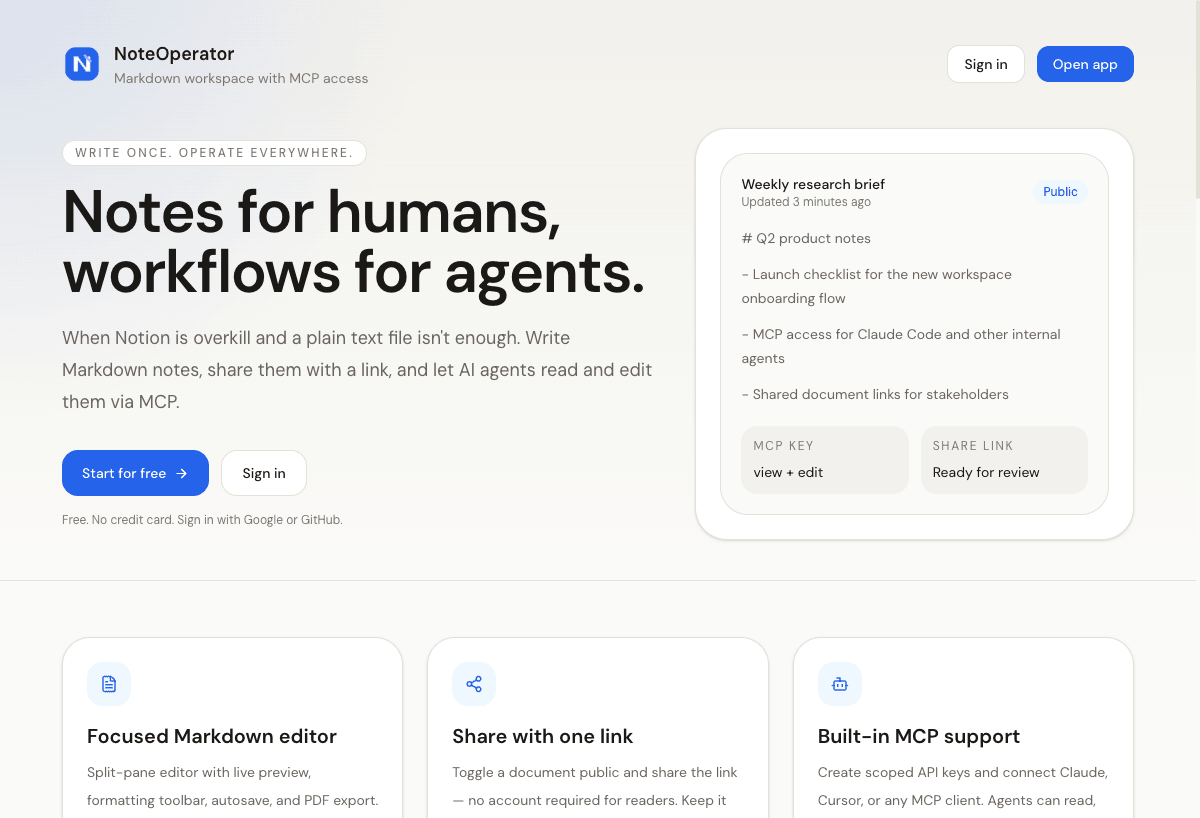
NoteOperator - Notes for Humans, Workflows for Agents
NoteOperator Markdown workspace showing split-pane editor with MCP key access and public share link controls
Visual overview of NoteOperator's interface, features, and capabilities
NoteOperator is noteoperator is a focused markdown workspace with a built-in mcp server that bridges human note-taking and ai agent workflows. teams and solo developers can write notes, publish public share links, export documents to pdf, and connect ai agents like claude or cursor using scoped api keys with granular read/write permissions. free to use with no credit card required, supporting google or github sign-in.
Designed for:
NoteOperator is completely free to use with no subscription required.
NoteOperator is designed to fit into professional productivity workflows. Visit the official website to explore specific integration options, API access, and compatibility with your existing tools.
Category
ProductivityTarget Users
Software Developer, Software Engineer
Pricing Model
Verification Status
✓ Verified Tool
Productivity
Fieldy (Fieldy 3) is a personal wearable AI device that transcribes, summarizes, and converts conversations into actionable tasks and reminders in real time. Worn on the wrist, it captures meetings, calls, and everyday conversations without requiring a phone, automatically surfacing follow-ups and action items so nothing slips through the cracks. Rated 4.8/5 by early users.
Discover the best AI tools designed for Software Developer professionals.
Discover the best AI tools designed for Software Engineer professionals.
Find the best AI tools for task management. Compare features, pricing, and reviews.
Find the best AI tools for note-taking. Compare features, pricing, and reviews.

