
Tool DiscoveryTool Discovery

Best Claude Code Skills in 2026: What They Are & How to Install Them

Claude Code skills are reusable .md files that add specific capabilities to Claude Code with a single slash command. Install one and instead of typing a lengthy instruction prompt every time, you type /skill-name and Claude already knows exactly what to do. This guide covers what Claude skills are, which 15 are worth using in 2026, and how to set them up in under two minutes.

Updated: 2026-04-1212 min read

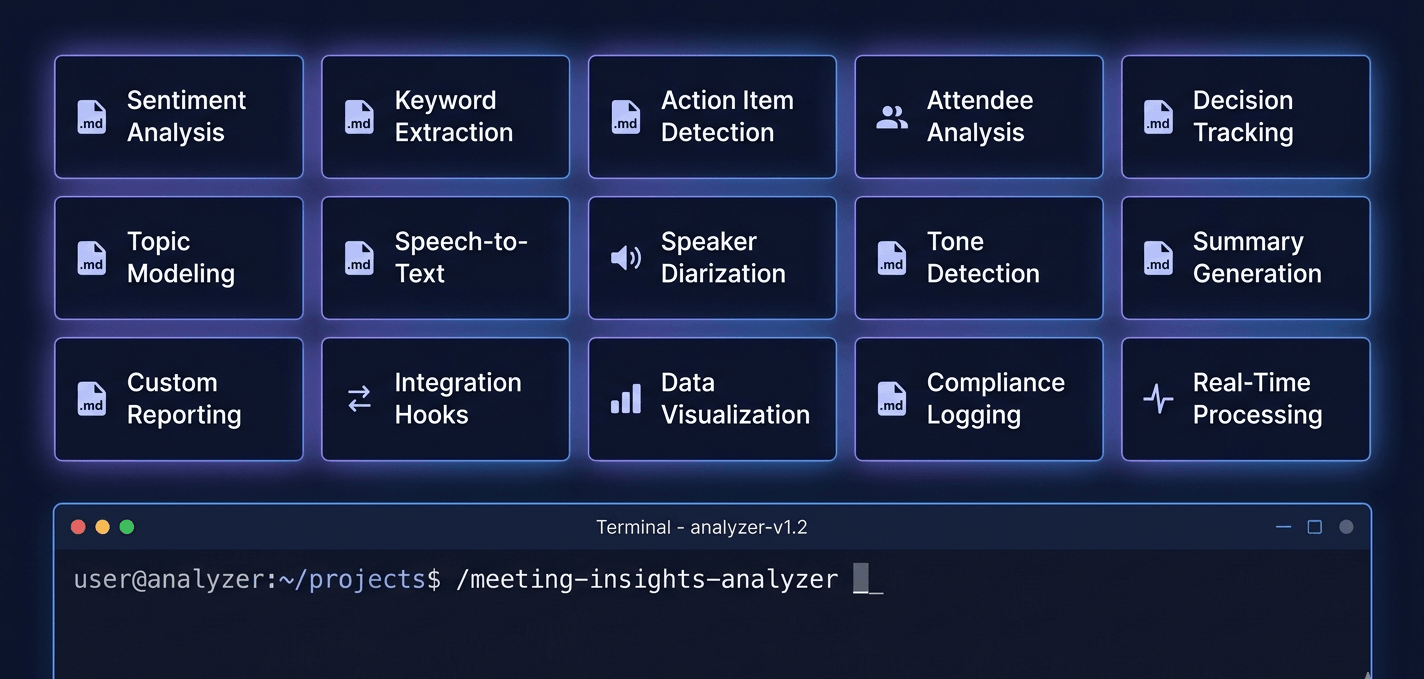
15 Claude Code skills installed — each invoked with a single slash command

Claude Code skills — terminal showing /meeting-insights-analyzer slash command with a grid of 15 installed skill files

Detailed Tool Reviews

1
Claude Code logo

Claude Code

4.9

Claude Code is Anthropic's terminal-native AI coding assistant. It works directly in your development environment, reads your codebase, runs commands, and executes multi-step tasks autonomously. Skills extend what it can do: a skill file teaches Claude Code a specific workflow it can then run on demand via a slash command.

Key Features:

  • Terminal-native: runs in your existing workflow without switching apps
  • Full codebase context: reads files, runs tests, executes commands
  • Skills system: install .md files to add reusable capabilities
  • Agent mode: runs multi-step tasks autonomously with minimal prompting
  • Works with any language, framework, or project structure
  • MCP (Model Context Protocol) support for external tool connections

Pricing:

Free tier available, Pro at $20/month

Pros:

  • + Best-in-class reasoning for complex, multi-file tasks
  • + Skills system means you configure once, use forever
  • + No IDE lock-in - works in any terminal
  • + Strong at following precise instructions in skill files

Cons:

  • - Requires Claude Pro subscription for heavy daily use
  • - Terminal-based - less visual than IDE extensions like Cursor

Best For:

Developers, founders, and power users who want an AI coding assistant that follows structured workflows and gets better the more you configure it.

Try Claude Code

What are Claude Code skills?

A Claude Code skill is a Markdown file (.md) with YAML frontmatter that contains detailed instructions for a specific task. When you install a skill and invoke it with a slash command, Claude Code reads those instructions and executes the workflow - no re-prompting, no copy-pasting, no configuration on your end each time.

The file format is simple. Every skill has a name, a description (which tells Claude when to use it), and a body that contains the actual instructions. Here is a minimal example:

``` --- name: invoice-organizer description: Read a folder of invoices, extract vendors, amounts, and dates, output a summary CSV. ---

# Invoice Organizer

Scan the specified folder for PDF and image invoices... ```

Skills are not plugins, extensions, or API integrations. They are plain text files stored on your machine. There is nothing to update, no server involved, and no ongoing cost. The skill file stays in one folder. Claude Code reads it whenever you invoke it.

Claude skills vs Claude.ai custom instructions: Custom instructions in Claude.ai apply to every conversation globally. Skills are different: each skill is a focused set of instructions for one specific task, invoked only when you call it. You can have 15 skills installed and Claude Code only activates the one you explicitly invoke.

How Claude Code skills work

When you type /skill-name in Claude Code, three things happen in sequence:

1. Claude loads the skill file into its context. The entire .md file, including the frontmatter description and the instruction body, becomes part of Claude's working context for that session.

2. Claude follows the instructions in the skill. Because the instructions are written as a structured prompt with specific steps, constraints, and output formats, Claude executes the task predictably. A well-written skill produces consistent output across multiple uses.

3. Claude uses your project context alongside the skill. Claude Code already knows your codebase, your recent files, and the current working directory. The skill augments that knowledge with task-specific instructions rather than replacing it.

Skills are stored in one of two locations:

Install typePathScope
Project-level`.claude/commands/` inside your repoOnly active when working in that project
Global`~/.claude/commands/` on Mac/LinuxActive in every project you open

The global path is the most useful for productivity skills (invoices, meeting analysis, lead research) that you want available everywhere. Project-level is better for skills tailored to a specific codebase or team workflow.

The 15 best Claude Code skills in 2026

These 15 skills are selected for practical, repeatable value, not just technical novelty. Each one saves meaningful time on a task most Claude Code users face regularly.

#SkillWhat it doesBest for
01Meeting Insights AnalyzerScans a folder of transcripts, finds conflict avoidance, filler words, speaking ratios, timestamped examples with coachingManagers, founders, anyone doing 1:1s
02MCP BuilderBuilds a working Model Context Protocol server from a description: full code, config, and connection guideDevelopers building Claude integrations
03Content Research WriterResearches a topic, finds sources, writes a structured long-form article in one runContent teams, bloggers, marketers
04Tailored Resume GeneratorTakes your base resume and a job description, rewrites it to match: keywords, structure, toneJob seekers, career coaches
05Lead Research AssistantIdentifies target companies matching your ICP, scores by fit, provides outreach anglesSales, SDRs, business development
06Twitter Algorithm OptimizerRewrites post drafts for engagement: hook structure, thread format, CTA placementSocial media managers, founders
07Competitive Ads ExtractorAnalyzes Facebook Ad Library and LinkedIn ads, returns messaging patterns and use casesPaid media teams, growth marketers
08Changelog GeneratorReads git commit history, produces a clean user-facing changelog with categorized changesEngineers, DevOps, release managers
09Artifacts BuilderBuilds interactive Claude artifacts: data visualizations, mini-apps, charts from descriptionsAnalysts, educators, product teams
10Webapp TestingRuns end-to-end tests on critical user flows, reports pass/fail with explanationsQA, developers, startup founders
11File OrganizerScans messy folders, proposes a clean naming system, executes reorganization on approvalAnyone drowning in Downloads
12Invoice OrganizerReads a folder of invoices, extracts vendors, amounts, dates, outputs a summary spreadsheetFreelancers, finance teams, founders
13Internal CommunicationsWrites announcements, policy updates, all-hands summaries in the right company toneHR, ops, team leads
14Brand GuidelinesBuilds a complete brand guidelines document from inputs: colors, fonts, voice, tone, usageFounders, designers, agencies
15Domain Name BrainstormerGenerates original domain name ideas based on your concept, checks naming patternsFounders, product teams, marketers

How to install Claude Code skills: step-by-step

Installing a Claude Code skill takes under two minutes. You do not need a terminal, npm, or any special setup. You are copying a text file into a folder.

Step 1: Get your skill file

Skills are .md files. You can download them from GitHub, get them from a curated pack, or write your own. The file you need looks like `meeting-insights-analyzer.md` or `invoice-organizer.md`.

Step 2: Find or create your commands folder

For a project-level install, open your project folder and create a `.claude/commands/` subfolder if it does not exist:

``` your-project/ └── .claude/ └── commands/ └── invoice-organizer.md ← your skill goes here ```

For a global install (recommended for personal productivity skills), use:

  • Mac/Linux: `~/.claude/commands/`
  • Windows: `C:\Users\YourName\.claude\commands\`

Step 3: Copy the .md file into the folder

Drag and drop, or copy-paste. No renaming required: Claude Code reads the filename automatically.

Step 4: Invoke the skill in Claude Code

Open Claude Code in your terminal, navigate to your project, and type:

``` /invoice-organizer ```

Claude Code will list available skills when you type / and will show the skill name. Select it or type the full name and press Enter. Claude loads the skill instructions and runs.

Tip: If you install skills globally (~/.claude/commands/), every project you open in Claude Code will have access to them without copying files each time.

Claude skills by role

Different roles get different value from the 15 skills above. Here is how to prioritise based on what you do day to day.

For founders and operators

Start with Meeting Insights Analyzer, Lead Research Assistant, and Invoice Organizer. These three cover the highest-frequency tasks that consume time without producing direct output: reviewing calls, finding customers, tracking costs. Add Domain Name Brainstormer and Brand Guidelines when launching or refreshing a product.

For sales and marketing teams

The highest-ROI trio is Competitive Ads Extractor, Lead Research Assistant, and Twitter Algorithm Optimizer. These compress hours of manual research and social media work into minutes. Content Research Writer is the fourth addition if your team publishes regularly.

For developers

MCP Builder and Changelog Generator are the time-savers with the clearest payoff. Webapp Testing adds automated test coverage on demand. Artifacts Builder is useful for quick data visualisation or prototyping interactive tools without a full build cycle. See also: best AI for coding if you are evaluating Claude Code against other options.

For freelancers and consultants

Tailored Resume Generator and Invoice Organizer are client-facing tools that save admin time. Internal Communications helps if you are writing proposals, updates, or reports for clients regularly. File Organizer cleans up the chaos that builds between projects.

Claude Code skills across other AI coding tools

The .md skill format was designed to be portable. The same file that works in Claude Code installs directly in Cursor, Codex CLI, Gemini CLI, Antigravity (Google's AI IDE), and Windsurf - only the destination folder path changes.

PlatformInstall pathHow to invoke
Claude Code`.claude/commands/``/skill-name`
Cursor`.cursor/skills/``/skill-name`
Codex CLI`.codex/skills/``$skill-name`
Gemini CLI`.gemini/skills/``/skill-name`
Antigravity`.agent/skills/`via chat
Windsurf`.windsurf/skills/`via chat

Why does this matter? If your team uses a mix of tools - some on Claude Code, some on Cursor, one developer on Codex CLI - you can share the same skill files across the whole team. One .md file, six platforms. No conversion, no reformatting.

Global vs project-level installs:

Project-level installs (inside your repo folder) make skills available only when working in that specific project. This is the right choice for skills tailored to a particular codebase, team workflow, or client setup.

Global installs (using the platform's home directory path - `~/.claude/commands/` for Claude Code on Mac/Linux, `C:\Users\YourName\.claude\commands\` on Windows) make skills available in every project you open. Personal productivity skills - meeting analysis, invoice review, lead research - belong here since they apply across everything you work on.

Real-World Use Cases

Automate meeting follow-up and communication analysis

Use the Meeting Insights Analyzer skill to scan a folder of transcripts from Zoom, Google Meet, or Granola. Ask Claude to find every time you hedged, avoided conflict, or failed to give direct feedback.

Recommended Tool: Claude Code

Build a lead list with personalized outreach angles

Describe your product or service to the Lead Research Assistant skill. It identifies target companies, scores them by fit, and returns personalized outreach angles for each one.

Recommended Tool: Claude Code

Extract competitor ad strategy from Facebook Ad Library

The Competitive Ads Extractor skill scrapes competitor ads, groups them by theme, and returns the messaging patterns, pain points, and use cases that are getting traction.

Recommended Tool: Claude Code

Frequently Asked Questions

Claude skills are reusable .md files that add specific capabilities to Claude Code. Each skill contains instructions for a particular task - meeting analysis, lead research, code review, and more. You install a skill by copying the file to .claude/commands/ in your project, then invoke it by typing /skill-name in Claude Code. The skill file tells Claude exactly what to do without you needing to re-explain it each time.

Start with one skill, not fifteen

The fastest way to get value from Claude Code skills is to pick the one that solves the most frequent task you currently handle manually. For most people that is either Meeting Insights Analyzer (if you have weekly 1:1s or team calls) or Invoice Organizer (if you are a freelancer or founder tracking costs). Install one, use it three times, and the workflow becomes second nature. From there, adding more skills takes about two minutes each - the format is identical every time.

About the Author

Amara - AI Tools Expert

Amara

Amara is an AI tools expert who has tested over 1,800 AI tools since 2022. She specializes in helping businesses and individuals discover the right AI solutions for text generation, image creation, video production, and automation. Her reviews are based on hands-on testing and real-world use cases, ensuring honest and practical recommendations.

View full author bio

Related Guides