

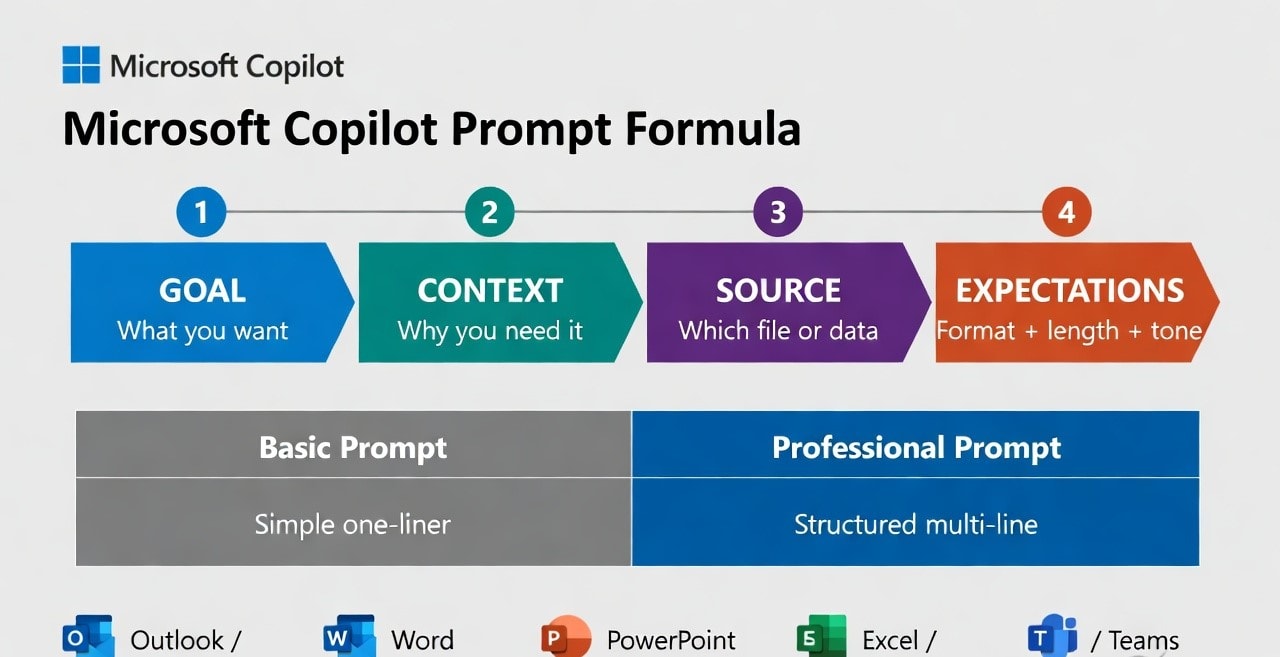
1
Microsoft Copilot
★4.5
Microsoft Copilot provides two distinct tiers: a free web version at copilot.microsoft.com for research, writing, and chat, and Microsoft 365 Copilot which integrates into Outlook, Word, Excel, PowerPoint, and Teams to work with your actual files and meeting history. The free tier includes GPT-5.2 access and Bing web search.
Key Features:
- ✓M365 integration reads your Outlook emails, Word documents, Excel data, and Teams transcripts directly
- ✓Free tier includes GPT-5.2 access, Bing web search, and image generation via Microsoft Designer
- ✓GitHub Copilot variant handles code completion and review across 70+ programming languages
- ✓Windows Copilot sidebar available on Windows 11 for quick tasks from any open app
- ✓Copilot Studio lets businesses build custom Copilot agents trained on company data
Pricing:
Free (web). Microsoft 365 Copilot: $30/user/month (requires M365 subscription)
Pros:
- + Free tier is genuinely capable for research, writing, and summarization tasks with no subscription
- + M365 Copilot reads your actual calendar, emails, and documents without copy-pasting content
- + Natural language Excel queries work on your real spreadsheet data inside the app
- + Bing search access keeps responses current beyond the training data cutoff
Cons:
- - M365 Copilot requires both a Microsoft 365 subscription and the $30/month add-on
- - Response quality varies significantly depending on how much context your prompt provides
- - Free version cannot access your files or meetings without manually pasting content
Best For:
Teams and individuals already using Microsoft 365 who want AI integrated directly into Outlook, Word, Excel, and Teams without switching between tools.