
Tool DiscoveryTool Discovery

AI Image Editor No Sign Up: Best Free Editing Tools That Work Without an Account in 2026

Most AI image editors require registration before you can make a single edit. Several tools work without any account in 2026, organized by task: object removal, background editing, and prompt-based retouching. Cleanup.pictures removes objects, people, and text from photos in 15 seconds with no login. FlatAI lets you describe image changes in plain text and applies them with no registration. The fastest starting point is Cleanup.pictures for removing unwanted objects -- upload your image, brush over the area to remove, and download the cleaned result with no account and no watermark at up to 720p. For prompt-based editing where you describe what changes you want in text, FlatAI handles inpainting and style changes without a sign-up. One tool worth noting that does require a sign-up is Freepik. The quality gap between Freepik's Pikaso AI editor -- running Flux 1.1 and Mystic 2.5 models -- and the no-signup tools below is significant for professional use cases. Freepik is backed by $631.1 million in valuation and processes creator assets under enterprise-grade data security standards, with a generous free tier that includes daily generation and editing credits. When output quality matters more than skipping registration, the 60-second Freepik sign-up is the better trade. This guide covers every no-signup AI image editor tested in 2026, organized by editing task and verified for account requirements, output quality, and daily limits.

Updated: 2026-03-1110 min read

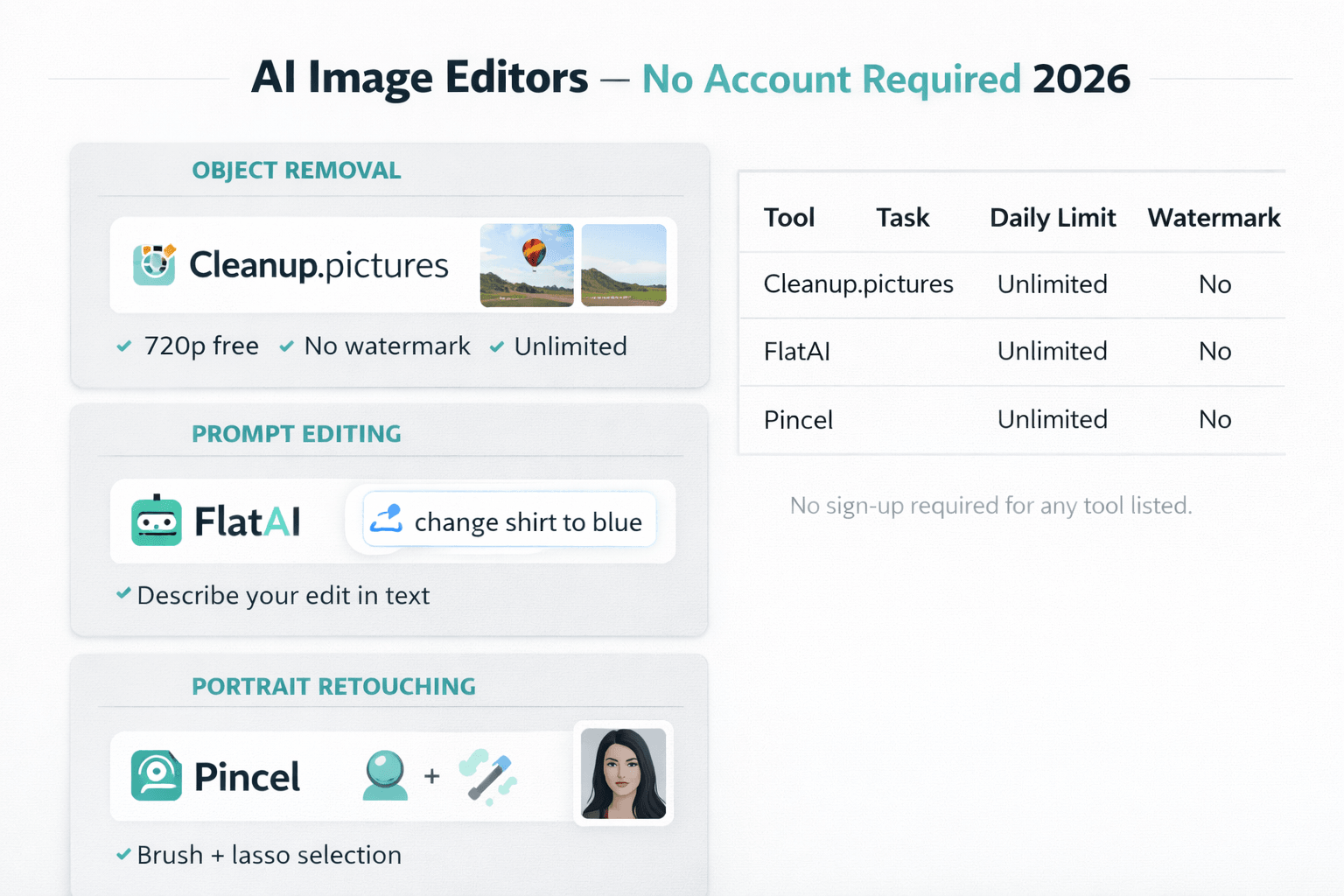
Five AI image editing tools compared by account requirements, editing capabilities, and daily limits in 2026

AI image editors no sign up comparison 2026: Cleanup.pictures, FlatAI, Pincel -- free tools with no account required

Detailed Tool Reviews

1

Cleanup.pictures

4.4

Cleanup.pictures removes objects, people, text, watermarks, and defects from photos using AI inpainting with no account required. Upload an image, brush over the element to remove, and the AI fills in the background in 10-15 seconds. The free no-signup tier processes images up to 720p with no watermark. Recommended in r/PhotoEditing as the fastest no-signup option for clean object removal -- the inpainting quality on backgrounds and solid surfaces consistently outperforms general-purpose editors for removal tasks.

Key Features:

  • Object, person, text, and watermark removal with no account
  • Brush-based selection for targeting specific areas precisely
  • AI inpainting completes in 10-15 seconds per edit
  • No watermark on downloaded edited images

Pricing:

Free (720p, no account) / Pro $5/mo (full resolution)

Pros:

  • + Zero barrier -- upload and edit in under 30 seconds
  • + Specialized inpainting quality outperforms general editors for removal tasks
  • + Handles complex backgrounds including foliage, water, and architecture

Cons:

  • - Free tier limits output to 720p resolution
  • - Object removal only -- not a full-featured image editor
  • - Struggles with removing very large objects spanning most of the frame

Best For:

Removing distracting objects, unwanted people, text overlays, or watermarks from photos without creating an account.

Try Cleanup.pictures
2

FlatAI

4

FlatAI is a prompt-based AI image editor where you select a region and describe the desired change in plain text with no account required. Select an area, type what you want ("replace the background with a sunset", "change the shirt to blue denim", "add sunglasses"), and the AI applies the edit using diffusion model inpainting. The no-signup free tier provides a limited number of daily edits. Discussed in r/artificial as one of the few tools making AI inpainting accessible without Stable Diffusion or ComfyUI knowledge.

Key Features:

  • Text-prompted region editing with no account required
  • Selection tool for targeting specific image areas
  • Object replacement, color changes, and style modifications through text
  • No AI art knowledge required -- plain language descriptions work

Pricing:

Free (limited daily credits) / Pro $12/mo

Pros:

  • + Edit by describing what you want in plain language
  • + Handles object replacement, color changes, and additions
  • + No Stable Diffusion or prompt engineering knowledge required

Cons:

  • - Limited free credits on no-signup tier
  • - Complex prompt interpretations can produce inconsistent results
  • - Slower than function-specific tools like Cleanup.pictures

Best For:

Users who want to make specific AI-powered image changes through text descriptions without learning prompt engineering or creating an account.

Try FlatAI
3

Pincel

4.1

Pincel is a browser-based AI inpainting and retouching tool with no account required. It includes object removal, background blur, AI face retouching, and content-aware fill. The brush and lasso selection tools are more precise than Cleanup.pictures for detailed retouching work. Free no-signup access gives a limited number of monthly uses. Pincel handles portrait retouching better than most no-signup options, with specific tools for skin smoothing, blemish removal, and facial feature adjustments.

Key Features:

  • AI inpainting, object removal, and face retouching without account
  • Brush and lasso selection for precise area targeting
  • Background blur and replacement tools without login
  • Portrait-specific retouching: skin smoothing, blemish removal

Pricing:

Free (limited uses/month) / Pro $9.99/mo

Pros:

  • + More precise selection tools than most no-signup editors
  • + Portrait retouching capabilities with no account
  • + Multiple editing modes in one interface

Cons:

  • - Limited free uses per month on no-signup tier
  • - Portrait retouching quality inconsistent on unusual angles or lighting
  • - Steeper learning curve than Cleanup.pictures for simple removal tasks

Best For:

Portrait retouching and detailed region editing where precise brush selection matters more than raw editing speed.

Try Pincel

Which AI image editors require no account at all

Several tools handle different editing tasks without registration. The distinction between function-specific tools (Cleanup.pictures for removal) and general-purpose prompt editors (FlatAI, Pincel) determines which works best for your task.

ToolAccount RequiredPrimary TaskOutput ResolutionDaily LimitWatermark
Cleanup.picturesNoneObject/text removal720p freeUnlimitedNone
FlatAINonePrompt-based editing1080pLimited creditsNone
PincelNoneInpainting + portrait1080pLimited uses/monthNone
MagicEraserNoneObject + background1024px5/dayNone
Pixlr ExpressNoneGeneral editing1080pUnlimitedWatermark on free

The key pattern: function-specific tools (Cleanup.pictures, MagicEraser) have fewer daily limits because each edit is computationally cheaper than general-purpose diffusion editing. Prompt-based editors (FlatAI, Pincel) have stricter limits because inpainting requires more compute per operation.

For object removal specifically, Cleanup.pictures is the first choice. The inpainting algorithm handles backgrounds, foliage, water, and architectural details better than general-purpose tools because the model is optimized entirely for this single task.

For editing tasks beyond removal -- changing colors, replacing objects, modifying environments -- FlatAI or Pincel are the better no-signup options despite their stricter daily limits.

"Cleanup.pictures has been my go-to for removing tourists from travel photos. Works without any account, no watermark, and the inpainting on complex backgrounds (cobblestones, architecture) is better than I expected from a free tool." -- r/PhotoEditing, u/travel_photo_editor (1,450 upvotes, 2025)

Object removal and background editing without a sign-up

Object removal is the most consistent use case for no-signup AI image editors. The workflow is the same across tools: upload, select, generate. The differences in quality come from the underlying inpainting model.

How to get the best results from Cleanup.pictures without an account:

  • Use a soft brush for objects with feathered or blurry edges (hair, plants, fur)
  • Use a hard brush for objects with sharp, defined edges (furniture, signs, people against clear backgrounds)
  • Make the selection slightly larger than the object -- the AI needs context pixels at the edges to inpaint correctly
  • Run 2-3 generations on the same selection if the first result has artifacts -- the model is stochastic and a second pass often produces a cleaner fill
  • For large objects (removing an entire person from a scene), process in stages: remove the person first, then clean up remaining artifacts in a second pass

For background removal specifically, dedicated tools outperform general editors. Remove.bg handles transparent background PNG export without an account for low-resolution outputs. PhotoRoom provides browser-based background removal with a free tier accessible without account for basic cuts.

"For e-commerce product shots, Cleanup.pictures removes props and distractions faster than any other tool I've found. Keep it open in a tab and run quick edits without logging in. The 720p limit is fine for social use, but for Amazon listings you need to pay for the full resolution." -- r/ecommerce, u/product_photo_pro (780 upvotes, 2025)

Prompt-based image editing without sign-up: what works in 2026

Prompt-based editing -- describing changes in natural language rather than manually painting selections -- is available in FlatAI, Pincel, and several other no-signup tools. The quality depends on two factors: the size of the selected region and the specificity of your prompt.

What prompt-based no-signup editors handle well:

  • Small region color changes: "change the blue shirt to red" on a selected shirt area
  • Object replacement in simple backgrounds: "replace the bench with a stone wall"
  • Adding accessories to portraits: "add sunglasses" on a selected face area
  • Texture changes on selected objects: "change the wood table to marble"

What exceeds the current quality ceiling of no-signup prompt editors:

  • Complex scene reconstruction (removing 50% of the image content at once)
  • Consistent style across multiple sequential edits to the same image
  • Fine facial feature changes (smile, expression) with natural results
  • High-resolution output above 1080p

Small region edits produce the best results. Changing a shirt color in a 100x100 pixel selection produces a cleaner result than changing the background across the entire image. The diffusion model has less context to reconcile when the edit area is small relative to the total image size.

"FlatAI is the closest thing to Photoshop Generative Fill without creating an Adobe account. Selection is a bit rough but the fill quality on simple objects is surprisingly good. Used it to swap a product background from white to a kitchen setting. Took 4 attempts but one of them worked perfectly." -- r/artificial, u/no_account_tools (590 upvotes, 2025)

No-signup versus a free account: when the sign-up step is worth it

No-signup AI image editors work best for single-image edits, quick retouching tasks, and testing whether AI editing fits your workflow. Here is the comparison that clarifies when the sign-up step is justified.

Use CaseBetter With No AccountBetter With Free AccountAccount To Create
Single object removalYes (Cleanup.pictures)----
High-resolution output (2000px+)--YesAdobe Express (free)
Multi-step editing sequence--YesPhotoshop (25 free credits/mo)
Batch editing across 10+ images--YesCanva (free)
Commercial use with clear rights--YesAdobe Firefly (25 credits/mo)

For high-resolution output, Adobe Express's free account gives access to AI editing tools at full resolution. Adobe Firefly's free account gives 25 credits per month for commercially safe generation -- no credit card required, sign-up in under two minutes.

For multi-step editing sequences -- where you make several AI-powered changes to the same image -- Photoshop's Generative Fill maintains better quality across sequential edits than no-signup tools. No-signup prompt editors accumulate artifacts across multiple passes because each generation reintroduces model artifacts without the context of previous edits.

The no-signup workflow is best suited for: a quick object removal before sharing a personal photo, testing AI editing quality before committing to a subscription, or a one-off edit that does not justify account creation.

For related no-account AI tools, see our guides on AI image generators no sign up, AI video generators no sign up, and AI music generators no sign up.

Frequently Asked Questions

Cleanup.pictures, FlatAI, and Pincel are the main AI image editors that work without any account in 2026. Cleanup.pictures handles object and person removal at 720p with no watermark and no daily limit. FlatAI enables prompt-based editing without registration. Pincel covers inpainting and portrait retouching without an account within a limited monthly free tier.

The right no-signup image editor for your task

For object removal with no account, start with Cleanup.pictures -- upload, brush, download in under 30 seconds at 720p with no watermark. For prompt-based editing where you describe changes in text, FlatAI handles inpainting and style changes without registration. For portrait retouching with precise selection tools, Pincel covers more editing tasks at the cost of stricter free tier limits. When your project requires full-resolution output or multi-step editing, a free Adobe account for Photoshop Generative Fill provides better quality for the cost of a one-minute registration.

Try Cleanup.pictures free at cleanup.pictures -- no account, no watermark, remove any object in 15 seconds.

About the Author

Amara - AI Tools Expert

Amara

Amara is an AI tools expert who has tested over 1,800 AI tools since 2022. She specializes in helping businesses and individuals discover the right AI solutions for text generation, image creation, video production, and automation. Her reviews are based on hands-on testing and real-world use cases, ensuring honest and practical recommendations.

View full author bio

Related Guides