
Flowise vs Langflow: Which AI Builder Should You Use in 2026?
Flowise vs Langflow compared: installation, features, integrations, performance, and which tool fits each use case. Includes Docker setup for both.

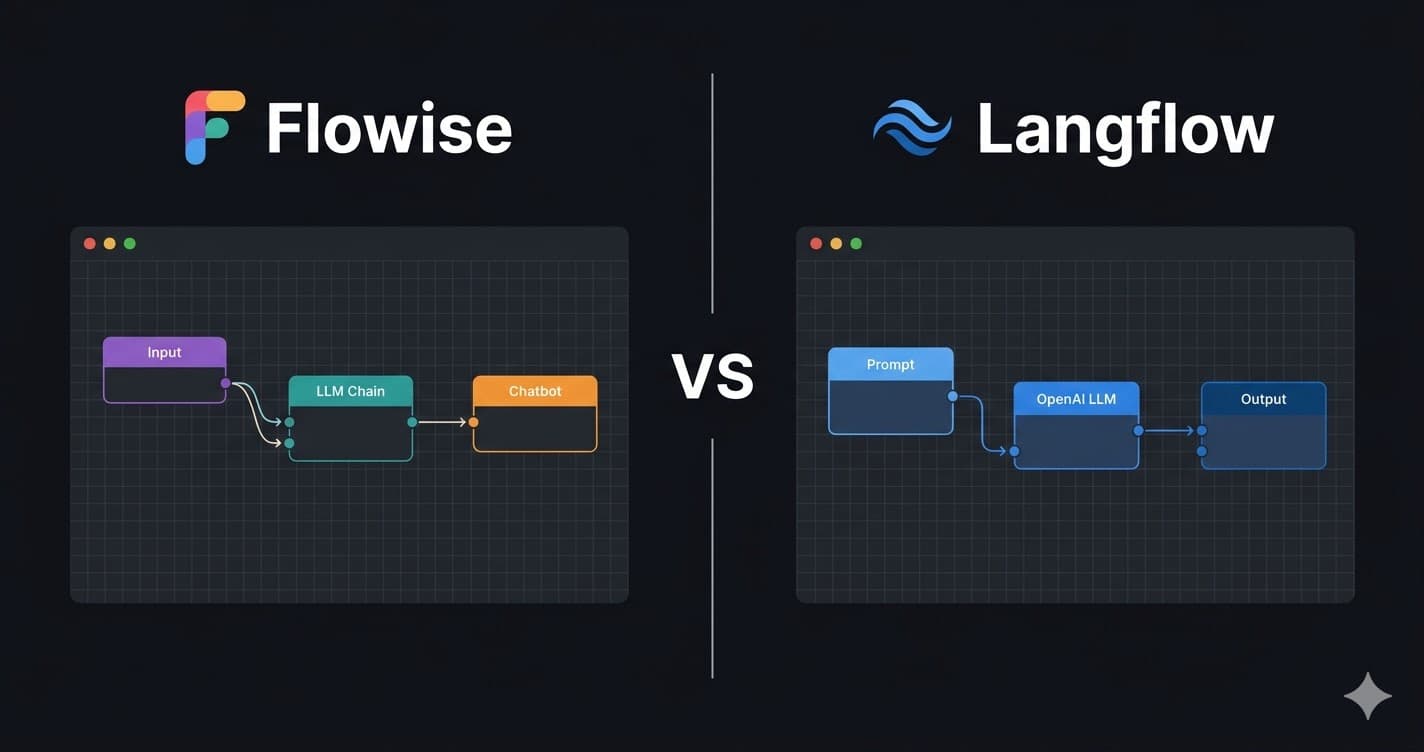
Flowise and Langflow are both open-source, visual drag-and-drop builders for LLM applications. Both let you assemble AI pipelines without writing orchestration code from scratch, and both run in Docker. Despite the surface similarity, they make different architectural bets and attract different types of builders.
Flowise is built on top of LangChain.js (Node.js). It has 36,000+ GitHub stars as of March 2026 and is designed for developers who want to ship chatbots, RAG pipelines, and AI agents quickly. The component library maps closely to LangChain abstractions, which means existing LangChain knowledge transfers directly. Flowise prioritises simplicity and a short path from idea to working chatbot.
Langflow is built on LangChain (Python) and has 47,000+ GitHub stars. It offers a wider range of pre-built components, native support for agentic workflows with multiple model providers, and a more modular architecture that supports complex multi-agent systems. Langflow has Datastax backing and ships a cloud-hosted version alongside the self-hosted open-source option.
This guide compares both tools across installation, component libraries, model support, deployment, and real production use cases so you can choose the right tool for your project rather than the most popular one.
Prerequisites
- Docker Engine 24.x+ or Docker Desktop installed
- Basic familiarity with LLM APIs (OpenAI, Anthropic, or similar)
- An API key for at least one LLM provider
- 4 GB free RAM (8 GB recommended for running both tools simultaneously)
In This Guide
At a Glance: Core Differences
Flowise and Langflow share a common ancestor, LangChain, but diverge in language, architecture, and target audience. The table below shows the fundamental differences before going deeper.
| Attribute | Flowise | Langflow |
|---|---|---|
| Language | Node.js (TypeScript) | Python |
| LangChain binding | LangChain.js | LangChain Python |
| GitHub stars (March 2026) | 36,000+ | 47,000+ |
| Primary focus | Chatbots, RAG, simple agents | Agents, RAG, multi-model pipelines |
| Cloud-hosted version | No (self-hosted only) | Yes (Datastax Langflow Cloud) |
| Docker image size | ~600 MB | ~1.2 GB |
| Default port | 3001 | 7860 |
| License | Apache 2.0 | MIT |
| Backing | Community + commercial | Datastax |
| Component count | ~100+ nodes | ~150+ nodes |
The language difference has a practical consequence beyond aesthetics. If your team writes Python for ML work, Langflow integrations are easier to extend. If your team works in JavaScript and deploys to Node.js infrastructure, Flowise components feel native.
Both tools wrap LangChain abstractions, so if you know concepts like chains, retrievers, vector stores, and memory from LangChain documentation, those map directly to nodes in both canvases.
Installation: Docker Setup for Both Tools
Both tools install cleanly via Docker. The commands below get each tool running in under five minutes.
Install Flowise
# Pull the latest Flowise image (Node.js, ~600 MB)
docker run -d \
  -p 3001:3001 \
  --name flowise \
  -v ~/.flowise:/root/.flowise \
flowiseai/flowiseAccess at `http://localhost:3001`. For production with authentication:
docker run -d \
  -p 3001:3001 \
  --name flowise \
  -v ~/.flowise:/root/.flowise \
  -e FLOWISE_USERNAME=admin \
  -e FLOWISE_PASSWORD=your_password_here \
flowiseai/flowiseFor the full Flowise Docker Compose setup with PostgreSQL and reverse proxy, see the Flowise Docker installation guide.
Install Langflow
# Pull the latest Langflow image (Python, ~1.2 GB, first pull takes longer)
docker run -d \
  -p 7860:7860 \
  --name langflow \
  -v langflow-data:/var/lib/langflow \
langflowai/langflow:latestAccess at `http://localhost:7860`. For a production deployment with an external database:
docker run -d \
  -p 7860:7860 \
  --name langflow \
  -v langflow-data:/var/lib/langflow \
  -e LANGFLOW_DATABASE_URL=postgresql://user:pass@host:5432/langflow \
  -e LANGFLOW_SECRET_KEY=your_secret_key \
langflowai/langflow:latestDocker Compose for Langflow with PostgreSQL
version: '3.8'

services:
  langflow:
    image: langflowai/langflow:latest
    container_name: langflow
    restart: unless-stopped
    ports:
      - "7860:7860"
    environment:
      - LANGFLOW_DATABASE_URL=postgresql://langflow:langflow@db:5432/langflow
      - LANGFLOW_SECRET_KEY=change_this_secret
    volumes:
      - langflow-data:/var/lib/langflow
    depends_on:
      - db

  db:
    image: postgres:16
    container_name: langflow-db
    environment:
      POSTGRES_USER: langflow
      POSTGRES_PASSWORD: langflow
      POSTGRES_DB: langflow
    volumes:
      - langflow-postgres:/var/lib/postgresql/data

volumes:
  langflow-data:
langflow-postgres:Feature-by-Feature Comparison
The table below covers the features that matter most when choosing a builder for a real project.
| Feature | Flowise | Langflow |
|---|---|---|
| RAG pipelines | Yes, vector store + retriever nodes | Yes, more vector store integrations |
| AI Agents | Yes, ReAct, Tool Agent, OpenAI Agent | Yes, wider agent type support |
| Multi-agent systems | Limited (single agent per flow) | Yes, agent-to-agent handoff supported |
| Memory types | Buffer, Summary, Zep, Redis | Buffer, Summary, Redis, Motorhead, Zep |
| Vector stores | Pinecone, Chroma, Weaviate, Qdrant, Supabase | All Flowise stores + Cassandra, Astra |
| LLM providers | OpenAI, Anthropic, Ollama, Groq, Azure, Bedrock | Same + Mistral, Together AI, NVIDIA NIM |
| Embedding providers | OpenAI, HuggingFace, Cohere, Ollama | Same + Azure, Bedrock, Vertex AI |
| Document loaders | PDF, CSV, Notion, Confluence, GitHub | Same + web scraping, Airtable, YouTube |
| Output formats | JSON, plain text, streaming | JSON, plain text, streaming, structured |
| Webhooks | Yes | Yes |
| API endpoint per flow | Yes | Yes |
| Custom component SDK | JavaScript/TypeScript | Python |
| Built-in evaluations | No | Yes (Langsmith integration) |
| Monitoring / tracing | LangSmith (manual) | LangSmith (native) |
| Authentication | Basic (username/password) | Basic + OAuth (cloud version) |
The most significant functional gap is multi-agent support. Langflow supports agent-to-agent communication where one agent delegates subtasks to a specialist agent. Flowise runs one agent per flow and routes between flows via API. For applications that need a supervisor-agent orchestrating multiple specialist agents, Langflow's architecture fits better.
For RAG chatbots and single-agent automations, both tools are equivalent in capability. The choice comes down to the language your team extends components in.
Which Tool to Choose for Your Use Case
The decision between Flowise and Langflow depends on the type of application, the team's technical background, and whether you need cloud hosting.
| Use Case | Recommended Tool | Reason |
|---|---|---|
| Customer support chatbot with RAG | Flowise | Simpler setup, fast time to production, no multi-agent needed |
| Multi-agent research system | Langflow | Native agent-to-agent handoff, richer agent node types |
| Internal document Q&A (PDF/Confluence) | Either, coin flip | Both handle this equally well |
| Python ML team building prototypes | Langflow | Python SDK matches team's existing stack |
| JavaScript team deploying chatbot API | Flowise | TypeScript custom components, Node.js-native |
| Production deployment without DevOps | Langflow Cloud | Datastax managed hosting, no server management |
| Self-hosted on a tight budget | Flowise | Smaller image, lower RAM baseline at idle |
| LLM observability and evaluation | Langflow | Native LangSmith integration, built-in evaluation nodes |
| Building for non-technical users | Flowise | Cleaner UI, smaller component set, less overwhelming |
| Complex agentic pipelines (20+ nodes) | Langflow | Better canvas performance with large flows |
If you need to pick one to start with and do not have a specific multi-agent requirement: Flowise is faster to get to a working application. If your project will grow into agentic complexity over time, start with Langflow and avoid migrating later.
Both tools expose a REST API from every flow. This means the underlying tool can be swapped without changing the downstream application that consumes the API, if your requirements shift.
Performance, Memory, and Scaling
At idle, Flowise consumes approximately 200-300 MB RAM. Langflow consumes 400-600 MB RAM at idle due to the Python runtime and loaded dependencies. Under active use with concurrent users both increase significantly based on flow complexity and model response size.
| Scenario | Flowise RAM | Langflow RAM |
|---|---|---|
| Idle (no active requests) | 200-300 MB | 400-600 MB |
| Single chatbot flow, 1 user | 400-600 MB | 700-900 MB |
| RAG pipeline, 5 concurrent users | 1.2-2 GB | 1.8-2.5 GB |
| Complex agent flow, 10 concurrent | 2.5-4 GB | 3.5-5 GB |
These figures are measured on a 4-core VPS with NVMe storage. They exclude the memory used by the LLM backend (Ollama or remote API calls).
For horizontal scaling, both tools support stateless deployments when configured with an external PostgreSQL database. With SQLite (the default), each container has its own flow storage and cannot share state across instances. Switch to PostgreSQL before scaling beyond one container.
Langflow's Python runtime adds cold-start latency on the first request after a period of inactivity, approximately 500ms-1s for a warm flow versus near-zero for Flowise. For high-frequency, latency-sensitive applications, this matters. For typical chatbot use (one conversation per session), it is negligible.
Community, Documentation, and Support
Both projects are actively maintained. Langflow has more GitHub stars but Flowise has a more cohesive community for beginners because of its smaller surface area.
| Metric | Flowise | Langflow |
|---|---|---|
| GitHub stars (March 2026) | 36,000+ | 47,000+ |
| GitHub contributors | 200+ | 350+ |
| Discord members | 8,000+ | 15,000+ |
| Documentation quality | Good, examples cover 80% of use cases | Good, comprehensive but more complex |
| Commercial support | No official tier | Datastax enterprise support |
| Release cadence | Weekly minor releases | Weekly minor releases |
| Breaking changes | Rare, good migration notes | Occasional, check changelogs before upgrading |
Flowise's documentation covers common use cases clearly. The integration guides for most vector stores and LLM providers include screenshots and copy-paste configs. For advanced custom component development, the documentation is thinner and the Discord community is the primary resource.
Langflow's documentation is more technically complete but assumes more background knowledge. The Python SDK for custom components is well documented. Langflow Cloud (the Datastax-managed version) has dedicated support tiers.
For troubleshooting production issues, both projects have active GitHub issue trackers. Search the issue tracker before filing a new bug, most common Docker and database connection errors have existing threads with verified fixes.
Both tools have active subreddits: r/LangChain covers Flowise and Langflow questions alongside general LangChain discussion. r/selfhosted covers Docker deployment issues for both.
Troubleshooting
Flowise canvas is blank after Docker start
Cause: Container started before the Node.js server finished initialising, or a port conflict on 3001
Fix: Wait 30 seconds after `docker start flowise` then hard-refresh. Check `docker logs flowise` for "Flowise is listening on port 3001" confirmation. If port 3001 is in use, remap with `-p 3002:3001`.
Langflow shows "Flow not found" on API calls
Cause: The flow ID in the API call does not match the deployed flow. Langflow generates a new UUID each time a flow is saved and published.
Fix: In the Langflow UI, open the flow, click the API button (top-right), and copy the current endpoint URL. The UUID in the URL is the authoritative flow ID.
Ollama connection refused from Flowise container
Cause: Flowise container cannot reach `localhost:11434` because localhost inside Docker refers to the container, not the host machine
Fix: Use `host.docker.internal:11434` on Docker Desktop (macOS/Windows) or `172.17.0.1:11434` on Linux. Set this as the Ollama Base URL in the Flowise Ollama node.
Langflow Python dependency conflict on custom component
Cause: Custom component imports a package version that conflicts with Langflow's pinned dependencies
Fix: Check the Langflow `requirements.txt` on GitHub for the pinned version of your dependency. Either match that version or use a virtual environment approach by mounting your component as a volume and managing dependencies separately.
Flow export from Flowise cannot be imported into Langflow
Cause: Flowise exports JSON in LangChain.js format; Langflow uses LangChain Python schema. They are not cross-compatible.
Fix: Flows cannot be migrated directly. Recreate the flow manually in the target tool. Both tools represent the same LangChain concepts, so the logic transfers even if the JSON does not.
Langflow container exits immediately on startup
Cause: Missing LANGFLOW_SECRET_KEY environment variable in newer Langflow versions (1.1+)
Fix: Add `-e LANGFLOW_SECRET_KEY=$(openssl rand -hex 32)` to your Docker run command, or set it in your Docker Compose environment block.
Alternatives to Consider
| Tool | Type | Price | Best For |
|---|---|---|---|
| n8n | Self-hosted / Cloud | Free (self-hosted) / $24/month (cloud) | Teams who need AI agents embedded inside broader business automation workflows. n8n handles 400+ integrations that Flowise and Langflow do not cover natively. See the n8n AI workflow examples guide for details. |
| Dify | Self-hosted / Cloud | Free (open-source) / $59/month (cloud) | Teams who want a production-ready LLM application platform with built-in prompt management, A/B testing, and analytics. More opinionated than Flowise or Langflow but faster path to a monitored production deployment. |
| LangChain (Python) | Code library | Free / open-source | Developers who have outgrown visual builders and need programmatic control. Every Flowise and Langflow node is a LangChain abstraction, moving to pure LangChain code gives full flexibility at the cost of writing and maintaining the wiring code yourself. |
| Agno | Python framework | Free / open-source | Multi-agent systems with strict performance requirements. Agno is purpose-built for agent orchestration and runs agents 10,000x faster than LangChain in their published benchmarks (verified via the Agno GitHub). No visual canvas, code only. |
Frequently Asked Questions
Can Flowise and Langflow connect to the same Ollama instance?
Yes. Both tools connect to Ollama via its REST API at port 11434. You configure the Ollama Base URL in each tool's model node. If Flowise, Langflow, and Ollama all run on the same server, use the host machine's internal IP (not localhost, which resolves to each container).
On Docker Desktop (macOS/Windows), use `http://host.docker.internal:11434`. On Linux with a standard Docker network, use `http://172.17.0.1:11434`. Both Flowise and Langflow will then access the same Ollama instance and share its downloaded models.
Is Flowise or Langflow better for RAG applications?
Both handle RAG pipelines with similar capability. The difference is in vector store support: Langflow supports more stores natively (Astra, Cassandra, Milvus in addition to Pinecone, Chroma, Weaviate, and Qdrant). For teams already using Datastax Astra, Langflow is the clear choice.
For teams starting fresh, Flowise's RAG setup is slightly simpler, the document loader, splitter, embedder, and vector store nodes are fewer steps to connect. The resulting retrieval quality is identical given the same underlying models and chunking strategy.
Does Langflow have a free cloud tier?
Yes. Langflow Cloud (managed by Datastax) offers a free tier with limited compute credits per month. The free tier is sufficient for prototyping and low-traffic applications. At higher usage it moves to paid plans.
The self-hosted open-source Langflow has no usage limits. For production deployments where you want predictable costs, self-hosting with a VPS is the standard approach. The Docker Compose setup in this guide runs on a 4-core VPS.
Can I export flows from Flowise and import them into Langflow?
No. Flowise exports flows as LangChain.js JSON. Langflow uses LangChain Python JSON. The schemas are different and not cross-compatible. Flows must be recreated manually in the target tool.
The LangChain concepts (chain, retriever, memory, agent, tool) map directly between both tools, so recreating a flow is primarily a visual exercise rather than a logical redesign. A simple RAG flow with 5-8 nodes takes 15-20 minutes to recreate.
Which tool has better multi-agent support?
Langflow. It supports agent-to-agent communication where a supervisor agent delegates subtasks to specialist agents and aggregates their outputs. Flowise runs one agent per flow and routes between flows via API calls, workable but not native multi-agent orchestration.
If you need a supervisor agent that spawns and coordinates specialist agents within a single execution context, Langflow is the correct choice. For single-agent applications with tool use, both tools are equivalent.
How do I update Flowise or Langflow to the latest version?
For Docker deployments, pull the latest image and recreate the container.
For Flowise:
docker pull flowiseai/flowise
docker stop flowise && docker rm flowise
docker run -d -p 3001:3001 --name flowise -v ~/.flowise:/root/.flowise flowiseai/flowiseFor Langflow:
docker pull langflowai/langflow:latest
docker stop langflow && docker rm langflow
docker run -d -p 7860:7860 --name langflow -v langflow-data:/var/lib/langflow langflowai/langflow:latestFor Docker Compose deployments: `docker compose pull && docker compose up -d`. Check the GitHub releases page for breaking changes before upgrading either tool on a production deployment.
Does Flowise support Python custom components?
No. Flowise custom components are written in TypeScript/JavaScript. The component SDK generates a new node type that appears in the canvas alongside built-in nodes. This is by design, Flowise's Node.js runtime does not execute Python.
If you need Python-specific ML libraries (scikit-learn, transformers, custom PyTorch models) inside your pipeline, Langflow is the appropriate choice. Alternatively, expose your Python logic as an HTTP endpoint and call it from a Flowise HTTP Request node.
Is Langflow production-ready for high-traffic applications?
Yes, with the right configuration. Langflow supports horizontal scaling when deployed with PostgreSQL as the external database. Multiple Langflow containers share the same database and can handle concurrent requests independently.
For production at scale: run Langflow behind a load balancer (nginx or Traefik), use PostgreSQL for state, set LANGFLOW_SECRET_KEY consistently across all instances, and configure your vector store externally (not in-memory). Datastax Langflow Cloud handles this infrastructure automatically if you prefer managed hosting.
What is the difference between Flowise and LangChain?
LangChain is a Python (and JavaScript) library, you write code using its classes and functions to build LLM applications. Flowise is a visual interface built on top of LangChain.js that lets you connect LangChain components without writing code.
Every node in Flowise corresponds to a LangChain.js class. When you export a Flowise flow, it generates the equivalent LangChain.js code. Flowise is the visual layer; LangChain is the execution layer underneath it.
Related Guides
How to Install Flowise with Docker: AI Agent Builder Setup Guide
How to Build an AI Agent with n8n (2026 Guide)
How to Install n8n with Docker Compose (Self-Hosted Setup)
How to Deploy n8n on a VPS: Production Setup with Nginx and SSL (2026)