
How to Run MiniMax M3 on Ollama: Cloud Setup Guide (2026)
MiniMax M3 is cloud-only on Ollama, a 428B-parameter MoE coding model with 1M context. Run minimax-m3:cloud, set up API access, and find local alternatives.

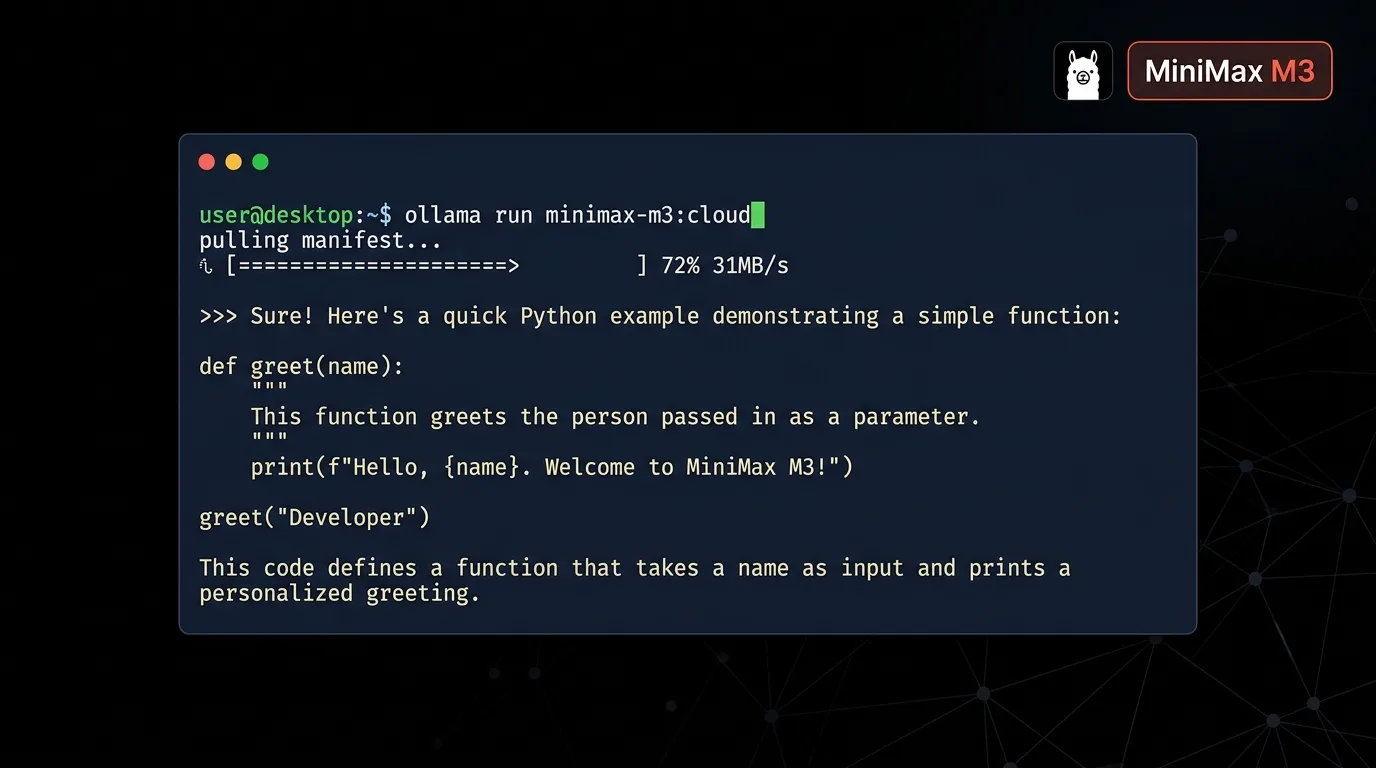
MiniMax M3 is MiniMax's flagship open-weight model, and like Kimi K2.6, GLM 5.2, and Nemotron 3 Ultra, Ollama only runs it in the cloud. It's a mixture-of-experts design with 428 billion total parameters and roughly 23 billion active per token, built on a new attention mechanism MiniMax calls MSA (MiniMax Sparse Attention), which the company says cuts per-token compute by roughly 20x and delivers more than 9x faster prefill and 15x faster decoding at a 1 million token context length compared to its predecessor. M3 is also natively multimodal, trained on text and images from the same checkpoint rather than a vision adapter bolted on afterward. Ollama's `minimax-m3:cloud` tag exposes a 512K-token guaranteed minimum context window, with MiniMax's own materials referencing up to 1M tokens for the underlying model, similar to how Nemotron 3 Ultra's cloud tag tops out below its headline figure too.
There's a licensing detail worth knowing before you set anything up. MiniMax released M3 on June 1, 2026, first through its own API and token-plan subscriptions, with open weights and a technical report following on Hugging Face at `MiniMaxAI/MiniMax-M3` about ten days later. The weights ship under the MiniMax Community License rather than something permissive like MIT: free for personal use, self-hosted experimentation, and non-commercial research, but commercial use of the model or any derivative needs written authorization from MiniMax. Commenters on the model's Hugging Face discussion page called the M3 terms an improvement over the stricter license M2.7 shipped under, but it still means a company serving M3 in a paid product needs to contact MiniMax directly rather than just deploying it.
This guide covers the full Ollama Cloud setup: installing Ollama, signing in, running `minimax-m3:cloud` from the terminal, and generating an API key for your own scripts and agents. If your hardware can genuinely handle a model this size, there's a section on running M3 locally through Unsloth's GGUF quantizations instead of Ollama. And if 428 billion parameters is more than you need, the alternatives section near the end covers MiniMax M2, GLM 5.2, DeepSeek R1, and Kimi K2.6.
Prerequisites
- Ollama 0.12 or later, installed on Linux, macOS, or Windows (no GPU or high-RAM machine required for the cloud setup)
- A free account at ollama.com for the `ollama signin` step
- A stable internet connection. Inference for cloud models runs on MiniMax's and Ollama's servers, not your hardware
- Basic terminal familiarity for running `ollama run` and `curl` commands
- (Optional) An API key from ollama.com/settings/keys if you plan to call MiniMax M3 from your own scripts or agents
- (Optional) 256 GB or more of combined RAM/VRAM and a 24 GB+ GPU if you want to attempt the true local install via Unsloth and llama.cpp covered later in this guide
Need more GPU power?
Rent a RTX 4090 on Vast.ai from $0.20/hr. On-demand GPU rentals by the hour, useful for running larger models without buying hardware.
In This Guide
What MiniMax M3 Is and Why Ollama Runs It in the Cloud
MiniMax M3 is an open-weight large language model from MiniMax, a Shanghai-based AI lab. The model uses a mixture-of-experts architecture with 428 billion total parameters and roughly 23 billion active per token, built around MiniMax Sparse Attention (MSA), a mechanism that uses a lightweight index branch to scan incoming tokens and decide which blocks of past tokens are worth attending to, on top of a Grouped Query Attention base. MiniMax trained M3 on mixed text, image, and video data from the very first pretraining step, rather than adding multimodal support after the fact, across a training corpus on the order of 100 trillion tokens. The weights live on Hugging Face at `MiniMaxAI/MiniMax-M3` under the MiniMax Community License: free for personal use, self-hosted experimentation, and non-commercial research, with commercial use requiring written authorization from MiniMax. The model targets agentic coding, long-running tool use, and native image and video understanding in one checkpoint.
The reason MiniMax M3 only shows up on Ollama as a cloud model comes down to the same math that applies to Kimi K2.6 and GLM 5.2. Even at the lowest practical quantization, Unsloth's dynamic GGUF build needs around 140 GB of combined RAM and VRAM, which rules out almost every desktop and single-GPU workstation. Ollama's `:cloud` tag sidesteps that entirely. `ollama run minimax-m3:cloud` sends your prompt to MiniMax's infrastructure through Ollama's servers and streams the response back, using the same command syntax as a model that actually lives on your disk.
Here's how the MiniMax line compares on Ollama as of June 2026:
| Model | Parameters | Context | Notes | Ollama Tag |
|---|---|---|---|---|
| MiniMax M2 | 230B total / 10B active | 128K | Smaller MoE, fits a single high-VRAM GPU at low quantization | `minimax-m2` (local pull available) |
| MiniMax M2.7 | 230B total | 200K | Predecessor to M3, shipped under a stricter commercial-use license | `minimax-m2.7:cloud` |
| MiniMax M3 | 428B total / ~23B active | 1M (512K guaranteed on Ollama) | Current flagship, MSA architecture, native multimodal | `minimax-m3:cloud` |
For most people searching "MiniMax M3 Ollama" today, `minimax-m3:cloud` is the only option in Ollama's official library. On MiniMax's own benchmark numbers, M3 scores 59.0% on SWE-Bench Pro and 83.5 on BrowseComp, ahead of Claude Opus 4.7's 79.3 on that same agentic browsing benchmark, though Opus and a few other frontier closed models still lead on raw coding scores.
Set Up Ollama Cloud and Run MiniMax M3
Running MiniMax M3 through Ollama takes three steps: install Ollama, sign in, and run the model. Nothing here downloads a multi-hundred-gigabyte file. The whole setup takes under five minutes on any machine with a working internet connection.
Step 1: Install Ollama
# Linux and macOS, one-command installer
curl -fsSL https://ollama.com/install.sh | shOn Windows, download the installer from ollama.com/download, or use winget:
winget install Ollama.OllamaVerify the installation:
ollama --version
# Expected: ollama version 0.12.x or higherStep 2: Sign In to Ollama Cloud
ollama signinThis prints a sign-in URL and opens your browser. Create a free account at ollama.com, or log in if you already have one, then approve the device. The terminal confirms with a message similar to:
Signing in to ollama.com...
Signed in as your-usernameStep 3: Run MiniMax M3 from the Terminal
ollama run minimax-m3:cloudOllama fetches a small manifest, a few KB rather than the model weights, since inference happens remotely, then drops you into a prompt:
pulling manifest
pulling 9b1f4a2e... 100% ▕████████████████▏  4.0 KB
success
>>> Send a message (/? for help)Type a prompt to test it:
>>> Write a Python function that paginates a large Postgres query without loading the full result set into memory.The first response after signing in can take 10-30 seconds while Ollama establishes the cloud session. After that, responses stream back at normal speed.
Step 4: Verify the Model
ollama list`minimax-m3:cloud` appears in the list at a few KB rather than hundreds of gigabytes. That's expected: this is a cloud passthrough entry, not a downloaded model.
Switching Between Local and Cloud Models
`ollama run` works the same way for local and cloud models, so you can keep both on one machine. Pull a small local model alongside MiniMax M3:
ollama pull gemma3:4b`ollama list` now shows both `gemma3:4b` (a multi-gigabyte local download) and `minimax-m3:cloud` (a manifest-only cloud entry). Switch between them by changing the model name in `ollama run` or in your application's API request. Use the small local model for routine tasks, and save MiniMax M3 for the harder, longer-running jobs where the bigger context window and coding benchmarks actually pay off.
Running MiniMax M3 Locally Instead of in the Cloud
If you have the hardware, MiniMax M3 can run entirely on your own machine, just not through Ollama's official library tag. Unsloth publishes dynamic GGUF quantizations of the model that work with llama.cpp, and Ollama can pull a GGUF repo directly from Hugging Face even when that model isn't in Ollama's own library.
Memory requirements by quantization
| Quantization | Combined RAM/VRAM | Approx. download size |
|---|---|---|
| 1-bit (UD-IQ1_M) | ~140 GB | ~128 GB |
| 2-bit (UD-IQ2_M) | ~155 GB | ~143 GB |
| 4-bit (UD-Q4_K_M) | ~280 GB | ~265 GB |
| 8-bit (Q8_0) | ~480 GB | ~464 GB |
The full, unquantized model is closer to 850 GB at 16-bit precision. The 1-bit and 2-bit dynamic quants are the practical starting point for anyone testing the local route, and both still need a serious multi-GPU rig or a high-memory server rather than a single consumer card.
Pull the GGUF directly through Ollama
ollama run hf.co/unsloth/MiniMax-M3-GGUF:UD-Q4_K_MThis pulls Unsloth's quantized weights straight from Hugging Face and runs them through Ollama's local engine, no separate download tool needed. Expect the pull itself to take a while given the file sizes in the table above.
For full MSA support and the real speed benefit at long context, MiniMax's own model card recommends SGLang or vLLM over llama.cpp, both of which need a proper multi-GPU server rather than a desktop install.
This local setup is separate from Ollama's official cloud tag, and remember the MiniMax Community License: self-hosting M3 for personal use or research is fine without permission, but a commercial deployment needs written authorization from MiniMax first.
Use MiniMax M3 in Your Own Scripts and Agents (API Access)
You're not limited to the interactive `ollama run` session. You can reach MiniMax M3's cloud tag through Ollama's REST API too, and any tool that already talks to a local Ollama instance, or to the OpenAI API format, can use it with a one-line model name change.
Generate an API Key
Visit ollama.com/settings/keys while signed in, click "Create API key", and copy the value. Set it as an environment variable:
export OLLAMA_API_KEY=your_api_key_hereCall MiniMax M3 from the Local Endpoint
curl http://localhost:11434/api/chat -d '{
  "model": "minimax-m3:cloud",
  "messages": [
    { "role": "user", "content": "Summarize the difference between MiniMax M2 and M3 in two sentences." }
  ],
  "stream": false
}'Expected output (truncated):
{
  "model": "minimax-m3:cloud",
  "message": {
    "role": "assistant",
    "content": "MiniMax M2 is a smaller 230B-parameter MoE model that runs locally on Ollama with a 128K context window, while M3 scales up to 428B parameters with a new MSA attention mechanism, native multimodality, and up to 1M tokens of context, available only as a cloud tag."
  },
  "done": true
}Call MiniMax M3 Directly from ollama.com
For a server or serverless function without a local Ollama install, send requests straight to ollama.com using your API key:
curl https://ollama.com/api/chat \
  -H "Authorization: Bearer $OLLAMA_API_KEY" \
  -d '{
    "model": "minimax-m3:cloud",
    "messages": [{ "role": "user", "content": "Hello" }]
}'Python Example
from ollama import Client

client = Client(host="https://ollama.com", headers={"Authorization": "Bearer " + api_key})

response = client.chat(
    model="minimax-m3:cloud",
    messages=[{"role": "user", "content": "Plan a migration from a REST API to gRPC for an internal microservice."}],
)
print(response["message"]["content"])OpenAI-Compatible Endpoint for Existing Agent Tools
Ollama exposes an OpenAI-compatible layer at `http://localhost:11434/v1`, the same endpoint used in the Hermes Agent and OpenClaw setups. Point that configuration at `minimax-m3:cloud` instead of a local model name, and the agent runs on MiniMax M3's coding benchmarks and multimodal input without any other config changes:
model:
  default: minimax-m3:cloud
  provider: custom
  base_url: http://localhost:11434/v1
context_length: 512000Troubleshooting
`ollama run minimax-m3:cloud` returns "model not found"
Cause: The installed Ollama version predates cloud model support
Fix: Update Ollama by re-running the install command (`curl -fsSL https://ollama.com/install.sh | sh` on Linux/macOS, or re-download on Windows), then retry. Cloud models require Ollama 0.12.x or later.
`ollama pull minimax-m3` fails with "pull model manifest: file does not exist"
Cause: Ollama's official library does not host a local quantized tag for MiniMax M3, only `minimax-m3:cloud`
Fix: Use `ollama run minimax-m3:cloud` for the cloud-hosted version. For true local inference, pull the Unsloth GGUF directly with `ollama run hf.co/unsloth/MiniMax-M3-GGUF:UD-Q4_K_M`, covered in the "Running MiniMax M3 Locally" section.
"unauthorized" error or repeated sign-in prompts
Cause: The machine is not signed in, or the session expired
Fix: Run `ollama signin` again and complete the browser approval. Check ollama.com/settings/connections to confirm the device is listed as connected.
First response takes 20-30 seconds or longer
Cause: Cold start while Ollama establishes a session with the cloud infrastructure
Fix: This is normal for the first request after signing in or after an idle period. Subsequent requests in the same session stream back at normal speed.
`ollama list` shows minimax-m3:cloud at only a few KB instead of a multi-gigabyte download
Cause: This is expected. Cloud models store only a manifest locally; the weights run on MiniMax's and Ollama's servers
Fix: No action needed. If you want a model that runs entirely on your own hardware, see the local install section or the alternatives below.
API requests to `https://ollama.com/api` return 401
Cause: Missing or invalid `OLLAMA_API_KEY`
Fix: Generate a new key at ollama.com/settings/keys and re-export the environment variable: `export OLLAMA_API_KEY=your_new_key`.
llama.cpp fails to build, or generation is much slower than expected at long context
Cause: MiniMax M3 support in llama.cpp is preliminary, and MiniMax Sparse Attention isn't implemented yet, so it falls back to dense attention
Fix: Build llama.cpp from the latest source rather than a stable release tag. For full MSA support and real long-context speed, use SGLang or vLLM on a multi-GPU server instead, or fall back to `minimax-m3:cloud` through Ollama.
Alternatives to Consider
| Tool | Type | Price | Best For |
|---|---|---|---|
| MiniMax M2 | Local (Ollama) or cloud | Free | A smaller 230B-parameter MoE model from the same family that runs locally on a single high-VRAM GPU at low quantization, with a 128K context window. |
| GLM 5.2 | Cloud (Ollama) | Free within Ollama Cloud limits | A 744B-parameter agentic coding model with a 1M context window and an MIT license with no commercial-use restriction, for teams that need to avoid licensing friction. |
| DeepSeek R1 | Local (Ollama) or VPS | Free | Reasoning-heavy tasks (math, coding, logic) with visible chain-of-thought output, on hardware from 4 GB (1.5B distilled) up to 64 GB or more (70B). |
| Kimi K2.6 via Ollama Cloud | Cloud (Ollama) | Free within Ollama Cloud limits | 256K context and swarm-style multi-agent orchestration as a cloud-only alternative if MiniMax M3's licensing terms or 428B parameter size don't fit your use case. |
Frequently Asked Questions
Can I run MiniMax M3 locally with Ollama?
Not through Ollama's official library tag. MiniMax M3 has 428 billion total parameters, and even at low quantization the Unsloth GGUF build needs around 140 GB of combined RAM and VRAM, which rules out almost every desktop, laptop, and single-GPU workstation. Ollama currently only distributes MiniMax M3 as `minimax-m3:cloud`, a passthrough to MiniMax's infrastructure.
You can pull a GGUF build directly with `ollama run hf.co/unsloth/MiniMax-M3-GGUF:UD-Q4_K_M` if you have a serious multi-GPU rig, but llama.cpp support is preliminary and MiniMax Sparse Attention falls back to dense attention locally. For most people, MiniMax M2, GLM 5.2, or DeepSeek R1 in the alternatives section fit on more ordinary hardware.
Is MiniMax M3 free to use through Ollama?
Yes, within Ollama's free usage limits as of June 2026. `ollama signin` does not require payment information, and `ollama run minimax-m3:cloud` works immediately after signing in.
MiniMax also sells its own token-plan subscriptions for using M3 directly outside Ollama: Plus at roughly $20/month, Max at roughly $50/month, with faster tiers above that, plus a pay-as-you-go API around $0.60 per million input tokens and $2.40 per million output tokens. None of that is required for the Ollama setup in this guide.
Can I use MiniMax M3 commercially? What does the MiniMax Community License allow?
For the Ollama Cloud setup in this guide, yes. Ollama's cloud partnership with MiniMax covers commercial usage of the `minimax-m3:cloud` tag.
If you self-host the weights yourself instead, the MiniMax Community License permits personal use, self-hosted experimentation, and non-commercial research and education for free, but commercial use of the model or any derivative work requires prior written authorization from MiniMax. That's stricter than GLM 5.2's MIT license, so check the license text on Hugging Face before deploying a self-hosted version of M3 in a paid product.
What is the difference between MiniMax M2 and MiniMax M3?
MiniMax M2 has 230 billion total parameters with 10 billion active per token and a 128K context window, and it has an official local pull tag on Ollama (`minimax-m2`) alongside a cloud tag.
MiniMax M3 scales up to 428 billion total parameters with roughly 23 billion active per token, introduces the MiniMax Sparse Attention (MSA) mechanism for up to 1M tokens of context, and adds native multimodal input. M3 is cloud-only on Ollama, with no official local pull tag.
How much RAM do I need to run MiniMax M3 with Ollama?
For the cloud setup in this guide, effectively none beyond what Ollama itself needs to run, a few hundred MB. Inference happens on MiniMax's and Ollama's servers, not your machine.
For a true local install outside Ollama, plan on roughly 140 GB of combined RAM and VRAM at 1-bit quantization, up to around 480 GB at 8-bit. The full unquantized model is closer to 850 GB. If your goal is a model that fits in 8-64 GB of RAM, see the alternatives section for MiniMax M2, GLM 5.2, and DeepSeek R1.
Is MiniMax M3 better than GLM 5.2 or Kimi K2 for coding?
On MiniMax's own vendor-reported numbers, M3 scores 59.0% on SWE-Bench Pro, slightly behind GLM 5.2's reported 62.1% on the same benchmark, but M3 leads on BrowseComp at 83.5, ahead of Claude Opus 4.7's 79.3 on that agentic browsing test. Independent third-party benchmarks were not yet widely published shortly after launch, so treat all vendor-reported scores as a starting point.
For agentic, long-running coding work specifically, M3's native multimodality and MSA-driven long-context speed are real differentiators over Kimi K2.6, regardless of how the two ultimately compare on any single benchmark.
Can I use MiniMax M3 with an agent like Hermes Agent or OpenClaw?
Yes. Both Hermes Agent and OpenClaw connect to Ollama's OpenAI-compatible endpoint at `http://localhost:11434/v1`. Point the agent's model configuration at `minimax-m3:cloud` and set `context_length` to 512000.
The agent then runs on MiniMax M3's coding and tool-use benchmarks through your existing Ollama setup, with no other configuration changes needed.
Does `ollama pull minimax-m3:cloud` download the 428 billion parameter model?
No. `ollama pull` (or the pull step that runs automatically before `ollama run`) for a `:cloud` tag downloads only a small manifest, typically a few KB.
The actual 428 billion parameter weights for MiniMax M3 stay on MiniMax's and Ollama's infrastructure. Your machine sends prompts and receives responses over the network, which is why `ollama list` shows the model at only a few KB instead of hundreds of gigabytes.
Do I need a VPS or GPU to use MiniMax M3 with Ollama?
No, not for the `:cloud` tag covered in most of this guide. Inference runs on MiniMax's side regardless of where you run `ollama`, so a laptop or desktop with no GPU is enough.
The only reason to add hardware is if you want a true local install instead, which needs roughly 140 GB or more of combined RAM and VRAM. For that, renting a GPU on Vast.ai by the hour is cheaper than buying enough hardware outright, and you can shut it down when you're done.
Where can I try MiniMax M3 without installing Ollama?
MiniMax offers its own hosted platform and token-plan subscriptions for using M3 directly in supported editors and CLIs, without touching a terminal or Ollama at all. It's also reachable through MiniMax's own pay-as-you-go API.
The Ollama setup in this guide is specifically for developers who want MiniMax M3 inside scripts, agents, or tools that already use Ollama's API, such as Hermes Agent or OpenClaw, rather than through MiniMax's own interface.
Related Guides
How to Run GLM 5.2 on Ollama: Cloud Setup Guide (2026)
How to Run Kimi K2 on Ollama: Cloud Setup Guide (2026)
How to Run Nemotron 3 Ultra on Ollama (2026 Cloud Guide)
How to Run DeepSeek R1 Locally with Ollama (2026 Guide)
Best Local LLM Models to Run in 2026 (Benchmarks + Use Cases)