
How to Run OpenClaw with Ollama Local Models (2026 Guide)
Connect OpenClaw AI agent to Ollama local models. Step-by-step Docker setup, Ollama configuration, and model selection for private, cost-free AI agent automation.

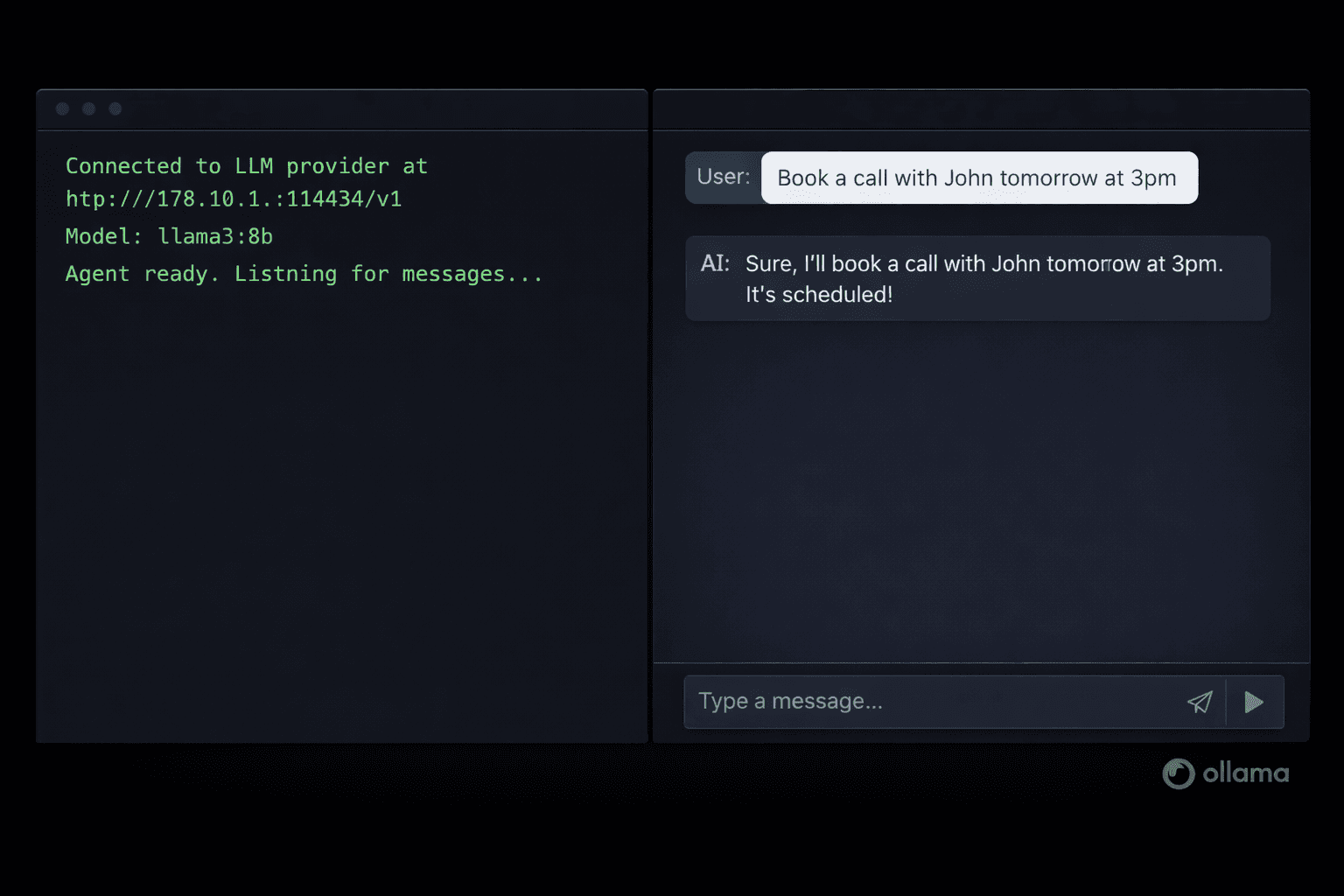
OpenClaw is an autonomous AI agent framework that gained 113,000+ GitHub stars in five days during January 2026. It runs continuously on your machine, connects to messaging apps like WhatsApp and Telegram, and executes tasks across your digital environment without constant prompting. By default, OpenClaw uses cloud AI APIs (Claude, ChatGPT, Gemini) to power its agent reasoning. This guide replaces those cloud APIs with Ollama, letting OpenClaw use local models entirely on your own hardware.
Running OpenClaw with Ollama gives you zero per-message API costs, complete data privacy, and no rate limits. Everything stays on your machine or server. The tradeoff is that local models currently perform below GPT-4o and Claude 3.5 Sonnet for complex multi-step reasoning, but for personal automation tasks, calendar management, and simple web research, a 7B or 14B model running locally is more than sufficient.
If you would rather skip the Docker setup entirely, Contabo offers pre-installed OpenClaw VPS plans where OpenClaw and Ollama come pre-configured on a secured cloud server. Your data stays on your server (not on OpenAI or Anthropic infrastructure), there are no local hardware requirements, and the instance is hardened against the API key exposure vulnerabilities found in typical OpenClaw installations. This guide covers the self-hosted Docker path for those who want full control.
Prerequisites
- A Linux server or local machine running Ubuntu 22.04+ (or macOS 12+, Windows with WSL2)
- Docker Engine 24.x+ and Docker Compose 2.x+ installed
- Minimum 16 GB RAM for 7B-8B models, 32 GB RAM for 14B models
- 20 GB free disk space (Ollama model files are 4-8 GB each)
- Basic comfort with the Linux command line
- (Optional) A domain name if you want to expose OpenClaw to external messaging services via webhook
Need a VPS?
Run this on a Contabo Cloud VPS 30 starting at €16.95/mo. Reliable Linux VPS with NVMe storage, ideal for self-hosted AI workloads.
In This Guide
- 1What OpenClaw Does and Why Local Models Make Sense
- 2Install Docker and Docker Compose
- 3Install Ollama and Pull a Model
- 4Clone OpenClaw and Configure Environment Variables
- 5Set Up the Soul.md Persistent Memory File
- 6Start OpenClaw with Docker Compose
- 7Install AgentSkills from Molthub
- 8Environment Variables Reference
- 9Troubleshooting
- 10FAQ
What OpenClaw Does and Why Local Models Make Sense
OpenClaw (formerly ClawdBot, MoltBot) is an open-source autonomous AI agent that runs as a persistent process on your hardware. Unlike chatbots that respond to one message at a time, OpenClaw proactively executes tasks across connected services: booking calendar events, sending messages, searching the web, managing email, and running code.
The Soul.md file stores persistent memory, so OpenClaw remembers your preferences across sessions. The molthub registry provides AgentSkills (plugins) for specific services like Google Calendar, Notion, Slack, and WhatsApp.
Why replace the cloud API with Ollama:
| Factor | Cloud API (Claude/ChatGPT) | Ollama Local Models |
|---|---|---|
| Cost per message | $0.003-$0.015 | $0 |
| Data privacy | Data processed by third party | Stays on your hardware |
| Rate limits | Yes (varies by plan) | None |
| Response latency | 1-3 seconds | 2-8 seconds (hardware-dependent) |
| Reasoning quality | High (GPT-4o, Claude 3.5) | Medium (Llama 3.3, Qwen 2.5) |
| Setup complexity | Low (add API key) | Moderate (this guide) |
For personal task automation where cost and privacy matter more than peak reasoning performance, the local Ollama path is the right choice.
Install Docker and Docker Compose
OpenClaw runs as a Docker container. If Docker is already installed on your machine, skip to the next section.
Install Docker on Ubuntu 22.04
# Add Docker's official GPG key and repository
curl -fsSL https://download.docker.com/linux/ubuntu/gpg | sudo gpg --dearmor -o /usr/share/keyrings/docker-archive-keyring.gpg

echo "deb [arch=$(dpkg --print-architecture) signed-by=/usr/share/keyrings/docker-archive-keyring.gpg] https://download.docker.com/linux/ubuntu $(lsb_release -cs) stable" | sudo tee /etc/apt/sources.list.d/docker.list > /dev/null

# Install Docker Engine and Compose plugin
sudo apt update && sudo apt install -y docker-ce docker-ce-cli containerd.io docker-compose-pluginAdd your user to the docker group so you can run Docker commands without sudo:
sudo usermod -aG docker $USER
newgrp dockerVerify both tools are working:
docker --version
# Expected: Docker version 26.x.x or higher

docker compose version
# Expected: Docker Compose version v2.x.x or higherInstall Docker on macOS
Download Docker Desktop from docker.com/products/docker-desktop. After installation, start Docker Desktop and verify in terminal:
docker --version && docker compose versionInstall Ollama and Pull a Model
Ollama provides the local model runtime. Install it on the same machine where OpenClaw will run.
Install Ollama
# Linux and macOS — one-command install
curl -fsSL https://ollama.com/install.sh | shVerify the installation:
ollama --version
# Expected: ollama version 0.6.x or higherOn Linux, Ollama starts as a systemd service automatically. Check it is running:
systemctl status ollama
# Expected: active (running)Choose and Pull a Model
OpenClaw needs a model with strong instruction-following and tool-calling support. These models work reliably:
| Model | RAM Required | Pull Command | Best For |
|---|---|---|---|
| Llama 3.3 8B | 8 GB | `ollama pull llama3.3:8b` | General tasks, fast responses |
| Qwen 2.5 14B | 16 GB | `ollama pull qwen2.5:14b` | Better reasoning, coding tasks |
| Mistral Small 22B | 24 GB | `ollama pull mistral-small` | Complex multi-step tasks |
| Qwen 2.5 7B | 6 GB | `ollama pull qwen2.5:7b` | Low-RAM machines |
For most users starting out, Llama 3.3 8B is the right choice:
# Pull Llama 3.3 8B (4.9 GB download)
ollama pull llama3.3:8b

# Expected output:
# pulling manifest
# pulling 8eeb...  100% ████████ 4.9 GB / 4.9 GB
# successVerify Ollama's API is accessible (this is the endpoint OpenClaw will use):
curl http://localhost:11434/v1/models
# Expected: JSON response listing your downloaded modelsClone OpenClaw and Configure Environment Variables
Clone the OpenClaw repository and create the configuration file.
Step 1: Clone the Repository
# Clone the OpenClaw repository
git clone https://github.com/openclaw-ai/openclaw.git
cd openclawStep 2: Create the .env Configuration File
OpenClaw reads all credentials and settings from a `.env` file. Create it from the provided template:
cp .env.example .envOpen the file in a text editor:
nano .envStep 3: Configure Ollama as the AI Provider
Find the AI provider section and set these values:
# AI Provider Configuration
# For Ollama local models, set the base URL to Ollama's OpenAI-compatible endpoint
OPENAI_BASE_URL=http://host.docker.internal:11434/v1

# API key can be any non-empty string when using Ollama (Ollama ignores the key)
OPENAI_API_KEY=ollama-local

# Set the model name to match exactly what you pulled with ollama pull
OPENAI_MODEL=llama3.3:8b

# Agent configuration
AGENT_NAME=OpenClaw
SOUL_MD_PATH=./soul.mdStep 4: Configure Messaging Integration (Optional)
To connect OpenClaw to WhatsApp or Telegram, add the appropriate tokens. Skip this section if you want to test via the local web interface first:
# Telegram Bot (create a bot via @BotFather, paste the token here)
TELEGRAM_BOT_TOKEN=your_telegram_bot_token_here

# Webhook URL (required for Telegram, must be publicly accessible)
WEBHOOK_URL=https://your-domain.comSet Up the Soul.md Persistent Memory File
Soul.md is a plain Markdown file that OpenClaw reads at startup to restore context and preferences. It persists between sessions, giving the agent continuity.
Create a Soul.md file in the OpenClaw project directory:
touch soul.md
nano soul.mdAdd your preferences and context. Soul.md is plain Markdown — write in natural language:
# About Me

My name is [Your name]. I work in [your field/role].

## Preferences

- I prefer responses that are direct and specific, not general advice
- When scheduling, I work in the [Your timezone] timezone
- My primary language is English

## Recurring Tasks

- Weekly team meeting: Mondays at 10am
- Preferred flight seat: window seat, aisle if unavailable

## Important Contacts

- List any frequently referenced contacts here

## Skills I Have Installed

- (List installed molthub skills here as you add them)OpenClaw appends to Soul.md automatically as it learns your preferences during agent sessions. The file grows organically over time.
Start OpenClaw with Docker Compose
With the configuration in place, start the OpenClaw containers.
Start the Services
# Start OpenClaw in the background
docker compose up -dDocker pulls the OpenClaw image on first run (approximately 800 MB). After the download completes:
# Check that the container is running
docker compose ps

# Expected output:
# NAME                  IMAGE              STATUS          PORTS
# openclaw-app-1 openclaw:latest Up 30 seconds 0.0.0.0:3000->3000/tcpView live logs to confirm the Ollama connection succeeded:
docker compose logs -f app

# Expected output lines (order may vary):
# [OpenClaw] Starting agent...
# [OpenClaw] Connected to LLM provider at http://host.docker.internal:11434/v1
# [OpenClaw] Model: llama3.3:8b
# [OpenClaw] Soul.md loaded (142 tokens)
# [OpenClaw] Agent ready. Listening for messages...Access the Web Interface
Open your browser and go to `http://localhost:3000`. The OpenClaw dashboard shows the agent status, connected services, installed skills, and a chat interface for direct interaction.
Send a test message in the chat interface:
What time is it and what is today's date?OpenClaw passes this to Ollama's `llama3.3:8b` model and returns the response through the local API. If you receive a coherent answer, the Ollama connection is working.
Install AgentSkills from Molthub
AgentSkills extend OpenClaw with specific capabilities: calendar access, web search, email, Notion, GitHub, and more. They install from the molthub registry directly through the web interface.
Security Warning Before Installing Skills
Install a Skill via the Web Interface
1. Open the OpenClaw dashboard at `http://localhost:3000` 2. Navigate to Skills > Molthub 3. Search for the skill by name (for example: "web-search") 4. Click the verified publisher's listing 5. Click Install — the skill downloads and activates without restarting the container
Install a Skill via CLI
# List installed skills
docker compose exec app openclaw skills list

# Install a skill by name
docker compose exec app openclaw skills install web-search

# Expected output:
# Fetching web-search from molthub...
# Verifying checksum...
# Installing web-search v1.4.2...
# Skill installed successfully.Recommended Starter Skills (Verified)
| Skill | Function | Publisher |
|---|---|---|
| web-search | Searches Brave or DuckDuckGo | openclaw-official |
| calendar-google | Reads and writes Google Calendar | openclaw-official |
| memory-manager | Manages Soul.md automatically | openclaw-official |
| url-reader | Fetches and summarises web pages | openclaw-official |
Start with web-search and url-reader. They work without OAuth and let you test the Ollama integration with real-world tasks.
Environment Variables Reference
All OpenClaw configuration lives in the `.env` file. Key variables:
| Variable | Default | Purpose |
|---|---|---|
| `OPENAI_BASE_URL` | `https://api.openai.com/v1` | Override with Ollama endpoint for local models |
| `OPENAI_API_KEY` | (required) | Set to any non-empty string for Ollama |
| `OPENAI_MODEL` | `gpt-4o` | Model name — must match `ollama list` output exactly |
| `SOUL_MD_PATH` | `./soul.md` | Path to Soul.md persistent memory file |
| `AGENT_NAME` | `OpenClaw` | Name the agent uses to identify itself |
| `TELEGRAM_BOT_TOKEN` | (empty) | Token from @BotFather for Telegram integration |
| `WEBHOOK_URL` | (empty) | Public HTTPS URL for incoming webhooks |
| `PORT` | `3000` | Web interface port |
| `LOG_LEVEL` | `info` | Log verbosity: `debug`, `info`, `warn`, `error` |
| `MAX_CONTEXT_TOKENS` | `8192` | Token limit per conversation turn |
| `SKILL_TIMEOUT_MS` | `30000` | Maximum time a skill can run (milliseconds) |
Updating OpenClaw
# Pull the latest image
docker compose pull

# Restart with the new image
docker compose up -d --force-recreate

# Your .env and soul.md are volume-mounted and survive updatesTroubleshooting
Container starts but logs show "Connection refused" when reaching Ollama
Cause: Docker container cannot reach Ollama on the host using localhost or 127.0.0.1
Fix: On Linux, find the Docker bridge IP: `ip route | grep docker0` (usually 172.17.0.1). Set OPENAI_BASE_URL=http://172.17.0.1:11434/v1 in .env. On macOS/Windows Docker Desktop, use http://host.docker.internal:11434/v1.
Model responds but ignores tool calls or returns malformed JSON
Cause: The selected model has poor tool-calling support
Fix: Switch to a model with explicit function-calling training. Qwen 2.5 14B and Llama 3.3 8B are the most reliable options for OpenClaw. Update OPENAI_MODEL in .env and restart the container.
OpenClaw responds very slowly (15+ seconds per message)
Cause: Model is too large for available RAM, causing swap usage
Fix: Check RAM usage: `htop` or `free -h`. If swap is active, switch to a smaller model. Llama 3.3 8B needs 8 GB RAM, Qwen 2.5 7B needs 6 GB. Avoid loading additional models while OpenClaw is running.
Telegram messages not reaching OpenClaw
Cause: Webhook URL not set or not publicly accessible from Telegram servers
Fix: Telegram requires a public HTTPS URL to deliver messages. Use a tool like ngrok for testing: `ngrok http 3000`, then set WEBHOOK_URL to the ngrok HTTPS URL in .env and restart.
Soul.md changes not reflected in agent responses
Cause: OpenClaw reads Soul.md only at startup
Fix: Restart the container after editing Soul.md: `docker compose restart app`. Changes take effect on the next startup.
Skill installation fails with "checksum mismatch" error
Cause: Network interruption during skill download or corrupted molthub package
Fix: Remove the partial install: `docker compose exec app openclaw skills remove [skill-name]`. Then retry installation. If the error persists, the skill version may be broken — check the OpenClaw GitHub issues for reports.
Alternatives to Consider
| Tool | Type | Price | Best For |
|---|---|---|---|
| Emergent (Hosted OpenClaw) | Cloud | Free tier / $20/month | Non-technical users wanting OpenClaw without self-hosting complexity. Handles security, updates, and API key management automatically. |
| Contabo Pre-Installed OpenClaw VPS | Self-hosted (managed setup) | From €16.95/month | Users who want full server ownership and data privacy without the Docker configuration work. OpenClaw and Ollama come pre-installed and hardened against the API key exposure vulnerabilities in typical self-hosted setups. |
| n8n with AI Nodes | Self-hosted | Free self-hosted / $24/month cloud | Structured workflow automation with visual node editor. Better for recurring scheduled tasks than OpenClaw's conversational agent model. |
| Flowise | Self-hosted | Free self-hosted | Building LLM-powered chatbots and RAG applications with a no-code drag-and-drop interface. Less agent-focused than OpenClaw but simpler to configure. |
Frequently Asked Questions
Can OpenClaw run with Ollama on a laptop?
Yes. If your laptop has 16 GB RAM or more, Llama 3.3 8B runs comfortably alongside OpenClaw. With 8 GB RAM, Qwen 2.5 7B (6 GB model) is the better choice — it leaves enough RAM for the operating system and other applications.
The tradeoff on a laptop is fan noise and battery drain during inference. Ollama runs inference on the CPU when no GPU is available, which is slower and generates more heat than GPU inference. For sustained use, a VPS or desktop machine is more practical than a laptop.
Which Ollama model works best with OpenClaw?
Llama 3.3 8B is the best starting point. It handles general task instructions reliably, fits in 8 GB RAM, and Ollama pulls it in under 10 minutes on a standard connection.
For better performance on complex multi-step tasks and coding: Qwen 2.5 14B. It requires 16 GB RAM but handles tool-calling and structured output more consistently.
Avoid models smaller than 7B parameters. Models like Phi-3 Mini (3.8B) and Gemma 2B struggle with the structured JSON responses that OpenClaw's skill system requires.
Is running OpenClaw locally safer than using the cloud API?
For data privacy, yes. With Ollama, your messages and tasks are processed entirely on your hardware. Nothing leaves your machine to reach OpenAI or Anthropic servers.
The security risk in self-hosted OpenClaw setups is different: it is API key exposure and malicious skills (Cisco found 22-26% of molthub packages contain malicious code). Using Ollama eliminates the cloud API key risk entirely since there is no API key to steal. You still need to vet any skills before installing them.
For users who want the privacy of self-hosting without managing Docker and skill security themselves, Contabo's pre-installed OpenClaw VPS provides a hardened server environment.
How do I update OpenClaw when a new version releases?
Run these three commands from your openclaw project directory:
docker compose pull           # download the new image
docker compose up -d --force-recreate  # restart containers with new image
docker compose logs app # confirm the new version startedYour `.env` file and `soul.md` are stored as Docker volume mounts outside the container. They survive the update. Installed skills may need to be reinstalled after major version updates — check the OpenClaw changelog before updating.
What is the difference between running OpenClaw locally vs on a VPS?
Local (on your laptop or desktop): OpenClaw only runs when the machine is on. Webhook-based messaging integrations (Telegram, WhatsApp) will miss messages while the machine is off. Suitable for manual, on-demand use and testing.
VPS: OpenClaw runs 24/7, receives all webhook events even when you are away from your machine, and does not consume your laptop's RAM or CPU. A Contabo Cloud VPS 30 at €16.95/month has 24 GB RAM — enough for OpenClaw plus Ollama running Llama 3.3 8B or Qwen 2.5 14B simultaneously.
Contabo's pre-installed OpenClaw VPS skips the Docker configuration and serves as a ready-to-use 24/7 instance.
Can I connect OpenClaw to WhatsApp with Ollama as the backend?
Yes. WhatsApp integration uses the WhatsApp Business API or an unofficial bridge (WhatsApp Web-based). Set up the integration through the OpenClaw web interface under Settings > Messaging > WhatsApp.
WhatsApp requires a publicly accessible HTTPS webhook URL, which means your OpenClaw instance must be reachable from the internet. On a local machine, use an ngrok tunnel for testing. On a VPS with a domain, configure Nginx as a reverse proxy with a Let's Encrypt SSL certificate.
The Ollama model handles all message reasoning regardless of which messaging platform delivers the message. Once configured, you interact with your local Llama or Qwen model through WhatsApp as if it were a regular contact.
How much does it cost to run OpenClaw with Ollama compared to cloud APIs?
With Ollama, the per-message cost is zero. You pay only for the hardware running Ollama. On a Contabo Cloud VPS 30 at €16.95/month, you get 24/7 OpenClaw + Ollama access for a fixed monthly fee regardless of how many messages you send.
With cloud APIs, costs vary by model and usage. GPT-4o charges approximately $0.005 per 1,000 input tokens and $0.015 per 1,000 output tokens. An active OpenClaw user sending 200 messages per day averages 500 tokens each way per interaction — that is roughly $3-$9/day or $90-$270/month just in API costs, not counting the server hosting.
For users who send more than 500 messages per month through OpenClaw, the local Ollama path becomes cheaper than cloud APIs even accounting for VPS costs.
Does OpenClaw support multiple Ollama models at once?
Not simultaneously in a single session. OpenClaw uses one configured model (set via `OPENAI_MODEL` in `.env`) for all interactions in that instance. To switch models, update the environment variable and restart the container.
Ollama itself can host multiple models and switch between them instantly after the first load. If you want different models for different tasks (for example, Qwen 2.5 Coder for programming tasks and Llama 3.3 for general tasks), you can run two separate OpenClaw instances on different ports, each configured to use a different Ollama model.
Related Guides
How to Run Ollama Locally: Complete Setup Guide (2026)
How to Set Up Open-WebUI with Ollama (Docker Guide)
Best Local LLM Models to Run in 2026 (Benchmarks + Use Cases)
How to Install Hermes Agent with Ollama Local Models (2026)
How to Run Ornith 1.5 on Ollama: Local Setup Guide (2026)
How to Run Ornith 1.0 on Ollama: Local Setup Guide (2026)
How to Run Muse Glimmer Locally with Ollama (2026 Guide)