
Best Open-Source AI Coding Assistants in 2026: Compared and Ranked
Continue.dev, Aider, Tabby, Cody, and more: the 6 best free GitHub Copilot alternatives compared by setup, model support, and offline capability for 2026.

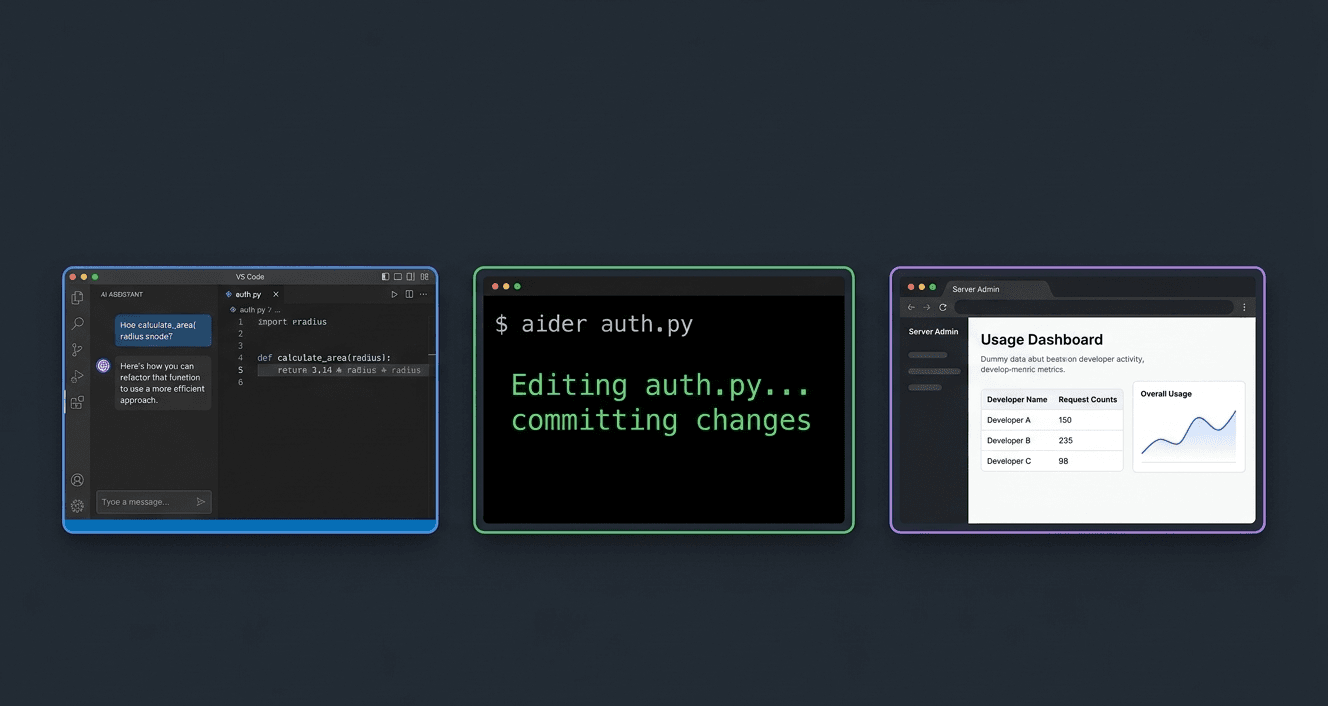
GitHub Copilot costs $10 to $19 per month per developer. Continue.dev, Aider, Tabby, Cody, and OpenCode are open-source alternatives that match or exceed Copilot for specific workflows at zero tool cost. Five of the six tools in this guide run completely offline with local models via Ollama.
This guide covers six tools, each suited to a different setup. Continue.dev plugs directly into VS Code and JetBrains and works with any Ollama model for both chat and tab autocomplete. Aider runs in the terminal and treats every AI code change as a git commit. Tabby runs as a self-hosted server your entire team connects to. Each tool is different in ways that matter to daily coding, not just in marketing copy.
By the end you will know which tool fits your workflow, how to configure it with a free local model, and what the real trade-offs are between local inference quality and cloud model quality.
Prerequisites
- VS Code (1.85+) or a JetBrains IDE (IntelliJ, PyCharm, WebStorm) for Continue.dev and Tabby
- Python 3.9+ and pip installed for Aider setup
- Ollama installed for free local model inference — see /how-to/run-ollama-locally/ for the full setup
- Docker Engine 24.x for Tabby self-hosted server deployment (optional, only needed for team setups)
- An Anthropic, OpenAI, or DeepSeek API key if you prefer cloud models over local inference
In This Guide
How the 6 Tools Compare at a Glance
All six tools are free to use. The cost difference comes from which LLM you connect them to: local models via Ollama cost nothing, cloud models cost API fees.
| Tool | GitHub Stars | Editor Support | Works Offline | Best For | Tool Cost |
|---|---|---|---|---|---|
| Continue.dev | 31,000+ | VS Code, JetBrains, Neovim | Yes (Ollama) | IDE chat and tab autocomplete | Free |
| Aider | 25,000+ | Terminal (any editor) | Yes (Ollama) | Multi-file refactoring, git workflows | Free |
| Tabby | 22,000+ | VS Code, JetBrains | Yes (self-hosted) | Team deployments, air-gapped environments | Free |
| Cody (Sourcegraph) | 10,000+ | VS Code, JetBrains | No (cloud-backed) | Large codebase context and indexing | Free (individual) |
| OpenCode | 95,000+ | Terminal, LSP | Yes (Ollama) | Terminal workflows, 75+ model providers | Free |
| CodeGPT | 8,000+ | VS Code | Yes (Ollama) | Simple plugin-and-go setup | Free |
The tools split into two categories by how they work:
IDE extensions (Continue.dev, Cody, CodeGPT, Tabby client): they sit inside your editor and provide inline suggestions, chat, and code actions. Setup takes under 5 minutes.
Terminal agents (Aider, OpenCode): they run alongside your editor in a terminal and make changes to your files directly. They require more context-switching but handle complex multi-file refactors that IDE extensions struggle with.
LLM quality determines output quality more than the tool itself. Every tool in this list connected to Claude 3.7 Sonnet or DeepSeek R1 will outperform GitHub Copilot on complex tasks. Connected to a 3B local model, none of them will match Copilot on quality, but all will work offline at zero cost.
Continue.dev: Best for IDE Chat and Tab Autocomplete
Continue.dev is the closest open-source equivalent to GitHub Copilot as an IDE experience. It runs as an extension in VS Code and JetBrains, providing tab autocomplete, inline chat, and codebase context through a local embedding index.
Install the Extension
In VS Code, open the Extensions panel (Cmd+Shift+X or Ctrl+Shift+X) and search for "Continue". Install the official Continue extension published by Continue.dev. For JetBrains, install from Settings > Plugins > Marketplace.
After installation, Continue creates a config file at:
| Platform | Config Path |
|---|---|
| macOS | `~/.continue/config.json` |
| Windows | `%USERPROFILE%\.continue\config.json` |
| Linux | `~/.continue/config.json` |
Configure with Ollama (Free, Fully Offline)
Open `config.json` and replace the contents with this configuration. It sets up Llama 3.2 7B for chat, StarCoder2 3B for tab autocomplete, and nomic-embed-text for codebase indexing:
{
  "models": [
    {
      "title": "Llama 3.2 7B (Local)",
      "provider": "ollama",
      "model": "llama3.2:7b",
      "apiBase": "http://localhost:11434"
    }
  ],
  "tabAutocompleteModel": {
    "title": "StarCoder2 3B",
    "provider": "ollama",
    "model": "starcoder2:3b",
    "apiBase": "http://localhost:11434"
  },
  "embeddingsProvider": {
    "provider": "ollama",
    "model": "nomic-embed-text",
    "apiBase": "http://localhost:11434"
  }
}Pull the required models before opening a project:
ollama pull llama3.2:7b
ollama pull starcoder2:3b
ollama pull nomic-embed-textStarCoder2 3B is the recommended autocomplete model. It is 1.7 GB, fast on CPU, and purpose-trained on code. For chat, Llama 3.2 7B gives better reasoning than most code-specific 7B models.
Add a Cloud Model (Optional)
To use Claude or DeepSeek for complex tasks while keeping local autocomplete, add a second entry to the `models` array:
{
  "title": "Claude 3.7 Sonnet",
  "provider": "anthropic",
  "model": "claude-3-7-sonnet-20250219",
  "apiKey": "sk-ant-..."
}In the Continue sidebar, switch between models using the dropdown at the bottom. You can use Ollama for quick questions and Claude for harder refactoring tasks without changing config.
How Continue.dev Context Works
Continue indexes your codebase locally using embeddings. When you ask a question in the chat, it retrieves the most relevant code chunks from your project and passes them to the LLM alongside your query. Press `@` in the chat input to explicitly reference files, functions, or classes. This is more reliable than GitHub Copilot's context for questions about your specific codebase.
Version as of this guide: v1.5.35 (January 2026). GitHub stars: 31,000+. License: Apache 2.0.
Aider: Best for Multi-File Refactoring and Git Workflows
Aider is a terminal-based coding agent that works directly in your git repository. Instead of suggesting code inside an IDE, Aider makes changes to your files, explains what it changed, and creates a git commit. The workflow is: describe what you want, Aider edits the files, you review the diff.
It is purpose-built for the tasks where IDE assistants fall short: refactoring across multiple files, renaming interfaces that are used in 40 places, migrating a dependency across a codebase. Aider handles these as single operations.
Install Aider
pip install aider-chatVerify the installation:
aider --versionRun Aider with Ollama (Free)
Aider works with any Ollama model. For local inference without API costs:
# Set the Ollama base URL
export OLLAMA_API_BASE=http://localhost:11434

# Start Aider with DeepSeek Coder 6.7B
aider --model ollama/deepseek-coder:6.7b file1.py file2.pyPull the model first:
ollama pull deepseek-coder:6.7bRun Aider with Claude (Best Quality)
For complex refactors, Claude 3.7 Sonnet and Claude 3.5 Sonnet consistently outperform local models. Aider's benchmark leaderboard at aider.chat/docs/leaderboards shows Claude-based configurations at the top for multi-file editing tasks.
export ANTHROPIC_API_KEY=sk-ant-...
aider --model claude-3-7-sonnet-20250219How a Typical Aider Session Works
Start Aider inside your git repository:
cd /your/project
aider src/auth.py src/models/user.pyAider loads the specified files into context. At the prompt, describe what you want:
> Add email verification to the User model. The verification token should expire after 24 hours.Aider edits the files, shows you the unified diff, and commits with a message like "feat: add email verification with 24-hour token expiry". You can run `git diff HEAD~1` to review the change and `git revert HEAD` to undo it if needed.
License: Apache 2.0. Typical cost with Claude 3.7 Sonnet: approximately $0.50 to $2.00 per hour of active refactoring sessions.
Tabby: Best for Self-Hosted Team Deployments
Tabby is a self-hosted coding assistant server. Rather than each developer running their own model, one Tabby instance runs on a server or a GPU machine, and every developer on the team connects to it through an IDE extension. This makes it the only tool in this list designed for team use rather than individual use.
Tabby supports VS Code and JetBrains through official extensions. It works in air-gapped environments with no outbound connections, which is why it is the preferred choice in enterprise and government settings where code cannot leave the local network.
Start Tabby with Docker
CPU-only setup (no GPU needed, slower inference):
docker run -d \
  --name tabby \
  -v $HOME/.tabby:/data \
  -p 8080:8080 \
  tabbyml/tabby serve \
  --model TabbyML/StarCoder-1B \
--device cpuWith an NVIDIA GPU (RTX 3060 12 GB or better, significantly faster):
docker run -d \
  --gpus all \
  --name tabby \
  -v $HOME/.tabby:/data \
  -p 8080:8080 \
  tabbyml/tabby serve \
  --model TabbyML/DeepseekCoder-6.7B-instruct \
--device cudaOn first startup, Tabby downloads the specified model. StarCoder-1B is 500 MB and works on CPU. DeepseekCoder-6.7B is 3.8 GB and requires a GPU with at least 6 GB VRAM for comfortable inference.
Recommended models by hardware:
| Hardware | Model | VRAM/RAM | Completion Speed |
|---|---|---|---|
| CPU (8 GB RAM) | TabbyML/StarCoder-1B | 2 GB RAM | 2-5 seconds |
| CPU (16 GB RAM) | TabbyML/StarCoder2-3B | 4 GB RAM | 4-8 seconds |
| GPU 6 GB VRAM | TabbyML/DeepseekCoder-6.7B-instruct | 6 GB VRAM | 0.5-1 second |
| GPU 12 GB VRAM | TabbyML/Qwen2.5-Coder-7B-Instruct | 8 GB VRAM | 0.3-0.8 second |
Connect the VS Code Extension
After Tabby is running at http://localhost:8080, install the Tabby VS Code extension from the marketplace. In extension settings, set the Server Endpoint to `http://localhost:8080` (or your server IP for team setups).
Tabby includes a web admin interface at http://localhost:8080 for user management, usage analytics, and model switching. This admin panel is the feature that makes Tabby useful for teams: you see which developers are using the assistant and for what.
License: Apache 2.0. GitHub stars: 22,000+.
Cody and OpenCode: Two More Strong Options
Cody by Sourcegraph
Cody takes a different approach from the other tools in this list. Instead of relying on the files you manually include in context, Cody indexes your entire codebase and uses that index to answer questions and make changes. Ask "where is the user authentication handled?" and Cody searches across all files, not just the ones you have open.
The free individual plan covers VS Code and JetBrains with full codebase indexing and access to Claude 3 Sonnet. The enterprise plan ($9/user/month) adds multi-repo indexing, SSO, and admin controls.
Install the Cody extension in VS Code, sign in with a free Sourcegraph account, and grant access to your repository. Cody indexes the codebase in the background over the first few minutes. After that, you can ask questions like "explain the data flow from the API endpoint to the database" and get answers that reference specific files with line numbers.
Cody does not run offline because the LLM inference happens on Sourcegraph's servers. It is the right tool when codebase-wide context matters more than privacy. For open-source projects or non-sensitive codebases, the free tier delivers substantial value.
OpenCode
OpenCode is a newer terminal-based coding agent with 95,000+ GitHub stars, making it one of the fastest-growing developer tools on GitHub. Like Aider, it runs in the terminal and modifies files directly. Unlike Aider, it supports 75+ LLM providers out of the box (including Ollama, OpenAI, Anthropic, Groq, and Bedrock) and does not require git to function.
Install with npm:
npm install -g opencode-aiRun in a project directory:
opencodeOpenCode presents an interactive terminal UI where you describe tasks, review proposed changes, and accept or reject edits file by file. It is the better choice over Aider if you want a broader LLM provider selection or prefer not to work with git commits as the undo mechanism.
Which Tool to Choose for Your Situation
The right tool depends on three factors: how you work, whether your code can leave your machine, and what hardware you have.
| Your Situation | Best Tool | Reason |
|---|---|---|
| Solo dev, VS Code user, wants Copilot-like experience | Continue.dev + Ollama | Free, offline, integrates into existing workflow |
| Solo dev, complex multi-file refactors in any editor | Aider + DeepSeek R1 | Git-native, handles large changes better than IDE extensions |
| Team deploying a shared AI assistant on a server | Tabby | Centralized model, usage analytics, air-gapped option |
| Working in a large codebase where context is the main problem | Cody (free plan) | Full-repo indexing that no local tool matches |
| Want the most model flexibility in a terminal | OpenCode | 75+ providers, no git requirement |
| Wants the simplest possible setup in VS Code | CodeGPT | Install extension, point at Ollama, done |
The Honest Quality Trade-off
Local models on consumer hardware (8 to 16 GB RAM) are good enough for autocomplete and simple functions. They are not good enough for complex architectural refactors, catching subtle logic bugs, or explaining unfamiliar codebases. For those tasks, cloud models (Claude 3.7 Sonnet, DeepSeek R1) deliver significantly better results.
The practical approach most developers use: local StarCoder2 3B for autocomplete (fast, free, offline) and a cloud model like Claude or DeepSeek for chat and refactoring sessions. Continue.dev supports this split configuration directly.
Cost Comparison
| Setup | Monthly Cost | Quality Level |
|---|---|---|
| Continue.dev + Ollama only | $0 | Good for autocomplete, moderate for chat |
| Continue.dev + DeepSeek API for chat | ~$1-3 | High quality at very low cost |
| Continue.dev + Claude 3.7 Sonnet | ~$5-15 | Near-Copilot quality for complex tasks |
| GitHub Copilot Individual | $10-19 | High quality, no setup required |
| Cursor Pro | $20 | Best AI IDE experience overall |
The open-source tools win on flexibility (run any model), privacy (fully offline), and cost. GitHub Copilot and Cursor win on setup simplicity and consistent quality without model management.
Troubleshooting
Continue.dev tab autocomplete is not triggering
Cause: The tabAutocompleteModel in config.json is not set, or Ollama is not running, or the model is not pulled
Fix: Verify Ollama is running: ollama list should show starcoder2:3b in the list. If the model is not there, pull it: ollama pull starcoder2:3b. Check config.json has a valid tabAutocompleteModel block with provider "ollama". Reload VS Code after editing config.json (Cmd+Shift+P > Developer: Reload Window).
Continue.dev shows "No Ollama models found" in the model picker
Cause: Ollama is not running or is running on a non-default port
Fix: Start Ollama: ollama serve. Verify it responds: curl http://localhost:11434/api/tags. If Ollama is running on a different port, update apiBase in config.json to match (e.g., "http://localhost:11435"). The default Ollama port is 11434.
Aider fails with "Model not found" or refuses to start
Cause: The model name format for Ollama is incorrect or the model is not pulled
Fix: Aider uses the format ollama/model-name (with the ollama/ prefix). Example: aider --model ollama/deepseek-coder:6.7b. Pull the model first: ollama pull deepseek-coder:6.7b. Run aider --list-models ollama to see available models.
Aider makes changes but does not create git commits
Cause: Not running inside a git repository, or git is not configured with a user name and email
Fix: Run git init in your project folder if it is not a git repo. Configure git identity: git config user.email "you@example.com" && git config user.name "Your Name". Aider requires git to be initialized to commit changes.
Tabby Docker container exits on startup
Cause: Insufficient RAM for the selected model, or the GPU is not accessible from Docker
Fix: Check logs: docker logs tabby. If out-of-memory, switch to a smaller model (TabbyML/StarCoder-1B for CPU). For GPU issues on Linux, install the NVIDIA Container Toolkit and verify with: docker run --gpus all nvidia/cuda:12.0-base nvidia-smi.
High RAM usage when running a coding model with Ollama
Cause: The model is loading fully into RAM (expected behaviour for large quantised models)
Fix: For 8 GB RAM machines, use models under 4 GB: starcoder2:3b (1.7 GB), deepseek-coder:1.3b (0.8 GB), or codellama:7b-code-q4_0 (3.8 GB). Run ollama list to see model sizes. Ollama keeps models loaded in RAM for 5 minutes after last use — this is normal and speeds up subsequent calls.
Alternatives to Consider
| Tool | Type | Price | Best For |
|---|---|---|---|
| GitHub Copilot Individual | Cloud | $10/month ($100/year) | Developers who want zero configuration and consistent quality across all languages without model management |
| Cursor | Cloud IDE | Free (limited) / $20/month Pro | Developers who want the best overall AI IDE experience and are comfortable switching editors |
| JetBrains AI Assistant | Cloud | Included in JetBrains subscription ($7.90/month+) | JetBrains users who already pay for IntelliJ, PyCharm, or WebStorm subscriptions |
| Amazon CodeWhisperer | Cloud | Free (individual tier) | AWS users and developers who want a free Copilot-like cloud experience with no local model setup |
Frequently Asked Questions
Is Continue.dev completely free to use?
Continue.dev itself is free (Apache 2.0). The cost depends on which LLM you connect to it.
With Ollama running local models, Continue.dev costs nothing at all. You pay in hardware and electricity, not money. Pull starcoder2:3b for autocomplete and llama3.2:7b for chat, both via Ollama, and the total ongoing cost is $0.
With cloud models, you pay the API provider's rates. DeepSeek API is currently the most cost-effective cloud option: approximately $0.14 per million input tokens for DeepSeek R1, which works out to under $2 per month for typical developer usage. Anthropic Claude 3.7 Sonnet is $3.00 per million input tokens, roughly $5 to $15 per month depending on how heavily you use the chat feature.
Which open-source coding assistant is closest to GitHub Copilot in quality?
Continue.dev connected to Claude 3.7 Sonnet or DeepSeek R1 matches or exceeds GitHub Copilot on most tasks. The LLM matters far more than the tool.
For tab autocomplete specifically, StarCoder2 3B via Ollama is noticeably behind Copilot on code completion quality. Copilot is trained specifically on code completion with human feedback, and specialized cloud models for completion are ahead of what runs comfortably on consumer hardware.
For chat and refactoring, Continue.dev with a strong cloud model (Claude, DeepSeek) outperforms Copilot's chat feature on complex questions. Aider with Claude 3.7 Sonnet specifically outperforms Copilot on multi-file editing tasks according to the SWE-bench benchmarks.
Can these tools work completely offline without any internet connection?
Yes, with Ollama. Continue.dev, Aider, Tabby, and OpenCode all work fully offline when configured to use local models via Ollama.
The setup: install Ollama, pull the models you want (ollama pull starcoder2:3b, ollama pull llama3.2:7b), configure your tool to use http://localhost:11434 as the API base. After that, no internet connection is required for any coding assistant feature.
Cody does not work offline because the LLM inference happens on Sourcegraph's servers. CodeGPT works offline if you configure it to use a local Ollama model rather than a cloud provider.
Quality offline is lower than quality with cloud models. For autocomplete on straightforward code, offline quality is acceptable. For complex reasoning about unfamiliar code, cloud models are significantly better.
What is the best local model for AI code completion?
For tab autocomplete (fast, single-line or short-block completions), StarCoder2 3B is the best choice for most machines. It is 1.7 GB, purpose-trained on code completion, fast on CPU, and produces relevant completions in 0.5 to 2 seconds.
For chat and multi-line code generation (slower, more complex tasks), DeepSeek Coder 6.7B is the best free local option. It produces significantly better code than Llama 3.2 7B on programming tasks specifically. Pull with: ollama pull deepseek-coder:6.7b.
For machines with 16 GB RAM or a GPU with 8+ GB VRAM, Qwen2.5-Coder 7B Instruct is the best local coding model as of early 2026. It consistently outperforms older 7B code models on function generation, debugging, and code explanation tasks.
Which tool works best for navigating and understanding large codebases?
Cody by Sourcegraph is the strongest option for large codebase understanding. It indexes your entire repository and answers questions with specific file and line references. Questions like "where is the payment processing logic?" or "which functions call this method?" work reliably in Cody because it searches across all files.
Continue.dev also has a codebase indexing feature using local embeddings (nomic-embed-text via Ollama). It works for medium-sized codebases (up to roughly 50,000 lines) but is less complete than Cody's indexing, which handles repositories with millions of lines.
Aider and OpenCode work only with the files you explicitly include in the session. They do not index the codebase automatically. For navigating unknown code, Cody or Continue.dev with embeddings is the better starting point.
Is Aider better than Continue.dev?
They solve different problems. Aider is not better or worse than Continue.dev in general. They are better and worse at specific tasks.
Aider is better at: multi-file refactoring where you need to change an interface and update every caller, large changes that span 10+ files, working with git as a native undo mechanism, and tasks where you want to describe the outcome rather than guide the implementation step by step.
Continue.dev is better at: inline autocomplete while typing, quick questions about the code you have open, explaining a function, generating tests for a specific file, and workflows where you do not want to leave the editor.
Most developers end up using both. Continue.dev stays open in the IDE for daily coding. Aider gets called when a refactor is too large to handle file by file.
Do these tools support JetBrains IDEs (IntelliJ, PyCharm, WebStorm)?
Yes, several do. Continue.dev has an official JetBrains plugin available in the JetBrains Marketplace. It supports IntelliJ IDEA, PyCharm, WebStorm, GoLand, and other JetBrains IDEs on version 2023.1 and later.
Tabby also has a JetBrains extension available in the JetBrains Marketplace. The Tabby JetBrains plugin connects to your self-hosted Tabby server for tab autocomplete.
Cody by Sourcegraph has a JetBrains plugin that supports the full codebase indexing and chat features.
Aider and OpenCode are terminal-based and work alongside any editor without IDE-specific plugins. You run them in a terminal window next to your JetBrains IDE.
CodeGPT and several other VS Code-focused tools do not have JetBrains support as of early 2026.
How does Tabby compare to GitHub Copilot for teams?
Tabby and GitHub Copilot for Business solve the same problem (shared team AI assistant) differently. The key difference is data: with Tabby, code never leaves your infrastructure. With Copilot for Business, code snippets are sent to GitHub's servers for inference.
GitHub Copilot for Business costs $19/user/month and includes centralized policy management, audit logs, and enterprise SSO. Quality is high because it uses cloud frontier models.
Tabby is free, self-hosted, and works in air-gapped environments. Code stays on your servers. Quality depends on the GPU hardware you allocate to the Tabby server: a dedicated machine with an RTX 4090 running Qwen2.5-Coder 7B delivers autocomplete quality approaching Copilot. A CPU-only server with StarCoder-1B will noticeably lag.
For teams with strict data privacy requirements, regulated industries, or air-gapped environments, Tabby is the clear choice. For teams that prioritize convenience and quality over data control, Copilot for Business is easier to operate.