
How to Run GLM-5.3-Flash on Ollama: Cloud Setup Guide (2026)
GLM-5.3-Flash is Z.ai's 320B multimodal MoE model, cloud-only on Ollama. Set up glm-5.3-flash:cloud, get API access, and see real local alternatives.

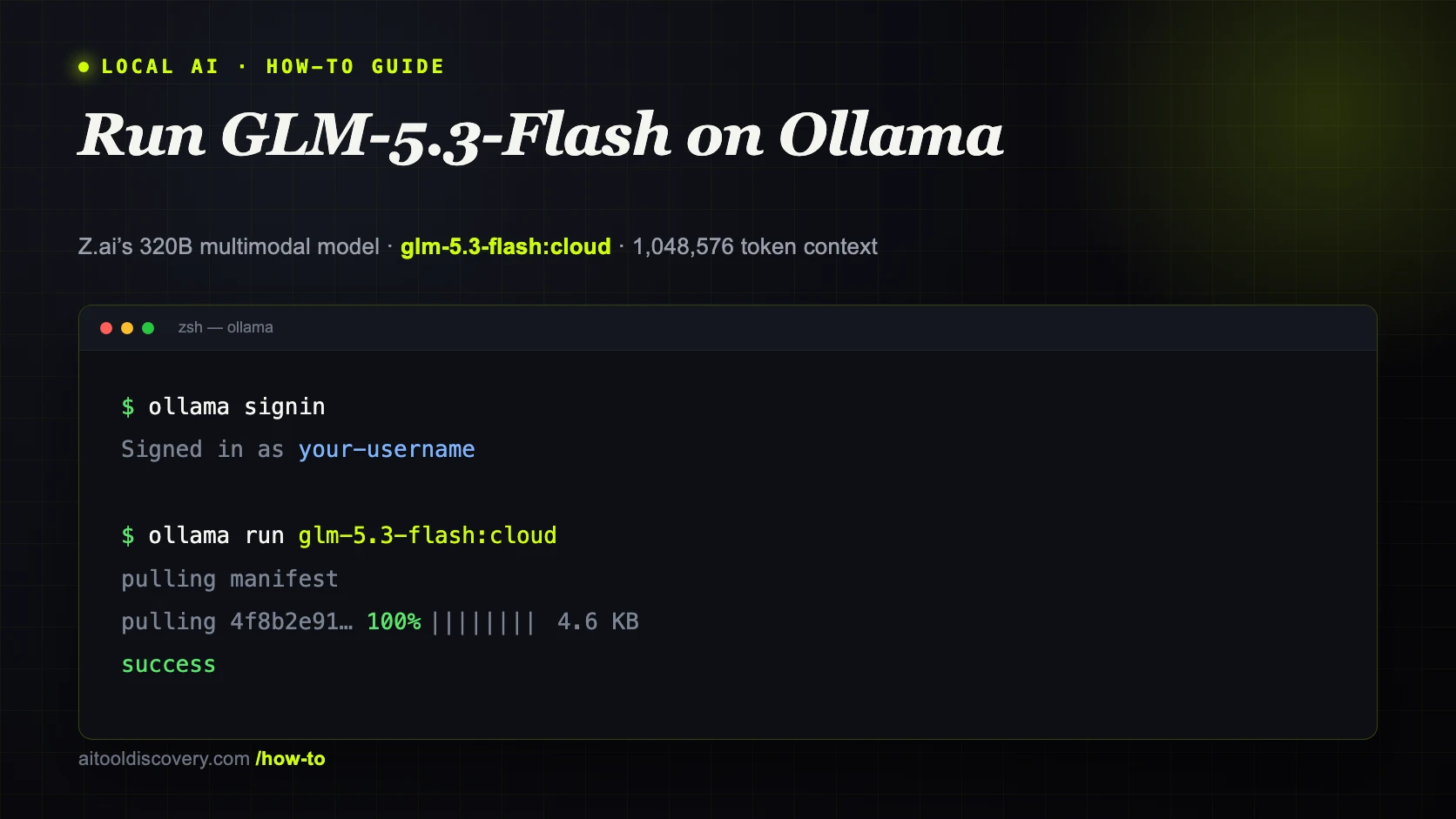
GLM-5.3-Flash is Z.ai's newest open-weight release, published on August 26, 2026, and it is the first model in the GLM-5 series that Z.ai built as natively multimodal from the start rather than adding vision on top of a text-only base. The architecture is a mixture-of-experts design: 320 billion total parameters, 18 billion active per token, with each token routed through 8 of 288 experts. A hybrid attention stack interleaves KDA (a Gated DeltaNet-style linear-attention layer) with NoPE sparse MLA layers across 45 total layers, paired with a 1,048,576 token context window. Z.ai reports that GLM-5.3-Flash beats its predecessor GLM-5.2 across benchmarks while costing roughly one-tenth as much per token, and lands within half a point of Claude Opus 4.8 on internal coding evaluations.
Like GLM 5.2 before it, GLM-5.3-Flash shows up on Ollama as a cloud model, not a local pull. The default FP8 checkpoint runs close to 306 GiB, and Z.ai's own deployment guidance calls for an 8-GPU Hopper-class node or a GB200 tray at TP4 to self-host it properly. Ollama's answer is the same one it used for GLM 5.2 and Kimi K2: a `:cloud` tag. Running `ollama run glm-5.3-flash:cloud` sends your prompt to Z.ai's infrastructure through Ollama's servers and streams the response back, using the same command syntax as a model that actually lives on your disk.
This guide covers the full Ollama Cloud setup: installing Ollama, signing in, running `glm-5.3-flash:cloud` from the terminal, and generating an API key for your own scripts and agents. If your hardware can genuinely handle a model this size, there is a section on running GLM-5.3-Flash locally through Unsloth's dynamic GGUF quantizations instead of Ollama. And if 320 billion parameters is more than you need, the alternatives section near the end covers GLM 5.2, Qwen3.8-Flash-Next, DeepSeek R1, and Kimi K2.6.
Prerequisites
- Ollama 0.6.x or later, installed on Linux, macOS, or Windows (no GPU or high-RAM machine required for the cloud setup)
- A free account at ollama.com for the `ollama signin` step
- A stable internet connection. Inference for cloud models runs on Ollama and Z.ai's servers, not your hardware
- Basic terminal familiarity for running `ollama run` and `curl` commands
- (Optional) An API key from ollama.com/settings/keys if you plan to call GLM-5.3-Flash from your own scripts or agents
- (Optional) 128 GB or more of RAM and Unsloth's dedicated llama.cpp branch if you want to attempt the true local install via dynamic GGUF quants, covered later in this guide
Need more GPU power?
Rent a RTX 4090 on Vast.ai from $0.20/hr. On-demand GPU rentals by the hour, useful for running larger models without buying hardware.
In This Guide
What GLM-5.3-Flash Is and Why Ollama Runs It in the Cloud
GLM-5.3-Flash is an open-weight large language model from Z.ai, the renamed consumer and enterprise arm of Zhipu AI. It carries 320 billion total parameters with 18 billion active per token, routed through 8 of 288 experts on every forward pass. Three architectural changes separate it from earlier GLM releases. First, a hybrid attention stack: 45 layers interleave KDA linear-attention layers with NoPE sparse MLA layers, instead of relying on standard dense attention throughout. Second, IndexPool, which compresses indexer key vectors and cuts attention compute by roughly 3x and the KV cache by about 4.4x compared to the non-Flash GLM-5.3. Third, mHC (Manifold-Constrained Hyper-Connections), which roughly halves both activated parameters and layer count compared to GLM-4.5 at similar capability. The model trained on a 30 trillion token multimodal corpus and reads text, images, and video natively, the first time any GLM-5-series model has shipped with native multimodal input rather than a bolted-on vision adapter.
Z.ai released the weights on Hugging Face at `zai-org/GLM-5.3-Flash` under an MIT license. The model exposes a `reasoning_effort` parameter with three levels, low, high, and max, defaulting to max when the field is left unset. Before the official announcement, the model circulated under the codename "ox-alpha" on some third-party model arenas and reportedly became one of the most-tested models that week, though that is a community observation rather than a Z.ai-published statistic.
The reason GLM-5.3-Flash only shows up on Ollama as a cloud model comes down to real infrastructure math, not an arbitrary decision. The default FP8 checkpoint is close to 306 GiB before accounting for KV cache, and Z.ai's own deployment documentation recommends an 8-GPU node of Hopper-class or newer NVIDIA GPUs, or a GB200 tray at TP4, for self-hosting it directly. Ollama's `:cloud` tag sidesteps that entirely: `ollama run glm-5.3-flash:cloud` sends your prompt to Z.ai's infrastructure through Ollama's servers and streams the response back, using the same command syntax as any locally downloaded model.
Z.ai has shipped several GLM generations in 2026. Here is what is live on Ollama as of August 2026:
| Model | Parameters | Context | Notes | Ollama Tag |
|---|---|---|---|---|
| GLM 4.6 | 357B total / 32B active | 200K | Fits a single high-VRAM GPU at low quantization | `glm-4.6` (local pull available) |
| GLM 5.2 | 744B total / ~40B active | 1M | Largest context in the GLM line, text-only | `glm-5.2:cloud` |
| GLM 5.3 | 320B total | 1M | Mostly a post-training update over 5.2 | Not yet on Ollama |
| GLM-5.3-Flash | 320B total / 18B active | 1,048,576 | First natively multimodal GLM-5-series model, hybrid KDA + NoPE MLA attention | `glm-5.3-flash:cloud` |
For most people searching for "GLM-5.3-Flash Ollama" today, `glm-5.3-flash:cloud` is the only option in Ollama's official library. Against GLM 5.2 specifically, Z.ai reports GLM-5.3-Flash beats it across benchmarks while running at roughly one-tenth the per-token API cost, a direct result of the smaller active-parameter count and the IndexPool and mHC efficiency work.
Set Up Ollama Cloud and Run GLM-5.3-Flash
Running GLM-5.3-Flash through Ollama takes three steps: install Ollama, sign in, and run the model. Nothing here downloads a multi-hundred-gigabyte file. The whole setup takes under five minutes on any machine with a working internet connection.
Step 1: Install Ollama
# Linux and macOS, one-command installer
curl -fsSL https://ollama.com/install.sh | shOn Windows, download the installer from ollama.com/download, or use winget:
winget install Ollama.OllamaVerify the installation:
ollama --version
# Expected: ollama version 0.6.x or higherStep 2: Sign In to Ollama Cloud
ollama signinThis prints a sign-in URL and opens your browser. Create a free account at ollama.com, or log in if you already have one, then approve the device. The terminal confirms with a message similar to:
Signing in to ollama.com...
Signed in as your-usernameStep 3: Run GLM-5.3-Flash from the Terminal
ollama run glm-5.3-flash:cloudOllama fetches a small manifest, a few KB rather than the model weights, since inference happens remotely, then drops you into a prompt:
pulling manifest
pulling 4f8b2e91... 100% ▕████████████████▏  4.6 KB
success
>>> Send a message (/? for help)Type a prompt to test it, including an image if you want to confirm multimodal input works:
>>> Describe what changed in this UI screenshot compared to the previous version.The first response after signing in can take 10-30 seconds while Ollama establishes the cloud session. After that, responses stream back at normal speed.
Step 4: Verify the Model
ollama list`glm-5.3-flash:cloud` appears in the list at a few KB rather than hundreds of gigabytes. That is expected: this is a cloud passthrough entry, not a downloaded model.
Switching Between Local and Cloud Models
`ollama run` works the same way for local and cloud models, so you can keep both on one machine. Pull a small local model alongside GLM-5.3-Flash:
ollama pull qwen3.5:8b`ollama list` now shows both `qwen3.5:8b` (a multi-gigabyte local download) and `glm-5.3-flash:cloud` (a manifest-only cloud entry). Switch between them by changing the model name in `ollama run` or in your application's API request, keeping a fast local model for routine tasks and reserving GLM-5.3-Flash's multimodal input and 1,048,576 token context for harder, longer-running jobs.
Running GLM-5.3-Flash Locally Instead of in the Cloud
If you have the hardware, GLM-5.3-Flash can run entirely on your own machine, just not through Ollama's official library yet, and not through mainline llama.cpp either. Unsloth maintains its own dynamic GGUF quantizations of the model plus a dedicated llama.cpp branch, since GLM-5.3-Flash's `glm5next` architecture has not yet been merged into mainline llama.cpp.
Memory requirements by quantization
| Quantization | Approx. download size | Retained accuracy vs BF16 | Practical minimum RAM |
|---|---|---|---|
| 1-bit (dynamic) | ~93 GB | ~71% of top-1% accuracy | 128 GB |
| 2-bit (dynamic) | Larger than 93 GB | Higher than 1-bit | 128 GB |
| 3-bit (dynamic) | 76% smaller than BF16 | ~87% of top-1% accuracy | 160-192 GB |
| 4-bit | Larger still | Close to full precision | 192-256 GB |
| Full BF16 | ~642 GB | 100% (reference) | Not practical outside a GPU cluster |
The full, unquantized BF16 model is roughly 642 GB. Unsloth's 1-bit dynamic quant at 93 GB is the entry point for anyone testing this on a single high-memory machine, while the 3-bit quant is the more realistic target if you actually plan to use the model rather than just confirm it loads.
Download and run with Unsloth
pip install unslothDownload the GGUF weights from Hugging Face (`unsloth/GLM-5.3-Flash-GGUF`), then run inference through Unsloth's own `llama.cpp` branch rather than a mainline build:
# Clone Unsloth's llama.cpp branch (glm5next architecture support)
git clone -b glm5next https://github.com/unslothai/llama.cpp
cd llama.cpp && cmake -B build && cmake --build build --config ReleaseOnce built, serve the model with the standard llama.cpp server flags, pointing `-m` at the downloaded GGUF file and sizing `--n-gpu-layers` to whatever fits your combined RAM and VRAM.
This local setup is separate from Ollama and needs Unsloth's own llama.cpp branch specifically. If your goal is Ollama's command syntax and ecosystem, the `glm-5.3-flash:cloud` tag from the previous section is currently the only way to do that, and it is the simpler option for almost everyone.
Use GLM-5.3-Flash in Your Own Scripts and Agents (API Access)
Beyond the interactive `ollama run` session, GLM-5.3-Flash's cloud tag is reachable through Ollama's REST API. Any tool that already talks to a local Ollama instance, or to the OpenAI API format, can use it with a one-line model name change.
Generate an API Key
Visit ollama.com/settings/keys while signed in, click "Create API key", and copy the value. Set it as an environment variable:
export OLLAMA_API_KEY=your_api_key_hereCall GLM-5.3-Flash from the Local Endpoint
curl http://localhost:11434/api/chat -d '{
  "model": "glm-5.3-flash:cloud",
  "messages": [
    { "role": "user", "content": "Summarize the architectural differences between GLM-5.2 and GLM-5.3-Flash in two sentences." }
  ],
  "stream": false
}'Expected output (truncated):
{
  "model": "glm-5.3-flash:cloud",
  "message": {
    "role": "assistant",
    "content": "GLM-5.3-Flash cuts active parameters from GLM-5.2's roughly 40 billion down to 18 billion using a hybrid KDA and NoPE MLA attention stack, and adds native image and video input that GLM-5.2 never had. It runs at roughly one-tenth the per-token cost while beating GLM-5.2 across Z.ai's own benchmark suite."
  },
  "done": true
}Call GLM-5.3-Flash Directly from ollama.com
For a server or serverless function without a local Ollama install, send requests straight to ollama.com using your API key:
curl https://ollama.com/api/chat   -H "Authorization: Bearer $OLLAMA_API_KEY"   -d '{
    "model": "glm-5.3-flash:cloud",
    "messages": [{ "role": "user", "content": "Hello" }]
}'Python Example
from ollama import Client

client = Client(host="https://ollama.com", headers={"Authorization": "Bearer " + api_key})

response = client.chat(
    model="glm-5.3-flash:cloud",
    messages=[{"role": "user", "content": "Plan a migration from a Flask monolith to FastAPI microservices."}],
)
print(response["message"]["content"])OpenAI-Compatible Endpoint for Existing Agent Tools
Ollama exposes an OpenAI-compatible layer at `http://localhost:11434/v1`, the same endpoint used in the Hermes Agent and OpenClaw setups. Point that configuration at `glm-5.3-flash:cloud` instead of a local model name, and the agent runs on GLM-5.3-Flash's full context window without any other config changes:
model:
  default: glm-5.3-flash:cloud
  provider: custom
  base_url: http://localhost:11434/v1
context_length: 1048576Troubleshooting
`ollama run glm-5.3-flash:cloud` returns "model not found"
Cause: The installed Ollama version predates cloud model support
Fix: Update Ollama by re-running the install command (`curl -fsSL https://ollama.com/install.sh | sh` on Linux/macOS, or re-download on Windows), then retry. Cloud models require Ollama 0.6.x or later.
`ollama pull glm-5.3-flash` fails with "pull model manifest: file does not exist"
Cause: Ollama's official library does not host a local quantized tag for GLM-5.3-Flash, only `glm-5.3-flash:cloud`
Fix: Use `ollama run glm-5.3-flash:cloud` for the cloud-hosted version. For true local inference on your own hardware, use the Unsloth GGUF and dedicated llama.cpp branch covered in the "Running GLM-5.3-Flash Locally" section.
"unauthorized" error or repeated sign-in prompts
Cause: The machine is not signed in, or the session expired
Fix: Run `ollama signin` again and complete the browser approval. Check ollama.com/settings/connections to confirm the device is listed as connected.
First response takes 20-30 seconds or longer
Cause: Cold start while Ollama establishes a session with the cloud infrastructure
Fix: This is normal for the first request after signing in or after an idle period. Subsequent requests in the same session stream back at normal speed.
`ollama list` shows glm-5.3-flash:cloud at only a few KB instead of a multi-gigabyte download
Cause: This is expected. Cloud models store only a manifest locally; the weights run on Z.ai and Ollama's servers
Fix: No action needed. If you want a model that runs entirely on your own hardware, see the local install section or the alternatives below.
API requests to `https://ollama.com/api` return 401
Cause: Missing or invalid `OLLAMA_API_KEY`
Fix: Generate a new key at ollama.com/settings/keys and re-export the environment variable: `export OLLAMA_API_KEY=your_new_key`.
llama.cpp fails to load a GLM-5.3-Flash GGUF with an "unknown architecture" error
Cause: The GLM-5.3-Flash `glm5next` architecture is not yet merged into mainline llama.cpp, only Unsloth's own branch
Fix: Build llama.cpp from Unsloth's `glm5next` branch instead of a stock release, as covered in the local install section, or fall back to `glm-5.3-flash:cloud` through Ollama.
Alternatives to Consider
| Tool | Type | Price | Best For |
|---|---|---|---|
| GLM 5.2 via Ollama Cloud | Cloud (Ollama) | Free within Ollama Cloud limits | The largest context window in the GLM line on a text-only 744B model, if GLM-5.3-Flash's newer multimodal focus is not what you need. |
| Qwen3.8-Flash-Next | Local (Ollama, Apple Silicon only) | Free | A genuinely local mixture-of-experts alternative on Mac hardware instead of a cloud passthrough, 125B total parameters with 6B active. |
| DeepSeek R1 | Local (Ollama) or VPS | Free | Reasoning-heavy tasks with visible chain-of-thought output, scaling from a 4GB distilled variant up to 70B. |
| Kimi K2.6 via Ollama Cloud | Cloud (Ollama) | Free within Ollama Cloud limits | 256K context and swarm-style multi-agent orchestration as a lighter cloud-only option than GLM-5.3-Flash's 1,048,576 token window. |
Frequently Asked Questions
Can I run GLM-5.3-Flash locally with Ollama?
Not through Ollama's official library as it stands. GLM-5.3-Flash has 320 billion total parameters and a default FP8 checkpoint close to 306 GiB, which Z.ai's own deployment guidance says needs an 8-GPU Hopper-class node or a GB200 tray at TP4 to self-host directly. Ollama currently only distributes it as `glm-5.3-flash:cloud`, a passthrough to Z.ai's infrastructure.
If you have a genuinely high-memory machine (128 GB or more of RAM), you can run a true local install through Unsloth's dynamic GGUF quantizations and their own `llama.cpp` branch, covered in the "Running GLM-5.3-Flash Locally" section of this guide. Otherwise, see Qwen3.8-Flash-Next, DeepSeek R1, or GLM 4.6 in the alternatives section for models that fit on more ordinary hardware.
Is GLM-5.3-Flash free to use through Ollama?
Yes, within Ollama's free usage limits as of August 2026. `ollama signin` does not require payment information, and `ollama run glm-5.3-flash:cloud` works immediately after signing in.
Z.ai also sells direct API access outside Ollama at $0.15 per million input tokens, $0.03 per million cached input tokens, and $0.50 per million output tokens, roughly one-tenth GLM-5.2's per-token pricing. None of that is required for the Ollama setup in this guide.
What is the difference between GLM-5.3-Flash and GLM 5.2?
GLM 5.2 has 744 billion total parameters with roughly 40 billion active per token, a text-only model with a 1 million token context window and DeepSeek Sparse Attention, available on Ollama as `glm-5.2:cloud`.
GLM-5.3-Flash is smaller and more efficient by design: 320 billion total parameters, 18 billion active per token, using a hybrid KDA and NoPE MLA attention stack instead. It is the first GLM-5-series model with native multimodal input (text, image, and video), and Z.ai reports it beats GLM 5.2 across benchmarks while running at roughly one-tenth the per-token API cost.
How much RAM do I need to run GLM-5.3-Flash with Ollama?
For the cloud setup in this guide, effectively none beyond what Ollama itself needs to run, a few hundred MB. Inference happens on Z.ai and Ollama's servers, not your machine.
For a true local install outside Ollama, plan on roughly 128 GB of RAM for Unsloth's 1-bit or 2-bit dynamic GGUF quants, and 192-256 GB for a more comfortable 4-bit quant. The full BF16 model is roughly 642 GB. If your goal is a model that fits in 8-64 GB of RAM, see the alternatives section for GLM 4.6, Qwen3.8-Flash-Next, and DeepSeek R1.
Is GLM-5.3-Flash better than Claude Opus 4.8 for coding?
On Z.ai's own vendor-reported numbers, GLM-5.3-Flash scores 84.3 on Terminal-Bench 2.1 against Claude Opus 4.8's 85.0, and 29.0 on Z.ai's own Code Bench at max reasoning effort against Opus 4.8's 29.5, both within roughly half a point. On OfficeQA Pro, GLM-5.3-Flash scores 62.4, reportedly ahead of Opus 4.8. Independent third-party benchmark results were not yet widely published at launch, so treat vendor-reported scores as a starting point rather than a final answer.
For agentic, multimodal coding work specifically, GLM-5.3-Flash's native image and video input and its roughly one-tenth cost reduction over GLM 5.2 are real differentiators, regardless of how it ultimately stacks up against closed models on any single benchmark.
Can I use GLM-5.3-Flash with an agent like Hermes Agent or OpenClaw?
Yes. Both Hermes Agent and OpenClaw connect to Ollama's OpenAI-compatible endpoint at `http://localhost:11434/v1`. Point the agent's model configuration at `glm-5.3-flash:cloud` and set `context_length` to 1048576.
The agent then runs on GLM-5.3-Flash's full context window and native multimodal input through your existing Ollama setup, with no other configuration changes needed.
Does `ollama pull glm-5.3-flash:cloud` download the 320 billion parameter model?
No. `ollama pull` (or the pull step that runs automatically before `ollama run`) for a `:cloud` tag downloads only a small manifest, typically a few KB.
The actual 320 billion parameter weights for GLM-5.3-Flash stay on Z.ai and Ollama's infrastructure. Your machine sends prompts and receives responses over the network, which is why `ollama list` shows the model at only a few KB instead of hundreds of gigabytes.
What does reasoning_effort do on GLM-5.3-Flash?
It controls how much visible reasoning the model produces before answering, through three levels: low, high, and max. If the field is left unset, GLM-5.3-Flash defaults to max, the deepest reasoning tier.
Lower effort levels trade reasoning depth for latency and lower compute cost, useful for routine chat or simple tool calls, while max is intended for harder agentic and coding tasks where the extra reasoning steps improve accuracy.
Do I need a VPS or GPU to use GLM-5.3-Flash with Ollama?
No, not for the `:cloud` tag covered in most of this guide. Inference runs on Z.ai's side regardless of where you run `ollama`, so a laptop or desktop with no GPU is enough.
The only reason to add hardware is if you want the true local install instead, which needs roughly 128 GB or more of RAM for Unsloth's dynamic GGUF quants. For that, renting a high-memory GPU instance on Vast.ai by the hour is cheaper than buying enough hardware outright, and you can shut it down when you are done.
Related Guides
How to Run GLM 5.2 on Ollama: Cloud Setup Guide (2026)
How to Run Qwen3.8-Flash-Next Locally with Ollama (2026 Guide)
How to Run Kimi K2 on Ollama: Cloud Setup Guide (2026)
How to Run DeepSeek R1 Locally with Ollama (2026 Guide)
Best Local LLM Models to Run in 2026 (Benchmarks + Use Cases)
How to Run Ollama Locally: Complete Setup Guide (2026)