
How to Set Up LM Studio: Complete Local LLM Guide (2026)
Install LM Studio on Windows, Mac, or Linux, download a model, start the local API server, and connect it to Claude Code. Covers API keys and GPU setup too.

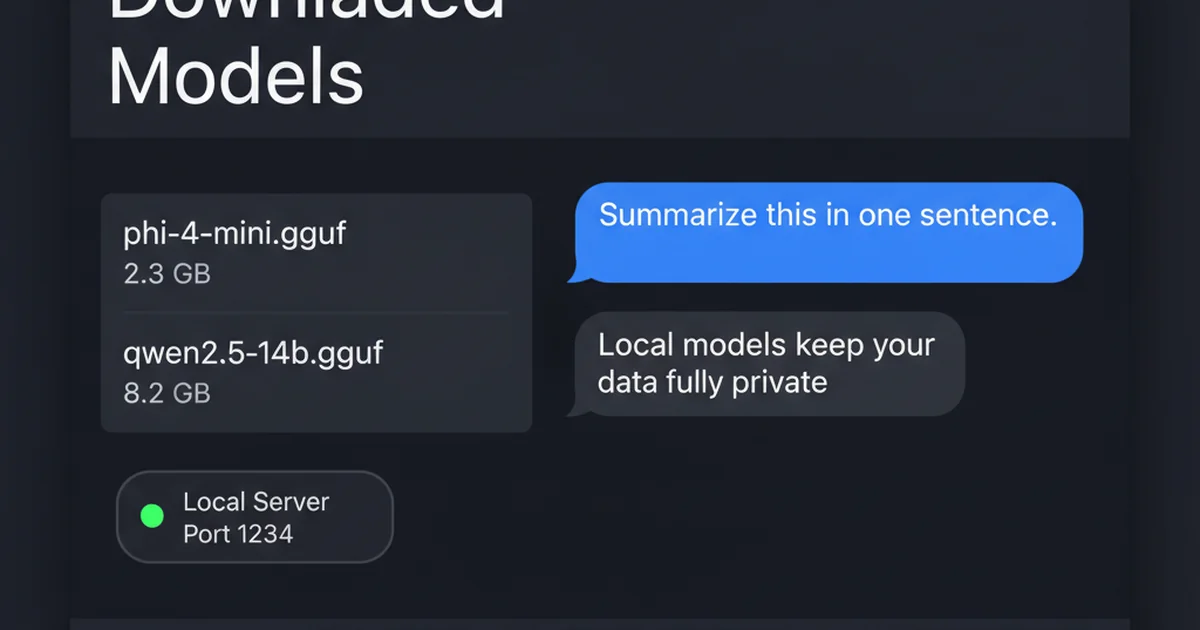
LM Studio is a desktop application for running large language models on your own computer, no cloud account, no API costs, and no internet connection required once a model is downloaded. It pulls models directly from Hugging Face in GGUF format, wraps them in a chat interface similar to ChatGPT, and exposes an OpenAI-compatible local server that other tools can connect to.
Most people searching for LM Studio are not stuck on whether to install it, they already know that part. What actually trips people up is everything after: picking a model their hardware can run, turning on the local API server, generating an API key, or getting the app to talk to something else they already use, like Claude Code. This guide covers all of that, roughly in the order you will hit it.
By the end you will have a model running locally, a tested API endpoint at localhost:1234, and a working connection to at least one external tool.
Prerequisites
- Windows 10/11 (x64, AVX2 CPU), macOS 11+ (Apple Silicon or Intel), or Linux (x64 or ARM64)
- 8 GB RAM minimum for 7B-8B parameter models, 16 GB or more for 13B-14B models
- 5-10 GB free disk space per model (GGUF files typically run 4-9 GB depending on quantisation)
- Internet connection for the initial app and model downloads
- (Optional) An NVIDIA, AMD, or Apple Silicon GPU for hardware-accelerated inference
- (Optional) A rented GPU if you want to run 30B+ parameter models without buying hardware
Need more GPU power?
Rent a RTX 4090 on Vast.ai from $0.20/hr. On-demand GPU rentals by the hour, useful for running larger models without buying hardware.
Want to compare prices? Lium is a newer GPU marketplace that also bills per second, with RTX 4090, H100, H200, and B200 pods.
In This Guide
- 1Install LM Studio on Windows, Mac, or Linux
- 2Download and Load Your First Model
- 3Chat With a Local Model
- 4Start the LM Studio Local API Server
- 5Set Up an LM Studio API Key
- 6Enable Plugins and Web Search in LM Studio
- 7Connect LM Studio to Claude Code
- 8GPU Offloading and Performance Settings
- 9Troubleshooting
- 10FAQ
Install LM Studio on Windows, Mac, or Linux
LM Studio ships as a single installer per platform. No dependencies or terminal use are required for this step.
Install on Windows
Download the Windows build from lmstudio.ai/download. The page detects your system and serves the x64 AVX2 installer, roughly 500 MB.
Run the `.exe` file, accept the default install location, and let it finish. LM Studio adds itself to the Start Menu automatically.
Install on macOS
Download the `.dmg` file from the same download page. Apple Silicon and Intel builds are both available, and the page auto-detects which one your Mac needs.
Open the `.dmg`, drag LM Studio into Applications, then launch it from Launchpad. macOS asks you to confirm opening an app downloaded from the internet the first time.
Install on Linux
Linux ships as an `.AppImage`, available in x64 and ARM64 builds.
chmod +x LM-Studio-0.4.20-x64.AppImage
./LM-Studio-0.4.20-x64.AppImageNo package manager install is required. The AppImage runs directly once it has execute permission.
On first launch, LM Studio opens to a search screen for finding models. No account or sign-in is needed to use the app locally.
Download and Load Your First Model
LM Studio pulls models directly from Hugging Face in GGUF format, the file format used by the llama.cpp inference engine that powers the app.
Search for a Model
Click the search icon in the left sidebar (or press Cmd/Ctrl+Shift+M) to open the model browser. Type a model name, for example `llama-3.3-8b`, and LM Studio lists the available GGUF builds with a compatibility badge showing whether your hardware can run each one.
Recommended First Models
| Model | Size (Q4_K_M) | RAM Needed | Best For |
|---|---|---|---|
| Llama 3.3 8B Instruct | 4.9 GB | 8 GB | General chat, instruction following |
| Qwen2.5 7B Instruct | 4.7 GB | 8 GB | Coding, multilingual tasks |
| Mistral 7B Instruct | 4.1 GB | 8 GB | Fast responses, lower RAM systems |
| Phi-4 | 9.1 GB | 16 GB | Stronger reasoning in a smaller model |
Q4_K_M is the quantisation LM Studio recommends by default for most systems. It keeps output quality close to the full-precision model while cutting file size by roughly 4x.
Download and Load
Click Download next to your chosen model. LM Studio shows a progress bar with download speed and time remaining. A 4.9 GB model takes 3-5 minutes on a 200 Mbps connection.
Once downloaded, click Load Model, or pick it from the model dropdown at the top of the chat window. LM Studio reads the model into RAM (and VRAM, if a compatible GPU is detected) and reports a Ready state within 10-30 seconds depending on model size and disk speed.
More how-to guides like this
Step-by-step AI guides and tool walkthroughs, straight to your inbox, twice a week.
Chat With a Local Model
With a model loaded, the chat interface behaves like ChatGPT's, entirely offline.
Basic Chat
Type a message in the input box and press Enter. LM Studio streams the response token by token, and the status bar at the bottom of the window shows tokens per second, a rough measure of how fast your hardware is generating text.
Set a System Prompt
Click the settings icon in the chat sidebar to open the system prompt field. This sets persistent instructions the model follows for the rest of the conversation, for example: `You are a concise coding assistant. Answer in code blocks with minimal explanation.`
Adjust Context Length
Models load with a default context window read from the GGUF file's own metadata, often only 4,096 or 8,192 tokens. For longer conversations or large pasted documents, raise this in the model load settings before loading, or reload the model after changing it.
| Context Length | Approx. Words | Use Case |
|---|---|---|
| 4,096 tokens | ~3,000 words | Short Q&A, quick tasks |
| 8,192 tokens | ~6,000 words | Typical chat sessions |
| 32,768 tokens | ~24,000 words | Long documents, large codebases |
| 65,536 tokens | ~49,000 words | Agent workflows, multi-file context |
Start the LM Studio Local API Server
The Local Server turns LM Studio into an OpenAI-compatible API endpoint, the feature that lets other tools such as Claude Code, custom scripts, LangChain, or n8n talk to your local model.
Start the Server from the GUI
Open the Developer tab in the left sidebar (the `` icon), select a loaded model, and toggle Start Server. The server binds to `http://localhost:1234` by default.
Start the Server from the Command Line
LM Studio ships an `lms` CLI alongside the app, useful for scripting or running the server without opening the GUI.
lms server start --port 1234Expected output:
Server started on port 1234
Serving on http://localhost:1234Test the Server
curl http://localhost:1234/v1/modelsExpected output, trimmed:
{
  "data": [
    {
      "id": "llama-3.3-8b-instruct",
      "object": "model",
      "owned_by": "organization-owner"
    }
  ],
  "object": "list"
}If this returns your loaded model's ID, the server is reachable. Any OpenAI SDK, in Python, JavaScript, or plain curl, can now point its base URL at `http://localhost:1234/v1` instead of `api.openai.com` and reuse the exact same request format.
from openai import OpenAI

client = OpenAI(base_url="http://localhost:1234/v1", api_key="not-needed")

response = client.chat.completions.create(
    model="llama-3.3-8b-instruct",
    messages=[{"role": "user", "content": "Explain what a REST API is in one sentence."}]
)
print(response.choices[0].message.content)Set Up an LM Studio API Key
By default, the local server accepts requests from anyone who can reach `localhost:1234`. That is fine for solo use on your own machine and risky the moment you expose the port to a network.
Enable Authentication
In the Developer tab, open Server Settings and toggle Require Authentication. This feature requires LM Studio 0.4.0 or later.
Generate an API Key
Click Manage Tokens inside Server Settings, then Create Token. Name the token, for example `claude-code` or `n8n-workflow`, set its permissions, and copy the value shown. LM Studio only displays the token once.
Use the Key
Send the token as a Bearer header on every request:
curl http://localhost:1234/v1/models \
-H "Authorization: Bearer YOUR_TOKEN_HERE"Requests without a valid token now return a 401 once authentication is switched on.
Enable Plugins and Web Search in LM Studio
Plugins are LM Studio's system for giving a local model tools it does not have by default: filesystem access, shell commands, or in this case, live web search. The plugin system has been in beta since the 0.4.x release line.
Install a Web Search Plugin
Open the Plugins panel from the sidebar and search the LM Studio Hub for `web-search`. Several community plugins are listed; a DuckDuckGo-backed option works with no API key needed, which makes it the simplest starting point.
Click Install, then enable the plugin for your current chat.
Use Web Search in a Chat
With the plugin active and a tool-calling-capable model loaded (Llama 3.3, Qwen2.5, and Gemma 4 all support tool calls), ask a question that needs current information:
What is the latest stable release version of LM Studio?The model calls the search tool on its own. LM Studio shows a small expandable card in the chat with the query it ran and the pages it read before answering.
Connect LM Studio to Claude Code
LM Studio exposes an Anthropic-compatible endpoint alongside the OpenAI-compatible one, which means Claude Code can talk to a local model with two environment variables and no proxy layer in between.
Step 1: Start the Server
lms server start --port 1234Step 2: Set Environment Variables
export ANTHROPIC_BASE_URL=http://localhost:1234
export ANTHROPIC_AUTH_TOKEN=lmstudioAdd both lines to `~/.zshrc` or `~/.bashrc` to keep them across terminal sessions. If you turned on authentication in the previous section, use your real API token in place of the placeholder `lmstudio` value.
Step 3: Run Claude Code Against the Local Model
claude --model openai/gpt-oss-20bReplace the model name with whatever you have loaded in LM Studio. If Claude Code reports it cannot find the model, confirm the exact ID first:
curl http://localhost:1234/v1/modelsUse the `id` field from that response exactly. A mismatched model name is the most common connection failure.
VS Code Configuration
For the Claude Code VS Code extension, add the same variables to `settings.json`:
"claudeCode.environmentVariables": [
  { "name": "ANTHROPIC_BASE_URL", "value": "http://localhost:1234" },
  { "name": "ANTHROPIC_AUTH_TOKEN", "value": "lmstudio" }
]GPU Offloading and Performance Settings
GPU offload is the single setting with the biggest effect on generation speed.
How GPU Offload Works
Each model layer can run on GPU (fast) or CPU (slow). The GPU Offload slider in the model load settings controls how many layers move to VRAM. Setting it to the model's full layer count, which LM Studio displays, for example 32/32 for many 7B models, runs the entire model on GPU when VRAM allows it.
| GPU Offload | Typical Speed (7B model, RTX 4090) | Typical Speed (7B model, CPU only) |
|---|---|---|
| 0/32 layers (CPU only) | N/A | 8-15 tokens/sec |
| 16/32 layers (partial) | 25-40 tokens/sec | N/A |
| 32/32 layers (full) | 60-90 tokens/sec | N/A |
VRAM Budgeting
A rough rule: a Q4_K_M quantised model needs VRAM close to its file size, plus 1-2 GB overhead for context and the KV cache. An 8 GB model with a full 32,768-token context comfortably fits an RTX 4090's 24 GB VRAM, with room to run a second, smaller model alongside it.
When a model does not fit locally, for example a 70B model needing 40 GB or more VRAM, renting a GPU by the hour costs less than buying hardware for occasional large-model use. An A100 80GB on Vast.ai runs 70B-class models at full offload for roughly $1-2 an hour, billed only while the instance is running.
Apple Silicon
On Apple Silicon Macs, LM Studio uses Metal for GPU acceleration automatically. Unified memory means there is no separate VRAM figure to budget for. The GPU offload slider still applies, it draws from the same RAM pool as the rest of the system.
Troubleshooting
Model shows "incompatible" or fails to load with an "Unknown error"
Cause: The GGUF file needs more RAM or VRAM than your system reports as available, or the installed LM Studio build predates support for that model architecture.
Fix: Pick a smaller parameter count or a more aggressive quantisation (Q4 instead of Q8). If the model is very new, update LM Studio first, since new architectures often need a runtime update before they load.
CUDA out of memory error when loading a model
Cause: GPU offload is set higher than available VRAM supports once the model and its context window are both accounted for.
Fix: Lower the GPU Offload slider, or reduce context length. Both cut VRAM demand. Check the memory estimate LM Studio shows before clicking Load.
curl or an API client gets "connection refused" on localhost:1234
Cause: The local server is not running, or it is running on a different port than the client expects.
Fix: Confirm the server is started in the Developer tab (or via `lms server start`), and check the exact port shown in Server Settings.
API requests return 404 "model not found"
Cause: The requested model ID does not match the currently loaded model exactly.
Fix: Run `curl http://localhost:1234/v1/models` and copy the exact `id` field into your request. Model IDs include the quantisation suffix and must match exactly.
Model responds in chat but ignores tool or function calls
Cause: The loaded model does not support tool calling, or the plugin was not enabled for the active chat.
Fix: Check the model card for a tool-use badge before loading, and confirm the plugin toggle is on for that specific conversation. Plugins enable per-chat, not globally.
Claude Code cannot connect to LM Studio
Cause: The environment variables were not exported in the current shell session, or the model name passed to `claude --model` does not match the loaded model.
Fix: Re-export `ANTHROPIC_BASE_URL` and `ANTHROPIC_AUTH_TOKEN` in the same terminal session (or restart the terminal after adding them to your shell profile), then verify the model ID via the `/v1/models` endpoint.
Responses get cut off mid-sentence
Cause: The context window filled up mid-generation, common in long conversations or with large pasted documents at the default 4,096-token setting.
Fix: Increase the model context length before loading, or start a new chat once a long session nears its limit.
Alternatives to Consider
| Tool | Type | Price | Best For |
|---|---|---|---|
| Ollama | Self-hosted (CLI) | Free, open source | Developers who want a REST API and headless server without a GUI |
| GPT4All | Desktop app | Free | Non-technical users who want the simplest possible offline chat app |
| Jan | Desktop app | Free, open source | Users who want a fully open-source alternative with a similar interface |
| AnythingLLM | Desktop app / self-hosted | Free (self-hosted) | Users who want built-in document chat (RAG) on top of a local model |
Frequently Asked Questions
What is LM Studio used for?
LM Studio is a desktop app for running large language models entirely on your own computer. People use it to chat privately with AI without sending data to a cloud provider, to test open-source models before deciding which one to build with, and to run a local API server that other tools can connect to instead of paying for OpenAI or Anthropic API access.
It supports Windows, macOS, and Linux, and pulls models directly from Hugging Face in GGUF format.
Is LM Studio free?
Yes, LM Studio is free for personal use on Windows, macOS, and Linux. There is no subscription and no usage limit tied to the app itself, the only ongoing cost is the electricity and hardware you already own.
The models you download are separately licensed by their own creators (Meta, Mistral, Alibaba, and others), most of the popular ones are also free for personal and commercial use.
How do I download LM Studio?
Go to lmstudio.ai/download and the page automatically detects your operating system. Windows gets an `.exe` installer, macOS gets a `.dmg` (Apple Silicon or Intel build), and Linux gets an `.AppImage`.
Run the installer for your platform, no account or sign-up is required to install or use the app.
What is the LM Studio API key for?
An LM Studio API key locks down the local server so only requests carrying a valid token get a response. By default the server has no authentication, which is fine on a single machine but a real gap the moment you expose the port to a network.
Turn it on in Developer tab > Server Settings > Require Authentication, then generate a token under Manage Tokens.
Does LM Studio support web search?
Yes, through its plugin system, currently in beta. Install a web search plugin from the LM Studio Hub (several DuckDuckGo-backed options need no API key), enable it for a chat, and a tool-calling-capable model will call the plugin automatically when a question needs current information.
Not every model supports tool calls, check the model card for a tool-use badge before loading one for this purpose.
Can I use LM Studio with Claude Code?
Yes. LM Studio exposes an Anthropic-compatible endpoint, so setting `ANTHROPIC_BASE_URL=http://localhost:1234` and `ANTHROPIC_AUTH_TOKEN=lmstudio` as environment variables lets Claude Code talk to a locally loaded model directly, no proxy needed.
Set the model's context length to at least 25,000 tokens first, agentic coding sessions read a lot of file content per turn and a default 4,096-token window runs out fast.
What is the difference between LM Studio and Ollama?
LM Studio is a desktop-first GUI app built for chat and point-and-click model management. Ollama is a CLI-first tool built for developers who want a headless REST API and easy Docker deployment.
Both expose an OpenAI-compatible API and support the same underlying models. See the full Ollama vs LM Studio comparison for a feature-by-feature breakdown.
Does LM Studio work on Linux?
Yes. LM Studio ships as an `.AppImage` for Linux, available in x64 and ARM64 builds. Make it executable with `chmod +x` and run it directly, no package manager install is required.
All the same features are available on Linux as on Windows and macOS, including the local API server and the plugin system.
How much RAM do I need for LM Studio?
8 GB RAM is the practical minimum, enough for 7B-8B parameter models at Q4 quantisation. 16 GB comfortably handles 13B-14B models, and 32 GB or more opens up 30B-class models or long context windows on smaller ones.
As a rough rule, a Q4_K_M model needs RAM close to its file size on disk, plus 1-2 GB overhead for the app and context.
Is AnythingLLM better than LM Studio?
They solve different problems. LM Studio is a chat client and local model server, AnythingLLM is a document-chat (RAG) layer that can sit on top of a local model backend, including LM Studio's own API.
If you mainly want to chat with a model directly, LM Studio alone is simpler. If you want to upload documents and ask questions grounded in them, AnythingLLM adds that layer, see the AnythingLLM setup guide for the full walkthrough.