
How to Run EmbeddingGemma 2 Locally with Ollama (2026 Guide)
EmbeddingGemma 2 is Google's 740M on-device embedding model. Install it with Ollama, generate embeddings, and build a simple semantic search example.

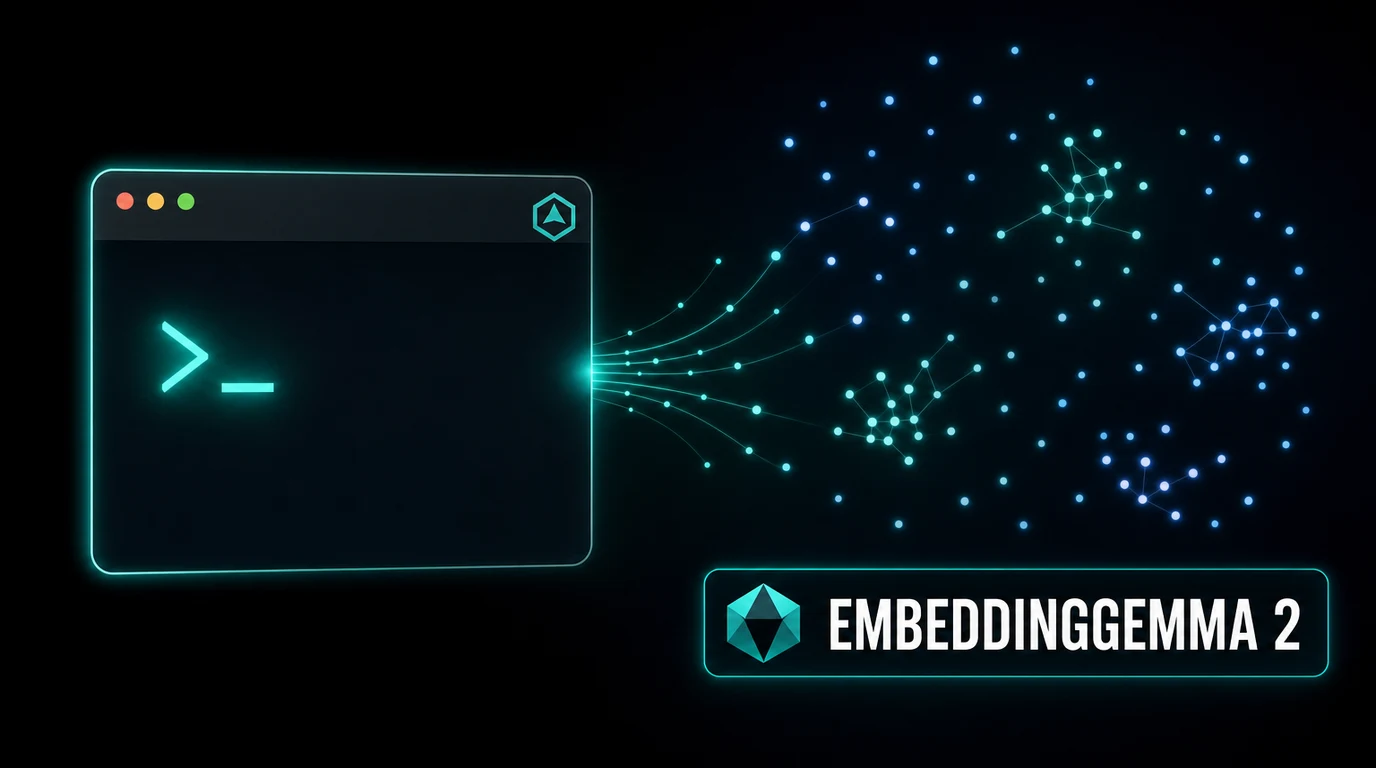
EmbeddingGemma 2 is Google DeepMind's open multimodal embedding model, built for turning text, images, video, and audio into numeric vectors you can search, cluster, and compare. Unlike the chat models covered elsewhere on this site, an embedding model doesn't generate conversational responses. It converts input into a list of numbers, an embedding, positioned so that similar inputs land close together in vector space. That's the mechanism behind semantic search, retrieval-augmented generation (RAG), classification, and clustering.
The full model sits at 740 million parameters and a 1.3GB download, with smaller 270M, 440M, and 570M tags available for lighter hardware. It produces a native 768-dimension output, with Matryoshka Representation Learning support for truncating that down to 512, 256, or 128 dimensions when you want smaller storage with a small quality tradeoff. It supports more than 100 languages and a 256K token context window, unusually large for an embedding model, and Google reports roughly a 14% improvement on code-related embedding tasks over its predecessor.
This guide covers installing Ollama, pulling the right EmbeddingGemma 2 tag for your use case, generating your first embedding through the CLI and Python, building a small working semantic search example, and using Matryoshka truncation to cut storage costs. The alternatives section compares it against nomic-embed-text, mxbai-embed-large, and bge-m3, the other embedding models commonly used with Ollama.
Prerequisites
- Ollama 0.12 or later installed
- No GPU required. The largest tag is 1.3GB and runs comfortably on CPU
- At least 2GB of free disk space for the largest (740m) tag, less for the smaller variants
- Python 3.9 or later if you want to follow the Python examples (optional, the CLI and curl examples work without it)
- Basic command line familiarity
In This Guide
What Is EmbeddingGemma 2?
EmbeddingGemma 2 is an open embedding model from Google DeepMind, part of the Gemma model family. Where a chat model like Gemma 4 or Llama 3.3 takes a prompt and generates text back, an embedding model takes input, text, an image, a video frame, or audio, and outputs a fixed-length vector of numbers that captures its meaning. Inputs with similar meaning produce vectors that sit close together, measured with cosine similarity or a similar distance metric. That property is what makes embedding models useful for search, recommendation, deduplication, and feeding relevant context into a chat model for RAG.
| Tag | Disk Size | Parameters | Output Dimensions | Context |
|---|---|---|---|---|
| embeddinggemma-2:270m | 378MB | 270M | 768 (truncatable) | 256K |
| embeddinggemma-2:440m | 714MB | 440M | 768 (truncatable) | 256K |
| embeddinggemma-2:570m | 990MB | 570M | 768 (truncatable) | 256K |
| embeddinggemma-2:740m / :latest | 1.3GB | 740M | 768 (truncatable) | 256K |
All four tags share the same architecture family and output a native 768-dimension vector, with Matryoshka Representation Learning allowing you to request a shorter 512, 256, or 128-dimension vector instead when storage space matters more than a small amount of retrieval accuracy. The model handles more than 100 languages and accepts text, images, video, and audio as input, which sets it apart from most Ollama embedding models that only handle text.
Google reports roughly a 14% improvement on code-related embedding tasks compared to the original EmbeddingGemma, which makes the 2.0 release notably more useful for codebase search and retrieval use cases alongside its general text and multimodal capabilities.
Install Ollama and Pull EmbeddingGemma 2
Step 1: Pick a tag for your use case
| Your situation | Recommended tag | Why |
|---|---|---|
| Testing or a resource-constrained device | `:270m` | Smallest download, fastest to load, still usable quality |
| Balanced default for most RAG projects | `:740m` (`:latest`) | Best retrieval quality in the family, still a light 1.3GB |
| Need a middle ground | `:440m` or `:570m` | Smaller than the full model, better quality than :270m |
For most people, the default `:740m` tag is the right starting point. It is the tag used for the rest of this guide.
Step 2: Install Ollama
curl -fsSL https://ollama.com/install.sh | shmacOS:
brew install ollamaWindows: download the installer from ollama.com, or use WSL2 with the Linux command above.
Verify the install:
ollama --versionollama version is 0.12.3Step 3: Pull EmbeddingGemma 2
ollama pull embeddinggemma-2pulling manifest
pulling 3f8e9a21... 100% ▕████████████████▏ 1.3 GB
verifying sha256 digest
writing manifest
successOn a 100 Mbps connection, this download takes under two minutes. For a smaller footprint, pull a specific size instead: `ollama pull embeddinggemma-2:270m`.
Step 4: Verify the pull
ollama listNAME ID SIZE MODIFIED
embeddinggemma-2:latest a8c3d9f1b2e4 1.3 GB 1 minute agoGenerate Your First Embedding
Using the API directly with curl
curl http://localhost:11434/api/embed -d '{
  "model": "embeddinggemma-2",
  "input": "The quick brown fox jumps over the lazy dog"
}'The response is a JSON object with an `embeddings` field, a list containing one 768-number vector for the input string. The first few values of a real response look something like:
{
  "model": "embeddinggemma-2",
  "embeddings": [[0.0231, -0.0847, 0.1122, ...]]
}Using the Python library
pip install ollamaimport ollama
response = ollama.embed(
model='embeddinggemma-2',
input='The quick brown fox jumps over the lazy dog',
)
print(len(response.embeddings[0])) # 768
print(response.embeddings[0][:5]) # first 5 valuesEmbedding multiple inputs at once
The `input` field accepts a list, which is faster than calling the endpoint once per string when you have many pieces of text to embed:
response = ollama.embed(
    model='embeddinggemma-2',
    input=[
        'How do I reset my password?',
        'What is your refund policy?',
        'The server returned a 500 error',
    ],
)

print(len(response.embeddings)) # 3, one vector per inputBuild a Simple Semantic Search Example
This worked example embeds a small set of documents, then finds the one most relevant to a search query using cosine similarity, the core mechanism behind retrieval in a RAG pipeline.
import ollama
import numpy as np

documents = [
    "Ollama runs large language models locally on your own hardware.",
    "EmbeddingGemma 2 converts text into numeric vectors for search.",
    "Docker Compose lets you define and run multi-container applications.",
    "Vector databases store embeddings and support fast similarity search.",
]

# Embed all documents in one call
doc_response = ollama.embed(model='embeddinggemma-2', input=documents)
doc_vectors = np.array(doc_response.embeddings)

# Embed the search query
query = "How do I search for similar text using vectors?"
query_response = ollama.embed(model='embeddinggemma-2', input=query)
query_vector = np.array(query_response.embeddings[0])

# Cosine similarity between the query and each document
similarities = doc_vectors @ query_vector / (
    np.linalg.norm(doc_vectors, axis=1) * np.linalg.norm(query_vector)
)

# Rank and print results
ranked = sorted(zip(documents, similarities), key=lambda x: x[1], reverse=True)
for doc, score in ranked:
print(f"{score:.4f} {doc}")Expected output, ranked highest similarity first:
0.7142  Vector databases store embeddings and support fast similarity search.
0.6918  EmbeddingGemma 2 converts text into numeric vectors for search.
0.3205  Ollama runs large language models locally on your own hardware.
0.2881 Docker Compose lets you define and run multi-container applications.The two documents about vectors and search rank highest for a query about vector search, exactly the behavior you want for a RAG retrieval step. In a real application, you'd store the document vectors in a vector database instead of a NumPy array and query it instead of recomputing every similarity score on each request, but the scoring logic is the same.
Using Matryoshka Truncation to Save Storage
EmbeddingGemma 2's 768-dimension vectors work well at full size, but Matryoshka Representation Learning lets you request a shorter vector instead, trading a small amount of retrieval accuracy for meaningfully less storage.
| Dimensions | Storage per 1M vectors (float32) | Quality vs. 768d |
|---|---|---|
| 768 (full) | ~2.9GB | Baseline |
| 512 | ~2.0GB | Minimal loss |
| 256 | ~1.0GB | Small loss |
| 128 | ~0.5GB | Noticeable but often acceptable loss |
Google reports up to a 6x reduction in vector storage costs at 128 dimensions with minimal quality impact for many retrieval tasks, since the Matryoshka training approach specifically optimizes earlier dimensions in the vector to carry more of the useful signal.
import ollama

response = ollama.embed(
    model='embeddinggemma-2',
    input='Truncate this embedding down to a smaller vector',
    options={'dimensions': 256},
)

print(len(response.embeddings[0])) # 256Troubleshooting
`ollama pull embeddinggemma-2` downloads the wrong size
Cause: The bare model name without a tag defaults to `:latest`, which is the 740m tag
Fix: Specify the tag explicitly if you want a smaller model: `ollama pull embeddinggemma-2:270m`.
Mixing embeddings from different models or tags gives poor search results
Cause: Vectors from different embedding models, or even different tags of the same model, are not directly comparable to each other
Fix: Use the exact same model and tag to embed both your documents and your search queries. If you change models, re-embed your entire document set.
Embedding a very long document returns an error or gets truncated
Cause: Input exceeded the 256K token context window, or a specific integration has a lower limit than EmbeddingGemma 2 itself supports
Fix: Check the context limit of whatever client library or framework you are using, since some set a lower default than the model actually supports. Split exceptionally long documents into sections if needed.
Similarity scores all look clustered close together with little separation
Cause: Often a sign that documents are too similar to each other, or the comparison metric is not cosine similarity
Fix: Confirm you are using cosine similarity, not Euclidean distance or a raw dot product on un-normalized vectors. Test with deliberately dissimilar documents to confirm the pipeline is actually discriminating between them.
Python `ollama.embed()` raises an attribute or import error
Cause: An outdated version of the `ollama` Python package that predates the embed method
Fix: Upgrade the package: `pip install --upgrade ollama`.
Alternatives to Consider
| Tool | Type | Price | Best For |
|---|---|---|---|
| nomic-embed-text | Local (Ollama) | Free, 274MB | The most widely used Ollama embedding model (73.8M+ pulls), text-only, 768 dimensions, 8,192 token context. A safe default if you only need English-heavy text embedding. |
| mxbai-embed-large | Local (Ollama) | Free, 670MB | Slightly higher MTEB score than nomic-embed-text, 1024 dimensions, but a shorter 512 token context per input. |
| bge-m3 | Local (Ollama) | Free, ~1.2GB | Best choice for multilingual collections or long documents. Produces dense, sparse, and multi-vector representations from one model, with the highest retrieval accuracy in independent RAG evaluations among this group. |
| OpenAI text-embedding-3 | Cloud API | $0.02-$0.13 per 1M tokens | A cloud option if you would rather not self-host at all, at the cost of per-token billing and sending your data to OpenAI. |
Frequently Asked Questions
What is an embedding model, and how is it different from a chat model?
A chat model like Gemma 4 or Llama 3.3 takes a prompt and generates new text in response. An embedding model like EmbeddingGemma 2 takes input, text, an image, or other content, and outputs a fixed-length numeric vector that represents its meaning, with no generated text at all.
Embedding models are the retrieval half of a RAG pipeline: they let you find which documents are relevant to a query by comparing vectors, before handing the relevant text to a chat model to generate an actual answer.
Is EmbeddingGemma 2 free to use?
Yes. EmbeddingGemma 2 is an open model you can download and run locally through Ollama at no cost beyond your own hardware. There is no API key, account, or usage limit required for local use.
Which EmbeddingGemma 2 tag should I use?
For most people, the default `:740m` tag (also tagged `:latest`) is the right choice. It has the best retrieval quality in the family while still being a light 1.3GB download that runs comfortably on CPU.
Use `:270m` only if you're on genuinely constrained hardware or testing something where download size matters more than retrieval quality. The `:440m` and `:570m` tags sit in between if you want a middle ground.
How does EmbeddingGemma 2 compare to nomic-embed-text?
nomic-embed-text is smaller (274MB vs. EmbeddingGemma 2's 1.3GB default tag) and text-only. EmbeddingGemma 2 is multimodal, handling images, video, and audio in addition to text, supports more than 100 languages, and has a much larger 256K token context window against nomic-embed-text's 8,192.
If you only need English or a handful of languages and text-only embedding, nomic-embed-text's smaller size and huge install base make it a reasonable default. If you need multilingual or multimodal support, EmbeddingGemma 2 is the better fit.
Can EmbeddingGemma 2 embed images, not just text?
Yes. EmbeddingGemma 2 is a multimodal embedding model that accepts text, images, video, and audio as input, producing a vector in the same 768-dimension space regardless of input type. This makes it possible to search across mixed content, for example finding images relevant to a text query, using one model.
What is Matryoshka truncation, and why would I use it?
Matryoshka Representation Learning is a training technique that lets a model's output vector be shortened, to 512, 256, or 128 dimensions instead of the full 768, while keeping most of the useful signal concentrated in the earlier dimensions.
You'd use it to reduce storage costs and speed up similarity search at scale. Google reports up to a 6x reduction in storage at 128 dimensions with minimal quality impact for many tasks, though the right tradeoff point depends on your specific documents and how much accuracy loss is acceptable.
How large a document can EmbeddingGemma 2 embed in one call?
Up to 256,000 tokens per input, well beyond what most embedding models support. nomic-embed-text and mxbai-embed-large, for comparison, cap out at 8,192 and 512 tokens respectively.
In practice this means you can embed long documents without chunking them into smaller pieces first, though chunking can still improve retrieval precision for very long documents even when the model technically supports embedding the whole thing at once.
Does EmbeddingGemma 2 need a GPU?
No. The largest tag is 1.3GB, and embedding calls run comfortably on CPU, typically completing in well under a second per short input on ordinary hardware. A GPU speeds things up for high-volume batch embedding but is not required to use the model.
Can I use EmbeddingGemma 2 with LangChain or a vector database?
Yes. Since EmbeddingGemma 2 is served through Ollama's standard `/api/embed` endpoint, any framework with an Ollama embeddings integration, including LangChain, LlamaIndex, and most vector database client libraries, can use it by pointing the embedding model name at `embeddinggemma-2`.
See the Ollama with Python guide for more on calling Ollama's API from your own code.
Related Guides
How to Run Ollama Locally: Complete Setup Guide (2026)
How to Use Ollama with Python: API Integration Tutorial (2026)
Best Local LLM Models to Run in 2026 (Benchmarks + Use Cases)
How to Run Gemma 4 on Ollama: Complete Setup Guide (2026)
How to Run Mistral Large 4 on Ollama: Cloud Setup Guide (2026)
How to Set Up a Self-Hosted Perplexity Alternative with Perplexica