
How to Run Gemma 4 on Ollama: Complete Setup Guide (2026)
Run Google's Gemma 4 locally with Ollama. Compare the E2B, E4B, 12B, 26B, and 31B sizes, check RAM and VRAM needs, and use the Apache 2.0 model for free.

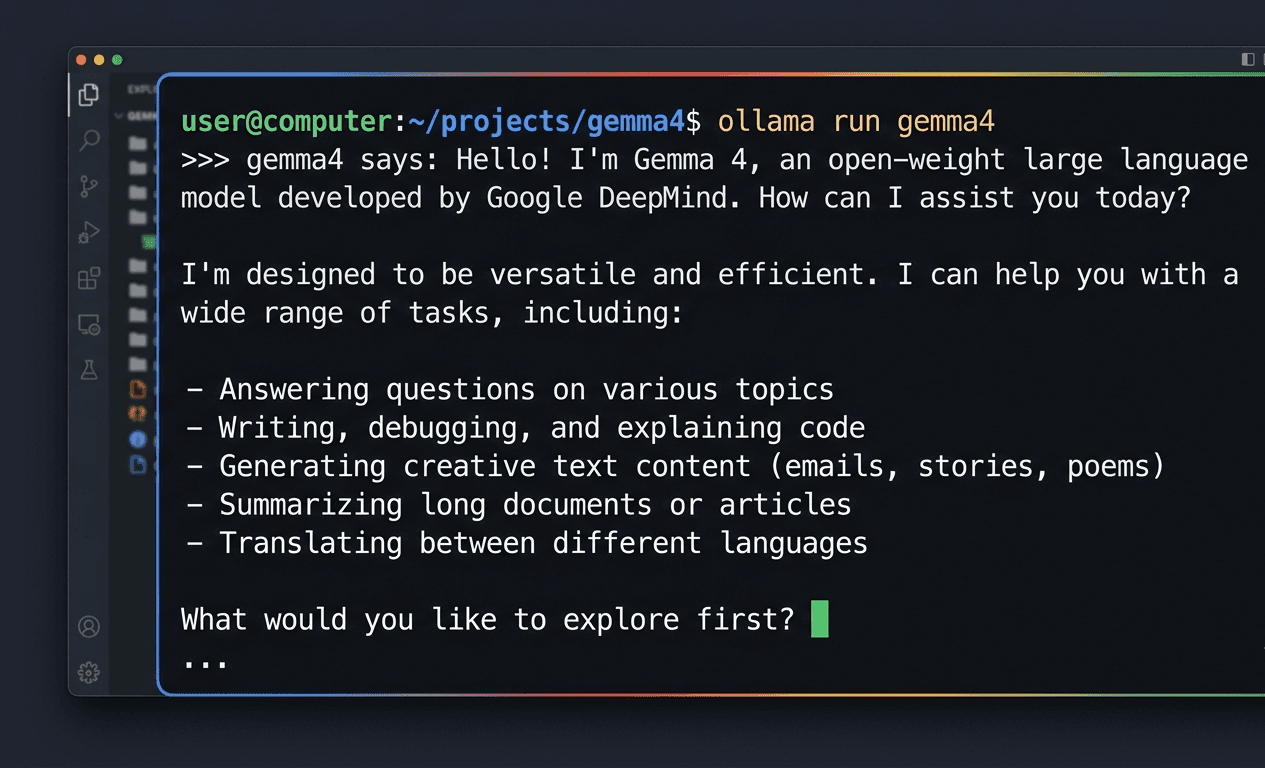
Gemma 4 is Google DeepMind's latest open model family, released on April 2, 2026 under an Apache 2.0 license, a real change from the custom Gemma Terms of Use that covered every earlier Gemma release. Ollama hosts five Gemma 4 sizes in its `gemma4` library, from a 2 billion effective-parameter edge model up to a 31 billion parameter dense model, and getting any of them running locally takes two commands.
One detail that surprises people: the 26B variant uses a mixture-of-experts design and only activates around 4 billion parameters per token, what Google calls 26B A4B. It generates text close to 4B-model speed, but Ollama still loads all 26 billion parameters into memory before inference starts, so the RAM requirement matches a 26B model rather than a 4B one.
This guide covers picking the right Gemma 4 size for your hardware, installing Ollama, running your first prompt, sending images to the multimodal variants, and adjusting context length and the API. The alternatives section near the end compares Gemma 4 to Qwen3.5, Llama 4, DeepSeek R1, and Kimi K2 for anyone deciding between local models.
Prerequisites
- Ollama 0.6.x or later, installed on Linux, macOS, or Windows
- 8 GB of free RAM for the E2B/E4B edge models, 16 GB+ for the 12B model, and 32-64 GB for the 26B or 31B variants
- 7-20 GB of free disk space depending on which size you pull (E2B is 7.2 GB, 31B is 20 GB)
- Basic terminal familiarity for `ollama pull` and `ollama run` commands
- (Optional) A GPU with 8 GB or more of VRAM for faster inference on the 12B, 26B, and 31B models
- (Optional) A rented GPU if your machine cannot handle the 26B or 31B models locally
Need more GPU power?
Rent a RTX 4090 on Vast.ai from $0.20/hr. On-demand GPU rentals by the hour, useful for running larger models without buying hardware.
In This Guide
What Gemma 4 Is and Which Size to Run
Gemma 4 is Google DeepMind's fourth-generation open model family, released on April 2, 2026. It comes in five sizes built around two goals: E2B and E4B target edge devices with a 128K context window, while the 12B, 26B A4B, and 31B models target desktops and workstations with a 256K context window.
The biggest change from Gemma 3 is the license. Gemma 1 through 3 shipped under a custom Gemma Terms of Use that required attribution and banned using the model to train competing models through distillation. Gemma 4 ships under a standard Apache 2.0 license with neither restriction, so you can fine-tune it on private data and sell the result without disclosing weights or training data.
The 26B variant, labeled 26B A4B, uses a mixture-of-experts architecture. Only about 4 billion parameters activate per token, so it generates text close to 4B-model speed, but Ollama still loads all 26 billion parameters into memory, which means the RAM requirement matches a 26B model rather than a 4B one. Every Gemma 4 size also ships with a dedicated draft model for speculative decoding, which Google says speeds up inference with no quality loss.
On Ollama, the `gemma4` library holds 47 tags across these five sizes, plus Apple Silicon MLX builds and one cloud-hosted tag, and has logged more than 13.5 million pulls as of June 2026.
| Tag | Parameters | Context | RAM (Q4, approx) | Best For |
|---|---|---|---|---|
| gemma4:e2b | 2B effective | 128K | 2.9 GB | 4-8 GB RAM laptops and edge devices, also accepts audio input |
| gemma4:e4b | 4B effective | 128K | 4.5 GB | The default `gemma4` pull, 8-16 GB RAM laptops |
| gemma4:12b | 12B dense | 256K | 6.7 GB | Desktops with 16 GB+ RAM, strong general use |
| gemma4:26b | 26B total / ~4B active (MoE) | 256K | 14.4 GB | 32 GB+ RAM, near-26B quality at 4B-class speed |
| gemma4:31b | 31B dense | 256K | 17.5 GB | Workstations with 32-64 GB RAM, the highest quality variant |
For comparison, Gemma 3 topped out at a 27B model with a 128K context window (32K on its smallest 1B model) under the older Gemma license. Gemma 4's 31B model adds 4 billion more parameters, doubles the context on the larger sizes to 256K, and removes the distillation restriction entirely.
Install Ollama and Run Your First Gemma 4 Prompt
Installing Ollama and getting Gemma 4 running takes about five minutes on a normal connection, most of it spent on the model download.
Step 1: Install Ollama
# Linux and macOS, one-command installer
curl -fsSL https://ollama.com/install.sh | shOn Windows, download the installer from ollama.com/download, or use winget:
winget install Ollama.OllamaConfirm the installed version supports Gemma 4 (Ollama 0.6.x or later):
ollama --version
# Expected: ollama version 0.6.x or higherStep 2: Pull and Run gemma4
The plain `gemma4` tag points at the E4B variant (9.6 GB), a reasonable default for a machine with 16 GB of RAM:
ollama run gemma4Expected output on first run:
pulling manifest
pulling 7a3c9e21... 100% ▕████████████████▏ 9.6 GB
pulling tokenizer...   100% ▕████████████████▏ 4.2 MB
success
>>> Send a message (/? for help)Step 3: Send a Test Prompt
>>> Explain the difference between a mixture-of-experts model and a dense model in two sentences.Gemma 4 streams its response directly in the terminal once the model finishes loading into memory, which takes a few seconds on the first load and is near-instant on repeat runs.
Step 4: Pull a Different Size
If E4B feels slow, or you have more RAM to spare, pull a different tag from the table in the previous section:
# Smaller, for 4-8 GB RAM machines
ollama pull gemma4:e2b

# Larger, for 32 GB+ RAM workstations
ollama pull gemma4:31bSwitch between them at any time with `ollama run gemma4:e2b` or `ollama run gemma4:31b`. Ollama keeps every pulled model on disk, so you can compare sizes without re-downloading.
More how-to guides like this
Step-by-step AI guides and tool walkthroughs, straight to your inbox, twice a week.
Send Images to Gemma 4 (Multimodal Input)
Every standard Gemma 4 tag (e2b, e4b, 12b, 26b, 31b) accepts image input alongside text. The `-mlx` and `-cloud` variants are text-only as of June 2026.
Attach an Image in the Terminal
In an interactive `ollama run` session, include the image path in your message:
>>> What's happening in this chart? /home/user/Downloads/sales-chart.pngOllama detects the file path, loads the image, and sends both the image and your text to the model in a single request. This works for screenshots, photos, and diagrams. Google's documentation specifically highlights OCR and chart understanding as strengths of the Gemma 4 family.
Send an Image via the API
For scripted use, base64-encode the image and include it in the `images` array of an `/api/chat` request:
IMAGE_B64=$(base64 -w0 /home/user/Downloads/sales-chart.png)

curl http://localhost:11434/api/chat -d '{
  "model": "gemma4:e4b",
  "messages": [
    {
      "role": "user",
      "content": "Summarize the trend in this chart in one sentence.",
      "images": ["'"$IMAGE_B64"'"]
    }
  ],
  "stream": false
}'Expected output (truncated):
{
  "model": "gemma4:e4b",
  "message": {
    "role": "assistant",
    "content": "The chart shows a steady upward trend in sales from January through June, with a sharp jump in May."
  },
  "done": true
}Audio Input on E2B and E4B
The E2B and E4B variants additionally accept audio input for speech recognition tasks, sent the same way as images, as a base64-encoded clip in the request. The 12B, 26B, and 31B models do not support audio as of this writing.
Configure Context Length and Use the API
Gemma 4's default context windows (128K for E2B/E4B, 256K for 12B/26B/31B) cover most use cases, but a Modelfile lets you adjust the active context and system prompt.
Create a Custom Modelfile
FROM gemma4:e4b
PARAMETER num_ctx 32768
SYSTEM "You are a concise technical assistant. Answer in plain text without markdown formatting."Build and run it:
ollama create my-gemma4 -f Modelfile
ollama run my-gemma4Lowering `num_ctx` below the model's maximum reduces KV cache memory overhead, which matters most on the 26B and 31B variants, where the base model already needs 14-18 GB of RAM before context is added.
OpenAI-Compatible Endpoint
Ollama exposes Gemma 4 through the same OpenAI-compatible API used by Hermes Agent and other agent frameworks, at `http://localhost:11434/v1`:
from openai import OpenAI

client = OpenAI(base_url="http://localhost:11434/v1", api_key="ollama")

response = client.chat.completions.create(
    model="gemma4:12b",
    messages=[{"role": "user", "content": "Write a regex that matches US ZIP codes."}],
)
print(response.choices[0].message.content)Run Gemma 4 with Open WebUI
For a chat interface instead of the terminal, Open WebUI detects every locally pulled Ollama model automatically, including all `gemma4` tags, with no extra configuration needed.
Troubleshooting
`ollama run gemma4` returns "model not found"
Cause: The installed Ollama version predates Gemma 4 support
Fix: Update Ollama by re-running the install command (`curl -fsSL https://ollama.com/install.sh | sh` on Linux/macOS, or re-download on Windows), then retry. Gemma 4 requires Ollama 0.6.x or later.
`gemma4:26b` or `gemma4:31b` loads slowly or crashes with an out-of-memory error
Cause: The machine has less than the 14-18 GB of RAM these variants need
Fix: Switch to `gemma4:12b` (6.7 GB) or `gemma4:e4b` (4.5 GB), or run the larger model on a rented GPU instead of local hardware.
An attached image is ignored and Gemma 4 only responds to the text
Cause: The active tag is an `-mlx` or `-cloud` variant, which are text-only
Fix: Switch to a standard tag such as `gemma4:e4b`, `gemma4:12b`, `gemma4:26b`, or `gemma4:31b`, all of which accept image input.
Response is cut off mid-sentence on long documents
Cause: `num_ctx` is set below the length of the input plus expected output
Fix: Increase `num_ctx` in a Modelfile, up to the model's maximum (128K for E2B/E4B, 256K for 12B/26B/31B).
`gemma4:e4b-mlx` fails to run on Linux or Windows
Cause: MLX tags require Apple Silicon hardware and macOS
Fix: Use the standard GGUF tag instead, for example `ollama run gemma4:e4b`.
First response after `ollama create` for a custom Modelfile is slow
Cause: Building a custom model layer triggers a cold load of the base weights
Fix: This is normal and only happens once per custom model. Subsequent runs load from cache and respond at normal speed.
Alternatives to Consider
| Tool | Type | Price | Best For |
|---|---|---|---|
| Qwen3.5 27B | Local (Ollama) | Free | A similar size class to Gemma 4 31B, with strong tool-calling for agent workflows. |
| Llama 4 | Local (Ollama) | Free | Meta's open model family, a common benchmark comparison point for Gemma 4. |
| DeepSeek R1 | Local (Ollama) or VPS | Free | Visible chain-of-thought reasoning on math, coding, and logic problems, in sizes from 1.5B to 70B. |
| Kimi K2.6 via Ollama Cloud | Cloud (Ollama) | Free within Ollama Cloud limits | 256K context and agentic swarm orchestration for long coding sessions, with no local hardware requirement. |
Frequently Asked Questions
Is Gemma 4 free to use, including commercially?
Yes. Gemma 4 ships under the Apache 2.0 license as of its April 2, 2026 release, replacing the custom Gemma Terms of Use that covered Gemma 1 through 3.
Apache 2.0 has no competitive-use clause and no attribution requirement, so you can fine-tune Gemma 4 on private data and sell the result, including as a hosted product, without disclosing weights or training data.
How much RAM do I need to run Gemma 4 with Ollama?
It depends on the tag. At Q4 quantization, gemma4:e2b needs about 2.9 GB, gemma4:e4b about 4.5 GB, gemma4:12b about 6.7 GB, gemma4:26b about 14.4 GB, and gemma4:31b about 17.5 GB.
Add a few GB on top of those numbers for the operating system, Ollama itself, and the KV cache at longer context lengths. A machine with 8 GB total RAM comfortably runs E2B or E4B, 16 GB covers the 12B model, and 32-64 GB is recommended for the 26B or 31B variants.
What is the difference between Gemma 4 and Gemma 3?
Gemma 3 topped out at a 27B dense model with a 128K context window (32K on its smallest 1B variant), released under the custom Gemma Terms of Use that required attribution and banned distillation into competing models.
Gemma 4 adds a 31B dense model and a 26B mixture-of-experts model, doubles the context window on its larger sizes to 256K, ships under a standard Apache 2.0 license with neither the attribution requirement nor the distillation ban, and adds a dedicated draft model per size for faster speculative decoding.
What does '26B A4B' mean for the Gemma 4 26B model?
A4B stands for "4 billion active." gemma4:26b uses a mixture-of-experts architecture with 26 billion total parameters, but only about 4 billion of those activate for any given token, which is why generation speed is closer to a 4B model.
Ollama still has to load all 26 billion parameters into memory regardless of how many activate per token, so the RAM requirement (about 14.4 GB at Q4) reflects the full 26B model, not the 4B active portion.
Can Gemma 4 read images and charts?
Yes, on every standard tag (e2b, e4b, 12b, 26b, 31b). Attach an image by including its file path in an `ollama run` prompt, or send a base64-encoded image in the `images` array of an `/api/chat` request.
Google's documentation highlights OCR and chart understanding as particular strengths of the Gemma 4 family. The `-mlx` and `-cloud` tags are exceptions and accept text only.
Which Gemma 4 size should I run on my machine?
Match the tag to your available RAM: gemma4:e2b (2.9 GB) for 4-8 GB machines, gemma4:e4b (4.5 GB, the default `gemma4` pull) for 8-16 GB laptops, gemma4:12b (6.7 GB) for 16 GB+ desktops, and gemma4:26b (14.4 GB) or gemma4:31b (17.5 GB) for 32-64 GB workstations.
If your hardware falls short of the size you want, renting a GPU by the hour is cheaper than buying one outright for occasional use with the larger models.
Does Gemma 4 support agentic workflows and tool calling?
Yes. Google built Gemma 4 for reasoning and agentic workflows with configurable thinking modes, and it works through Ollama's OpenAI-compatible endpoint at `http://localhost:11434/v1`, the same endpoint used by Hermes Agent and OpenClaw.
Point an agent's model configuration at `gemma4:12b`, `gemma4:26b`, or `gemma4:31b` depending on your hardware, and it runs with no other changes to the agent setup.
Can I run Gemma 4 on a Mac with Apple Silicon?
Yes, in two ways. The standard GGUF tags (`gemma4:e2b` through `gemma4:31b`) run on Apple Silicon through Ollama's normal runtime and support images.
For better performance, the `-mlx` tags (`gemma4:e2b-mlx`, `gemma4:e4b-mlx`, `gemma4:12b-mlx`, `gemma4:26b-mlx`, `gemma4:31b-mlx`) use Apple's MLX framework and run faster on M-series chips, but as of June 2026 they accept text input only, not images.
Does Ollama offer different quantization levels for Gemma 4, like Q4 or Q8?
Not as separate tags. The `gemma4` library ships each size as a single pre-quantized build using Google's quantization-aware training (QAT), which the listed download sizes (7.2 GB for E2B up to 20 GB for 31B) already reflect.
This differs from some other Ollama libraries that expose multiple quantization tags (Q4_K_M, Q8_0, and so on) per size. Google's QAT approach is designed to recover most of the quality lost to quantization, so the single shipped build is the recommended choice for each size.
Is Gemma 4 better than Llama 4 or Qwen3 for local use?
On Arena AI's open-source leaderboard, Gemma 4 31B ranked #3 and Gemma 4 26B ranked #6 shortly after release, putting both ahead of many similarly sized open models in general capability.
For agentic, long-horizon coding across many files, Kimi K2.6 still leads on Moonshot's published benchmarks, though it only runs through Ollama Cloud rather than fully locally. For a model that runs entirely on your own hardware with strong general performance and the most permissive license of the group, Gemma 4 31B (or 26B if RAM is tight) is a solid default.
Related Guides
How to Run Ollama Locally: Complete Setup Guide (2026)
Best Local LLM Models to Run in 2026 (Benchmarks + Use Cases)
How to Set Up Open-WebUI with Ollama (Docker Guide)
How to Run DeepSeek R1 Locally with Ollama (2026 Guide)
How to Run Kimi K2 on Ollama: Cloud Setup Guide (2026)
How to Run Ornith 1.5 on Ollama: Local Setup Guide (2026)
How to Run Ornith 1.0 on Ollama: Local Setup Guide (2026)
How to Run Muse Glimmer Locally with Ollama (2026 Guide)
How to Run EmbeddingGemma 2 Locally with Ollama (2026 Guide)