
How to Run Mistral Medium 3.5 Locally with Ollama (2026 Guide)
Mistral Medium 3.5 is a 128B dense model with vision and 256K context. Install Ollama, pull the right quant tag, and run it locally or via rented GPUs.

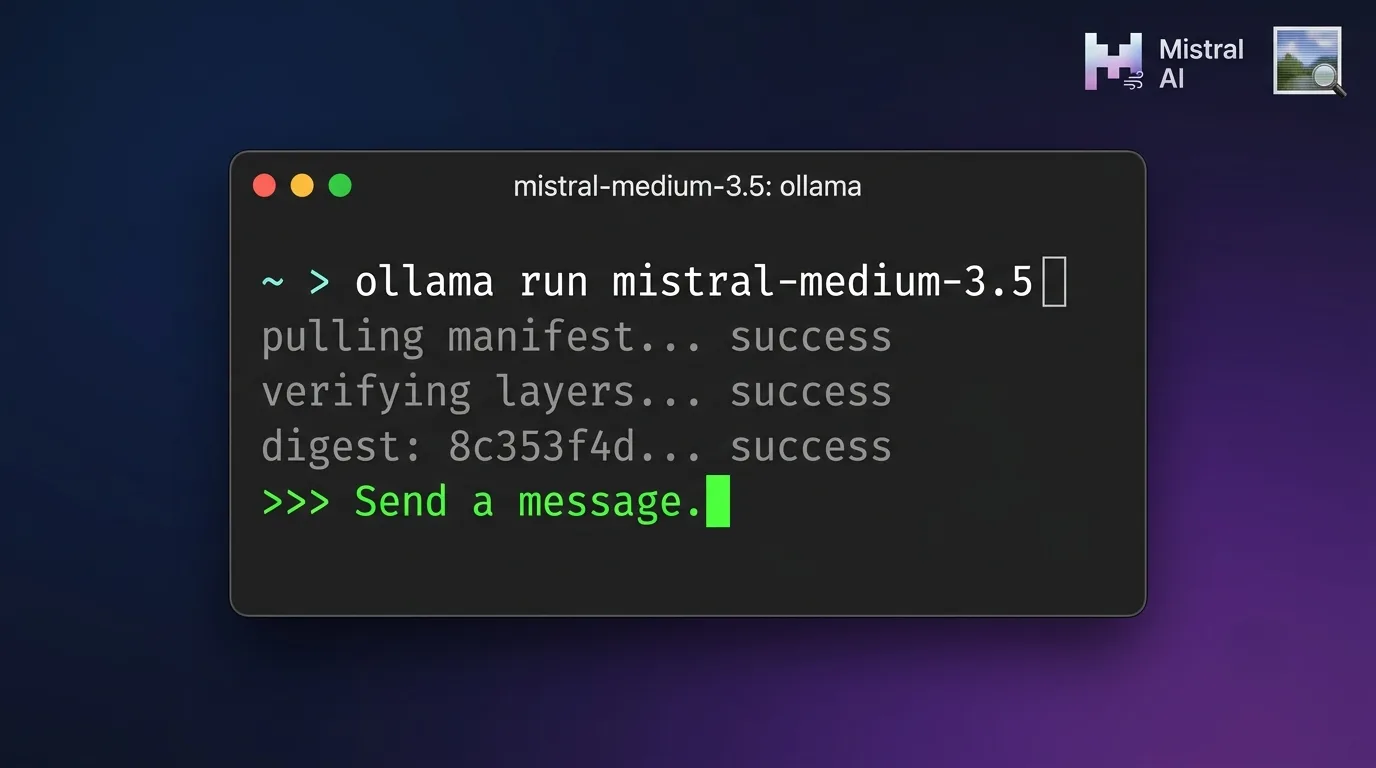
Mistral Medium 3.5 is Mistral AI's first merged flagship model, released April 29, 2026. It combines instruction-following, reasoning, and coding in one 128 billion parameter dense model with a 256K context window and native vision input. On Ollama, the default tag downloads roughly 80GB of weights. There is no cloud-only shortcut here. This is a real local pull, not a manifest-only cloud tag like several other recent flagship releases on this site.
Mistral itself says serious self-hosting needs at least four NVIDIA H100 80GB or H200 141GB class GPUs. That is production-server territory, not a single gaming GPU. For solo use through Ollama, the realistic minimum is one 80GB-plus datacenter GPU for the default q4_K_M tag, or a rented multi-GPU instance if you want the larger q8_0 or bf16 tags.
This guide covers installing Ollama, choosing the right quantization tag for your hardware, pulling and running the model, testing its vision input and configurable reasoning effort, and setting up API access. The alternatives section near the end covers what Mistral Medium 3.5 actually replaces: Mistral Medium 3.1, Magistral, and Devstral 2.
Prerequisites
- Ollama 0.12 or later installed
- At least 80GB of combined VRAM and system RAM free for the default q4_K_M tag, more for q8_0 or bf16
- 80GB to 255GB of free disk space depending on which quantization tag you pull
- An NVIDIA GPU with 80GB or more VRAM, multiple GPUs, or a rented GPU instance; CPU-only inference works but is slow for a 128B dense model
- Basic command line familiarity
Need more GPU power?
Rent a H100 80GB on Vast.ai from $1.80/hr. On-demand GPU rentals by the hour, useful for running larger models without buying hardware.
In This Guide
What Is Mistral Medium 3.5?
Mistral Medium 3.5 is Mistral AI's first "merged" model, meaning a single set of weights covers instruction-following, reasoning, and coding instead of splitting them across separate models. Mistral AI released it on April 29, 2026, explicitly positioning it to replace Mistral Medium 3.1, Magistral, and Devstral 2 in its production lineup.
| Tag | Disk Size | Precision | Notes |
|---|---|---|---|
| mistral-medium-3.5:latest / :128b | 80GB | Q4_K_M (default) | Same file as the q4_K_M tag below |
| mistral-medium-3.5:128b-q4_K_M | 80GB | 4-bit | Default quantization, lowest hardware bar |
| mistral-medium-3.5:128b-q8_0 | 138GB | 8-bit | Closer to full quality, needs more VRAM/RAM |
| mistral-medium-3.5:128b-bf16 | 255GB | 16-bit | Full precision, multi-GPU territory |
Unlike most of the other recent flagship releases covered on this site (Kimi K2.6, GLM 5.2, MiniMax M3), Mistral Medium 3.5 is dense rather than mixture-of-experts. Every one of its 128 billion parameters activates on every forward pass, which is part of why even the smallest quantized tag needs 80GB just for the weights.
On Mistral's published benchmarks, it scores 77.6% on SWE-Bench Verified, ahead of Mistral's earlier coding-focused models, and over 90% on Mistral's internal tool-use benchmark for enterprise agent tasks. It supports 40-plus languages, function calling, JSON output, and a configurable reasoning effort setting, plus native vision input through an encoder trained to handle variable image sizes and aspect ratios, useful for documents, diagrams, and UI screenshots. It ships under a Modified MIT license: free for commercial and noncommercial use, with exceptions for companies above a certain revenue threshold.
Install Ollama and Choose Your Quantization Tag
Step 1: Match a tag to your hardware
| Available VRAM/RAM | Recommended tag | What to expect |
|---|---|---|
| 80-96GB on one GPU or unified pool | 128b-q4_K_M (default) | Usable for single-user inference, tight headroom for long context |
| 140-160GB across 2 GPUs or a high-RAM server | 128b-q8_0 | Noticeably better output quality, more comfortable headroom |
| 260GB+ across multiple GPUs | 128b-bf16 | Full precision, production-grade serving |
| Under 80GB, no GPU | Not realistic locally | Use the Vast.ai rental option above, or see the alternatives section below |
If you are not sure, start with the default q4_K_M tag. It is the only realistic option on a single 80GB-class GPU and is what the rest of this guide uses.
Step 2: Install Ollama
Linux:
curl -fsSL https://ollama.com/install.sh | shmacOS:
brew install ollamaWindows: download the installer from ollama.com and run it. WSL2 users can run the Linux command above inside their distro.
Verify the install:
ollama --versionollama version is 0.12.3Step 3: Pull Mistral Medium 3.5
ollama pull mistral-medium-3.5pulling manifest
pulling 9a3f21c8... 100% ▕████████████████▏ 80 GB
pulling 4b7e8d12... 100% ▕████████████████▏ 12 KB
verifying sha256 digest
writing manifest
successStep 4: Verify the pull
ollama listNAME ID SIZE MODIFIED
mistral-medium-3.5:latest a1b2c3d4e5f6 80 GB 2 minutes agoIf you want a higher-precision tag instead, pull it explicitly: `ollama pull mistral-medium-3.5:128b-q8_0` or `ollama pull mistral-medium-3.5:128b-bf16`.
Run Your First Inference
Step 5: Start a chat session
ollama run mistral-medium-3.5>>> Write a Python function that deduplicates a list of dictionaries by a given key, and explain the time complexity.Mistral Medium 3.5 walks through the dictionary keys, builds the function using a seen-set to track which key values it has already encountered, and returns the deduplicated list. Expect an explanation that the approach runs in O(n) time, since each item is checked once against the seen-set rather than compared against every other item.
Step 6: Test vision input
>>> What's wrong with this UI screenshot? ./screenshot.pngOllama detects the file path in your input and attaches it as an image automatically. This works for any vision-capable model in Ollama, not just Mistral Medium 3.5. The model reads the screenshot through its native vision encoder and responds based on what it sees, no separate upload step needed.
Step 7: Control reasoning effort
For complex, multi-step problems, ask for deeper reasoning through Ollama's `think` parameter, the same mechanism used for other reasoning models like DeepSeek R1 and Qwen3:
curl http://localhost:11434/api/chat -d '{
  "model": "mistral-medium-3.5",
  "messages": [{"role": "user", "content": "Debug this race condition and explain the fix"}],
  "think": "high"
}'Set `think` to `"low"` for short, low-latency answers on simple prompts, and `"high"` when you need deeper multi-step reasoning for debugging, math, or planning tasks.
Set Up API Access
Ollama exposes Mistral Medium 3.5 through its standard REST API on `localhost:11434`. No separate account or API key is needed for local use.
curl http://localhost:11434/api/generate -d '{
  "model": "mistral-medium-3.5",
  "prompt": "Summarize the tradeoffs between dense and mixture-of-experts model architectures",
  "stream": false
}'Python example:
import requests

response = requests.post('http://localhost:11434/api/chat', json={
    'model': 'mistral-medium-3.5',
    'messages': [{'role': 'user', 'content': 'Write a SQL query to find duplicate rows by email'}],
    'stream': False
})

print(response.json()['message']['content'])For function calling and JSON-mode output, set the `format` field to `json` in the request body or pass a `tools` array following the OpenAI-compatible schema, the same pattern covered in the Ollama with Python guide. If you are wiring Mistral Medium 3.5 into an agent framework, point its OpenAI-compatible base URL at `http://localhost:11434/v1`, the same setup used in the Hermes agent guide.
Troubleshooting
ollama pull mistral-medium-3.5 fails partway through or times out
Cause: The 80GB default download is large enough that unstable connections or aggressive proxy timeouts interrupt it before completion.
Fix: Re-run the same pull command. Ollama resumes from the last verified layer in most cases rather than restarting from zero. If it keeps failing at the same point, switch to a wired connection or pull during off-peak hours.
Model loads but inference is extremely slow, minutes per response
Cause: The model is running on CPU and system RAM instead of GPU VRAM, common when your GPU does not have enough free memory to hold the full 80GB-plus tag.
Fix: Check GPU memory with nvidia-smi while the model is loaded. If VRAM usage is near zero, Ollama fell back to CPU. Free up VRAM, use a smaller tag, or move to a GPU with more memory.
"model requires more system memory" error on pull or run
Cause: Combined VRAM and RAM is below what the selected tag needs, for example trying to run the q8_0 (138GB) tag on a system with only 96GB total.
Fix: Switch to a smaller quantization tag, q4_K_M instead of q8_0, or add more RAM or VRAM before retrying.
Vision input is ignored or returns a text-only response
Cause: The image path was not detected in the prompt, often because of a typo in the path or an unsupported image format.
Fix: Use an absolute path to a JPEG or PNG file and confirm the file exists. When in doubt, pass the image through the API as a base64-encoded string in the images array instead of the CLI.
Output quality feels weaker than expected from a flagship model
Cause: Running the default q4_K_M tag at 4-bit quantization trades some accuracy for the lower hardware requirement.
Fix: If your hardware allows it, pull the 128b-q8_0 tag instead. The quality difference between 4-bit and 8-bit is noticeable on complex reasoning and coding tasks.
Unsure whether commercial use of the model is allowed
Cause: Mistral Medium 3.5 ships under a Modified MIT license, which is permissive but includes exceptions for companies above a certain revenue threshold.
Fix: Check the exact license terms on the model card before deploying in a commercial product at scale. For most individuals and small teams, standard MIT terms apply without restriction.
Alternatives to Consider
| Tool | Type | Price | Best For |
|---|---|---|---|
| Devstral 2 | Self-hosted / API | Free (open weights), API pricing varies | Mistral Medium 3.5 explicitly replaces this in production. Smaller and faster if you only need coding, not full general reasoning. |
| Magistral | Self-hosted / API | Free (open weights), API pricing varies | Also replaced by Medium 3.5. Was Mistral's dedicated reasoning-focused model. |
| DeepSeek R1 | Self-hosted (Ollama) | Free, local install | A much lighter local reasoning model if you do not have 80GB or more of VRAM/RAM to spare. |
| GLM 5.2 via Ollama Cloud | Cloud (Ollama) | Free within Ollama Cloud limits | A cloud-only alternative with no local hardware requirement at all. |
Frequently Asked Questions
Can I run Mistral Medium 3.5 without a data center GPU?
Yes, but it is tight. Mistral's own guidance calls for at least four NVIDIA H100 80GB or H200 141GB class GPUs for production serving. For solo use through Ollama, the default q4_K_M tag (80GB) can run on a single 80GB-class GPU, such as an A100 80GB or H100 80GB.
There is no realistic way to run this model well on a typical consumer GPU with 16-24GB of VRAM. If you do not have access to an 80GB-plus GPU, renting one through a service like Vast.ai is the more practical route than buying hardware.
Is Mistral Medium 3.5 free to use?
Yes. Mistral Medium 3.5 ships under a Modified MIT license, which allows commercial and noncommercial use for free, with exceptions for companies above a certain revenue threshold. Running it locally through Ollama costs nothing beyond your own hardware or rented GPU time.
If you would rather not self-host, Mistral also offers it through its API, Le Chat, Mistral Vibe, and as an NVIDIA NIM containerized inference microservice, each with its own pricing.
How does Mistral Medium 3.5 compare to Mistral Medium 3.1?
Mistral Medium 3.5 replaces Mistral Medium 3.1 in Mistral's production lineup. It is the first "merged" model, meaning it combines what used to be split across Medium 3.1 (general instruction-following), Magistral (dedicated reasoning), and Devstral 2 (dedicated coding) into one set of weights.
In practice this means you no longer need to pick between three separate models depending on the task. Medium 3.5 handles general chat, multi-step reasoning, and coding in a single 128B dense model.
What does Mistral Medium 3.5 replace?
Mistral Medium 3.5 explicitly replaces three models in Mistral's lineup: Mistral Medium 3.1 (general instruction-following), Magistral (dedicated reasoning), and Devstral 2 (dedicated coding). Mistral built Medium 3.5 as a single merged model covering all three.
If your existing workflow points at any of those three older models, Medium 3.5 is the direct upgrade path, though it requires meaningfully more hardware to self-host than Devstral 2 did on its own.
Does Mistral Medium 3.5 support image input?
Yes. Mistral Medium 3.5 has a vision encoder trained from scratch that handles variable image sizes and aspect ratios natively. It accepts text and image input and produces text output, which makes it useful for document analysis, diagrams, and UI screenshots.
Through Ollama, drop an image file path into your prompt and Ollama attaches it automatically, the same mechanism used by any vision-capable model in Ollama.
How do I control how much the model reasons before answering?
Use Ollama's `think` parameter in your API request. Set it to `"high"` for complex, multi-step coding, debugging, or planning tasks where you want deeper reasoning before the answer. Set it to `"low"` for simple prompts where speed matters more than depth.
This is the same mechanism Ollama uses for other reasoning models like DeepSeek R1 and Qwen3, not a Mistral-specific flag.
What is the minimum VRAM or RAM needed?
For the default q4_K_M tag, plan on at least 80GB of combined VRAM and system RAM, since the quantized weights alone are 80GB. For the q8_0 tag, plan for at least 140GB. For the full-precision bf16 tag, plan for 260GB or more, typically split across multiple GPUs.
Add extra headroom on top of the weight size for the KV cache, which grows with how much context you actually use.
Can I try Mistral Medium 3.5 without installing Ollama?
Yes. Mistral offers Medium 3.5 through its own API, the Le Chat assistant, Mistral Vibe, and as an NVIDIA NIM containerized inference microservice. Any of those let you test the model without downloading 80GB of weights or owning capable hardware.
Ollama is the right choice once you want the model running on your own machine or server, with no per-token API costs and full control over the deployment.
Related Guides
How to Run Ollama Locally: Complete Setup Guide (2026)
Best Local LLM Models to Run in 2026 (Benchmarks + Use Cases)
How to Run DeepSeek R1 Locally with Ollama (2026 Guide)
How to Run Kimi K2 on Ollama: Cloud Setup Guide (2026)
How to Run GLM 5.2 on Ollama: Cloud Setup Guide (2026)
How to Use Ollama with Python: API Integration Tutorial (2026)
How to Run Laguna XS 2.1 on Ollama: Local Setup Guide (2026)